Haven't found what you were looking for? Click here! ▼
Describe below exactly what you are looking for and we will see how we can help. You will receive a reply to your e-mail address by 09:15 on tuesday (6 October 2026) at the latest
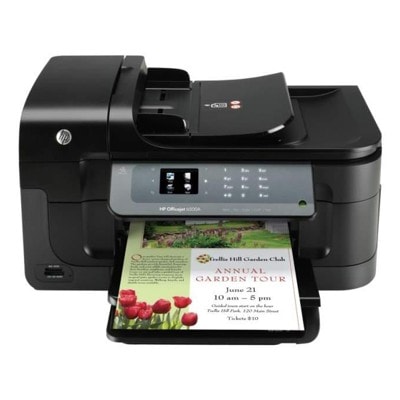
Ink cartridges for HP OfficeJet 6500A E710a - compatible and original OEM
Keep your HP OfficeJet 6500A E710a (HP Officejet 6500 Series / CN555A) producing sharp text and vibrant colour with the right inkjet supplies. In this category you’ll find HP 920 / 920XL ink cartridges and a dedicated HP printhead option, all selected for dependable performance and clean, consistent results.
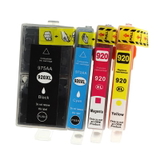
Choose between Original OEM cartridges for factory-grade quality and reliability, or compatible ink cartridges for a budget-friendly way to keep printing without compromise. Stock up with the convenient CMYK multipack (C2N92AE) or replace individual colours—Black (CD975AE / CD971AE), Cyan (CD972AE), Magenta (CD973AE), and Yellow (CD974AE)—to match your exact needs.
Need to restore print quality? Add the Original OEM HP CN643A printhead to help maintain crisp output and smooth colour flow. Get the best fit for your HP E710a ink cartridges today—shop now and explore the full selection to keep your printer ready for every page.
Product Number: CN555A Other names: All-In-One Printer HP OfficeJet E710a, All-In-One Printer HP OfficeJet 6500 a, All-In-One Printer HP OfficeJet 6500 A, All-In-One Printer HP OfficeJet 6500a, All-In-One Printer HP OfficeJet 6500A
Reliable printing with HP OfficeJet 6500A E710a (CN555A) – the right ink makes the difference
The HP OfficeJet 6500A E710a (also found as HP E710a, HP Officejet 6500 Series, 6500A or CN555A) is a popular all-in-one inkjet designed for home offices and small businesses. It’s valued for everyday document printing, color graphics, and convenient multifunction work. To keep this device performing at its best, you need dependable ink for HP OfficeJet 6500A E710a—and that’s exactly what we offer in this category: both Compatible and Original OEM solutions, including ink cartridges and a dedicated printhead.
Ink cartridges and printheads for HP 6500A / E710a – what you’ll find in this category
This printer uses the HP 920 / HP 920 XL ink family, which supports crisp black text and vivid CMYK color output. Choosing the right ink for HP E710a ensures stable printing, better color consistency, and fewer interruptions—especially when you print frequently or rely on your printer for invoices, reports, school materials, or presentations.
In this category, we focus on the parts that matter most for print quality and reliability:
Ink Cartridges – black and CMYK colors, available as XL high-yield options for longer printing runs.
Printheads – a key component responsible for accurate ink delivery and clean, sharp output.
Compatible and Original OEM classes – so you can choose based on your preferences and printing volume.
Popular choices: HP 920 XL inks (CMYK) and black cartridges
We make it easy to match the right product to your printing needs. If you want maximum convenience, multipacks are a smart choice. If you print mostly text, black XL is often the most economical route. Here are some of the most popular items for ink for printer HP OfficeJet 6500A E710a:
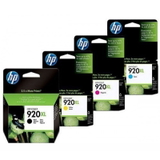
Compatible Ink Cartridges 920 XL CMYK for HP (C2N92AE) (multi pack) – a practical set for everyday color and black printing.
Original OEM Ink Cartridges HP 920 XL CMYK (C2N92AE) (multi pack) – OEM performance and consistency in one complete set.
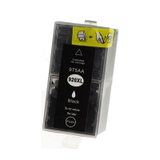
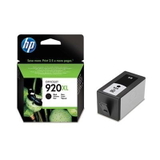
Compatible Ink Cartridge 920 XL for HP (CD975AE) (Black) – ideal for heavy document printing.
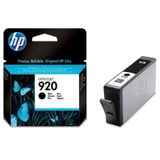
Original OEM Ink Cartridge HP 920 XL (CD975AE) (Black) and Original OEM Ink Cartridge HP 920 (CD971AE) (Black) – options for standard and high-yield OEM black.
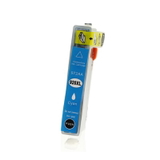
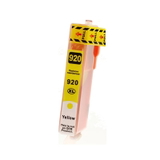
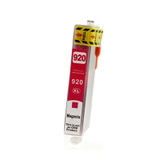
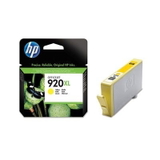
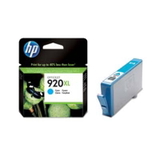
Compatible Ink Cartridge 920 XL for HP (CD972AE) (Cyan), (CD973AE) (Magenta), (CD974AE) (Yellow) – replace only the color you need.
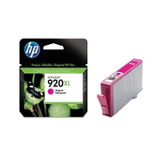
Original OEM Ink Cartridge HP 920 XL (CD972AE) (Cyan), (CD973AE) (Magenta), (CD974AE) (Yellow) – OEM color cartridges for consistent results.
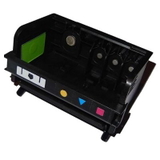
Original OEM Printhead HP CN643A (CN643A) – a crucial part when print quality issues persist despite cartridge replacement.
Original OEM vs Compatible ink for HP OfficeJet 6500A E710a – how to choose
Many customers ask which ink for HP OfficeJet 6500A E710a is best. The answer depends on how you print and what matters most to you (budget, frequency, or strict OEM preference). In our store, both options are carefully selected to deliver dependable results—and our compatible ink cartridges are designed to be just as good as the originals in everyday use.
Original OEM – best for customers who prefer manufacturer-branded supplies and want maximum peace of mind with OEM specifications.
Compatible – an excellent choice for frequent printing and cost control, while still maintaining strong quality and reliability.
XL (high-yield) cartridges – recommended if you print a lot; fewer replacements, more convenience, better cost per page.
Multipacks (CMYK) – perfect when you want a ready-to-go set for color printing and balanced usage.
Tip: if your printer model appears under different names (for example 6500 a, 6500 A, 6500a, or 6500A), don’t worry—this category is dedicated to the same device family: HP OfficeJet 6500A E710a / HP Officejet 6500 Series.
Common printing issues with HP 6500A and how the right supplies help
Inkjet printers like the HP E710a are reliable, but certain issues are common—especially when printing is irregular. Choosing high-quality ink for HP 6500A and replacing the right component at the right time can quickly restore normal performance.
Faded colors or missing lines – often caused by a depleted cartridge or drying due to long breaks between prints. Replacing the specific color (C/M/Y) usually solves it.
Black text not crisp – consider switching to an HP 920 XL black option and checking print settings for documents.
Persistent streaks even after replacing cartridges – this may indicate a worn or clogged printhead; the Original OEM Printhead HP CN643A (CN643A) is the right component to consider.
Frequent cartridge replacements – upgrade to 920 XL to reduce downtime and keep printing smooth.
Order ink for HP OfficeJet 6500A E710a with confidence – we’re here to help
We encourage you to explore our full selection of Compatible and Original OEM products in this category and choose the best ink for printer HP OfficeJet 6500A E710a for your needs. Whether you want an efficient 920 XL CMYK multipack, a single color cartridge, a strong black for documents, or a dedicated printhead—we’ve got you covered.
CTA: Add your chosen cartridges to the cart and keep your HP OfficeJet 6500A / E710a ready for everyday work. If you’re unsure which version (920 vs 920 XL, Compatible vs Original OEM) is right for you, contact us—our team will help you select the perfect match. We also ensure fast order processing and convenient delivery, so you can get back to printing without delay.