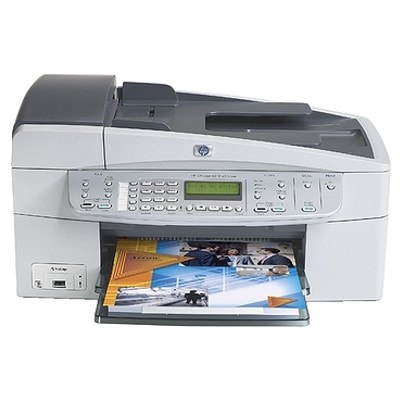
Ink cartridges for HP OfficeJet 6313 – reliable printing for home and small office HP OfficeJet 6313 (also searched as HP 6313 or HP Officejet 6300 Series) is a practical all‑in‑one device designed for everyday printing, copying and scanning. To keep it working smoothly, you need the right ink for HP OfficeJet 6313—cartridges that deliver crisp text, readable documents and vivid color prints whenever you need them. In this category we’ve gathered both Original OEM and carefully selected compatible ink cartridges for HP OfficeJet 6313, so you can match your choice to your budget and printing style. What ink cartridges does HP OfficeJet 6313 use? This model works with several popular HP cartridge families, including black, color and photo options. Choosing the correct ink cartridge for HP 6313 means better print quality, fewer interruptions and less hassle during installation. Whether you print invoices, school materials, forms, or colorful graphics, the right cartridge will help maintain stable results and consistent page coverage. Commonly used cartridge codes and phrases customers look for include: Q8061C, 6313, and HP Officejet 6300 Series. If you’re replacing an empty cartridge, check the code on your old one (for example C9364EE or C8766EE)—it’s the fastest way to confirm compatibility. Compatible vs Original OEM – how to choose the best option We offer two proven routes for your ink for HP OfficeJet 6313: - Original OEM ink cartridges – manufactured by HP, designed for predictable performance and consistent output. A great choice if you prefer using the manufacturer’s supplies or print important documents frequently.
- Compatible ink cartridges – a budget-friendly alternative. Our compatible cartridges from DrTusz.pl are built to be as good as the originals in everyday use: clear text, solid blacks and pleasant color reproduction. They’re ideal for regular home printing and office work where you want excellent value per page.
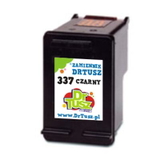
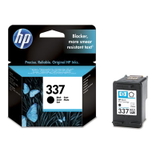
If you print a lot, compatible cartridges can significantly reduce your running costs. If you print occasionally or want to stay strictly with HP-branded supplies, Original OEM is the straightforward choice. Many customers also mix sets—using black more often (so choosing an economical compatible black) and keeping OEM color for specific projects. Popular ink cartridges in this category (wide range, easy matching) To help you quickly find what you need, here are some of the most frequently chosen items for ink for HP OfficeJet 6313: - Compatible Ink Cartridge 337 for HP (C9364EE) (Black) – dependable black for everyday documents.
- Original OEM Ink Cartridge HP 337 (C9364EE) (Black) – OEM black for consistent office-quality output.
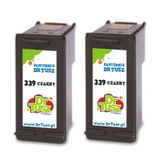
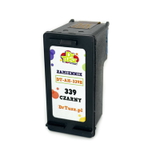
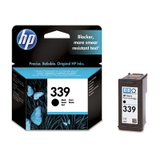
- Compatible Ink Cartridge 339 for HP (C8767EE) (Black) and Original OEM Ink Cartridge HP 339 (C8767EE) (Black) – strong option for sharp text and deeper black.
- Compatible Ink Cartridges 339 for HP (C9504EE) (Black) (2-pack) – convenient запас for frequent printing and fewer reorders.
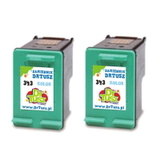
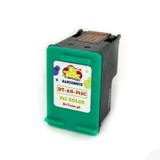
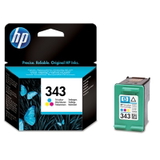
- Compatible Ink Cartridge 343 for HP (C8766EE) (Color) and Original OEM Ink Cartridge HP 343 (C8766EE) (Color) – solid everyday color for charts, graphics and photos on plain paper.
- Compatible Ink Cartridges 343 for HP (CB332EE) (Color) (2-pack) – perfect if you print color often and want a ready backup.
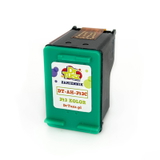
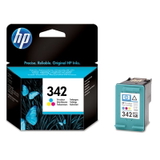
- Compatible Ink Cartridge 342 for HP (C9361EE) (Color) and Original OEM Ink Cartridge HP 342 (C9361EE) (Color) – another popular color choice for the HP Officejet 6300 Series.
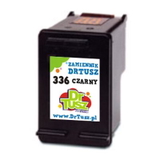
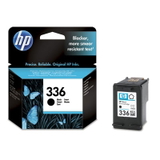
- Compatible Ink Cartridge 336 for HP (C9362EE) (Black) and Original OEM Ink Cartridge HP 336 (C9362EE) (Black) – a frequently selected black cartridge for home and office use.
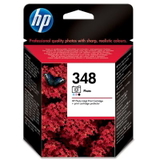
- Original OEM Ink Cartridge HP 348 (C9369EE) (Foto) – a dedicated photo cartridge for users who want smoother tonal transitions and improved photo results.
Thanks to this selection, you can easily build your own set: black only for document printing, black + color for mixed use, or a photo-focused combo with HP 348 if images are important to you. Practical tips and common issues with HP OfficeJet 6313 ink Users of HP OfficeJet 6313 and the HP Officejet 6300 Series most often ask us about three things: matching the right cartridge, avoiding “cartridge not recognized” messages, and solving streaks or faded colors. Here’s what typically helps: - Double-check the code on your old cartridge (e.g., C9362EE, C9364EE, C8766EE, C8767EE). It’s the best way to pick the correct ink cartridge for HP 6313.
- “Cartridge not recognized”: remove the cartridge, gently clean the contacts, reinstall firmly, and restart the printer. In most cases the issue is contact-related, not cartridge-related.
- Streaks / missing colors: run the printer’s cleaning/alignment routine and make sure you print at least occasionally—inkjet nozzles like regular use.
- Choosing black: if you print mostly text, consider keeping a spare black cartridge (or a 2-pack) so you don’t get stuck mid-print.
When you buy ink for HP OfficeJet 6313 from us, you’re choosing a range that covers different needs—everyday printing, higher volume work, and photo-oriented output—while keeping ordering simple and secure. Order ink for HP OfficeJet 6313 with confidence We encourage you to browse the full selection in this category and choose the option that best fits your printing habits—Original OEM for manufacturer-branded consistency or compatible ink cartridges for HP OfficeJet 6313 for excellent value without compromising everyday quality. If you’re not sure which cartridge code is right for your printer, contact us—we’ll help you match the correct ink for HP 6313 quickly. Add your cartridges to the cart and enjoy fast, convenient delivery and friendly support whenever you need it. |