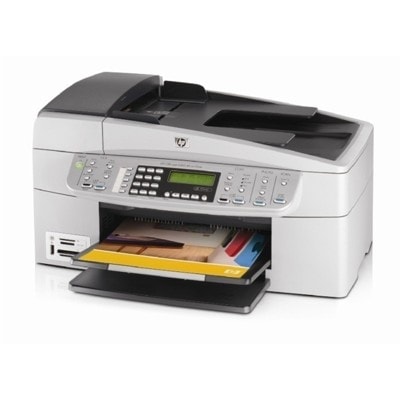
Ink for HP OfficeJet 6310 – reliable printing for home and small office The HP OfficeJet 6310 (also searched as HP 6310 or HP Officejet 6300 Series) is a well-known all‑in‑one device built for everyday documents, occasional color prints, and practical home-office tasks. To keep it performing at its best, choosing the right ink for HP OfficeJet 6310 matters just as much as the printer itself. In our category you’ll find both Original OEM and high-quality compatible ink cartridges that fit this model perfectly. What these HP OfficeJet 6310 ink cartridges are designed for Whether you print invoices, school materials, forms, emails, or colorful graphics, the right ink for HP 6310 helps you maintain crisp text and consistent color. The HP OfficeJet 6310 uses separate cartridges, so you can replace only the color that runs out—helpful for controlling printing costs. - Black ink cartridges for sharp text and clear lines (ideal for documents).
- Color ink cartridges for vibrant graphics, charts, and everyday photos.
- Photo ink (for supported sets) to enhance photo tones and smoother gradients.
Customers often look for these cartridges using codes like Q8061A and by cartridge numbers such as HP 336, 337, 339, 342, 343, 348. We make it easy to match the correct cartridge to your printer and printing needs. Compatible vs Original OEM – choose what suits you best We offer two proven options for ink for printer HP OfficeJet 6310: - Original OEM ink cartridges – manufactured by HP, designed to deliver predictable results and full compatibility with the printer’s requirements.
- Compatible ink cartridges – our carefully selected alternatives that deliver printing quality comparable to originals. In the DrTusz.pl offer, compatible cartridges are made to be as good as OEM: reliable, clean printing, and a great way to reduce cost per page.
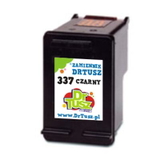
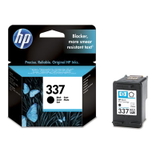
If you print a lot, compatible options can be the most economical path. If you prefer sticking to the manufacturer’s solution, Original OEM cartridges are always available as well. Either way, you’ll find the right ink for HP OfficeJet 6310 here. Popular cartridges in this category (black, color, and photo) We keep a wide range of the most frequently chosen cartridges for the HP OfficeJet 6310 series. Here are several customer favorites: - Compatible Ink Cartridge 337 for HP (C9364EE) (Black) – a solid everyday choice for document printing.
- Original OEM Ink Cartridge HP 337 (C9364EE) (Black) – OEM black ink for consistent office-style output.
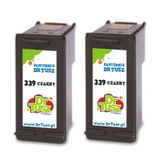
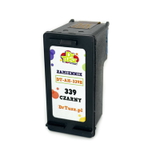
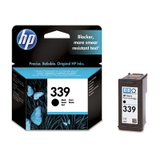
- Compatible Ink Cartridge 339 for HP (C8767EE) (Black) and Original OEM Ink Cartridge HP 339 (C8767EE) (Black) – popular for sharp black text and clear contrast.
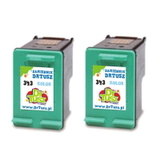
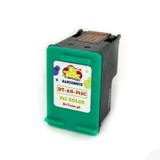
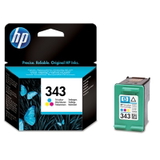
- Compatible Ink Cartridge 343 for HP (C8766EE) (Color) and Original OEM Ink Cartridge HP 343 (C8766EE) (Color) – great for color documents and graphics.
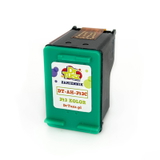
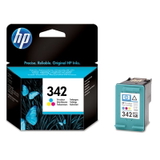
- Compatible Ink Cartridge 342 for HP (C9361EE) (Color) and Original OEM Ink Cartridge HP 342 (C9361EE) (Color) – dependable color printing for everyday needs.
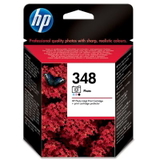
- Original OEM Ink Cartridge HP 348 (C9369EE) (Foto) – for users who print photos and want improved tonal transitions.
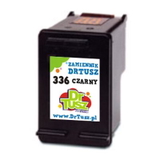
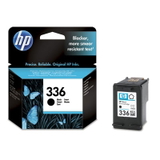
- Compatible Ink Cartridge 336 for HP (C9362EE) (Black) and Original OEM Ink Cartridge HP 336 (C9362EE) (Black) – a commonly chosen black cartridge for frequent printing.
To help you save time and money, we also offer multi-packs, such as Compatible Ink Cartridges 339 for HP (C9504EE) (Black) (2-pack) and Compatible Ink Cartridges 343 for HP (CB332EE) (Color) (2-pack), ideal when you want a spare ready to go. How to pick the right ink for HP 6310 and avoid common issues When choosing ink for HP Officejet 6300 Series, we recommend checking the cartridge number already installed in your printer (for example: 336/337/339 for black, 342/343 for color). If you print mostly text, a black cartridge is your priority; if you frequently print charts, school projects, or images, keep a color cartridge on hand as well. Common user issues with the HP OfficeJet 6310 are usually simple to solve: - Faded prints or streaks – often caused by low ink or dried nozzles; replacing the cartridge and running the printer’s cleaning cycle typically helps.
- Printer not recognizing a cartridge – make sure protective tape is removed and the cartridge is properly seated; if needed, gently clean the contacts.
- Color imbalance – can happen when one color runs low; replacing the specific color cartridge restores balanced output.
If you’re unsure which cartridge is best for your printing style, we’re here to help you choose between Original OEM and compatible ink for HP OfficeJet 6310—quickly and confidently. Order your HP OfficeJet 6310 ink cartridges with confidence We encourage you to explore the full selection of ink cartridges for HP OfficeJet 6310 in this category and pick the option that matches your needs and budget. Add a spare cartridge to avoid downtime, choose a convenient 2-pack for better value, and enjoy dependable printing again. CTA: Check the available compatible and Original OEM cartridges now—or contact us if you want us to confirm the correct cartridge for your HP 6310 before you order. We’ll help you get the right ink quickly and smoothly, with fast delivery options and friendly support. |