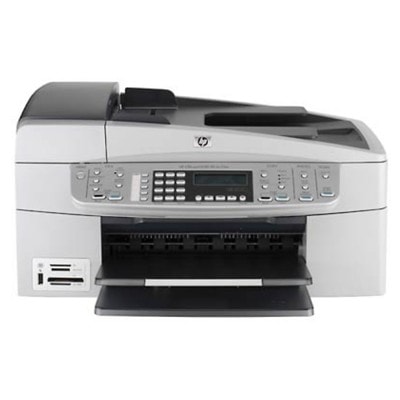
| If you use the HP OfficeJet 6304 (also searched as HP 6304, HP Officejet 6300 Series, Q8067C or simply “6304”), you already know why this model is still appreciated: it’s a reliable, multifunction inkjet for everyday printing, copying and scanning at home and in small offices. To keep it working smoothly, you need the right ink for HP OfficeJet 6304—matched to the printhead system, optimized for clean text, and ready whenever you need it. Ink for HP OfficeJet 6304 – what you can expect from the right cartridge Choosing the correct ink cartridge for HP OfficeJet 6304 is not only about “black or color”. The right cartridge affects sharpness, color balance, drying time and even how often you need to clean the printer. In this category we offer Original OEM and compatible ink cartridges for HP OfficeJet 6304, so you can decide what fits your printing style and budget. These cartridges are designed for typical OfficeJet tasks: - clear documents and forms (deep black, crisp edges),
- color graphics for school and business (consistent cyan/magenta/yellow),
- photo printing when you want smoother tones (with dedicated photo options).
Whether you print occasionally or every day, a well-chosen ink for HP 6304 helps reduce streaks, fading and unnecessary maintenance. Compatible and Original OEM – two good ways to print We know customers often compare Original OEM ink cartridges with compatible ink for HP OfficeJet 6304. OEM cartridges are produced by the printer manufacturer and are a safe choice for users who prefer the brand’s own consumables. At the same time, our compatible cartridges from DrTusz.pl are engineered to deliver results that are as good as the originals—great for anyone who wants dependable quality while keeping printing costs under control. - Original OEM – consistent results, manufacturer-labelled products, ideal for users who prefer OEM supply chains.
- Compatible – excellent print quality, strong value, smart choice for frequent printing and cost-per-page optimization.
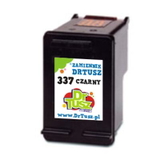
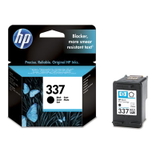
Popular cartridges for HP OfficeJet 6304 available in our offer This category is built around the most commonly used cartridge models for the OfficeJet 6300 Series. You’ll find both black and tri-color options, plus multipacks when you want to stock up. Here are some of the highlights: - Compatible Ink Cartridge 337 for HP (C9364EE) (Black) and Original OEM Ink Cartridge HP 337 (C9364EE) (Black) – a popular everyday black option for documents.
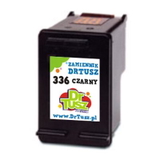
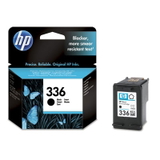
- Compatible Ink Cartridge 336 for HP (C9362EE) (Black) and Original OEM Ink Cartridge HP 336 (C9362EE) (Black) – another widely used black cartridge for OfficeJet printing.
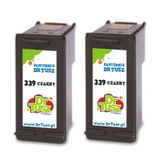
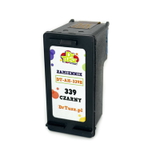
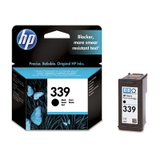
- Compatible Ink Cartridge 339 for HP (C8767EE) (Black) and Original OEM Ink Cartridge HP 339 (C8767EE) (Black) – a great choice when you want strong black coverage.
- Compatible Ink Cartridges 339 for HP (C9504EE) (Black) (2-pack) – convenient multipack for people who print more and don’t want downtime.
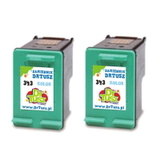
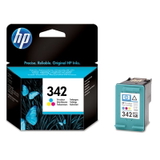
- Original OEM Ink Cartridge HP 342 (C9361EE) (Color) and Compatible Ink Cartridge 342 for HP (C9361EE) (Color) – tri-color cartridges for charts, graphics and everyday color.
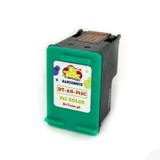
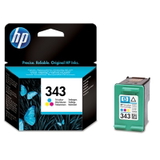
- Original OEM Ink Cartridge HP 343 (C8766EE) (Color), Compatible Ink Cartridge 343 for HP (C8766EE) (Color) and Compatible Ink Cartridges 343 for HP (CB332EE) (Color) (2-pack) – color options and multipacks for frequent color users.
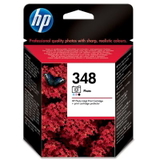
- Original OEM Ink Cartridge HP 348 (C9369EE) (Foto) – for photo-focused printing and smoother tonal transitions.
With this range, it’s easy to match the right ink cartridge for HP OfficeJet 6304 to your needs—whether you print mostly black text, mostly color, or a mix. How to choose the right ink cartridge for HP 6304 (and avoid common issues) To select the best ink for HP OfficeJet 6304, we recommend two simple checks: the cartridge code and your printing habits. If you print lots of text, prioritize a black cartridge or a black multipack. If you print presentations, school materials or colorful spreadsheets, add a color cartridge as well. For photos, consider the photo cartridge option. Common issues reported by OfficeJet 6300 Series users are usually easy to solve with the right approach: - Printer doesn’t recognize the cartridge – reseat the cartridge firmly, check protective tapes are removed, and ensure the cartridge code matches your model.
- Streaks or faded prints – run a printhead cleaning/alignment and make sure the cartridge is fresh and stored properly.
- Color looks “off” – replace the tri-color cartridge when one color is depleted; a new cartridge typically restores correct balance quickly.
- Frequent replacements – consider a 2-pack (like the 339 black multipack) if you print often and want fewer interruptions.
If you’re unsure whether HP 337, HP 336, HP 339, HP 342, HP 343 or HP 348 is the right choice for your specific setup, we encourage you to contact us—our team will help you select the correct ink cartridge for HP 6304 based on the printer series and your typical printouts. Order ink for HP OfficeJet 6304 with confidence We make it easy to choose between Original OEM and compatible ink cartridges—and to get exactly the ink for HP OfficeJet 6304 you need, without guessing. Browse the products in this category, compare black, color and photo options, and pick the version that best matches your expectations and budget. CTA: We encourage you to explore the available cartridges above and place your order today. If you have any questions about compatibility, cartridge codes or print quality, contact us—we’ll help you choose quickly. We also offer fast delivery options so you can get back to printing without delays. |