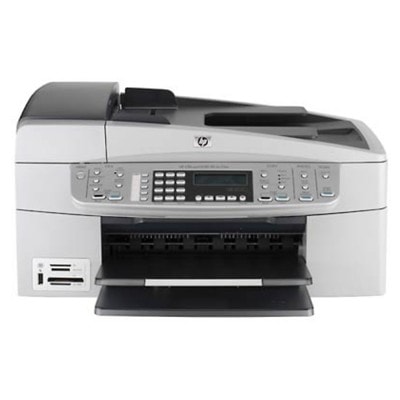
HP OfficeJet 6300 – a reliable all‑in‑one for home and office The HP OfficeJet 6300 (also searched as HP 6300 or HP OfficeJet 6300 Series) is a proven multifunction printer built for everyday printing, copying and scanning. It’s often chosen for its practicality: it handles documents quickly, keeps text sharp and makes it easy to print color materials when you need them. To keep this device working at its best, choosing the right ink for HP OfficeJet 6300 is essential—especially if you print frequently or want consistent results from the first page to the last. Ink for HP OfficeJet 6300: what you can expect from the right cartridge In this category you’ll find ink cartridges for HP OfficeJet 6300 in two classes: Original OEM and Compatible. Both options are designed to deliver clean, readable prints and stable color reproduction—whether you print invoices, schoolwork, offers, forms or occasional photos. The key is matching the cartridge to your needs: black for text-heavy printing, color for charts and graphics, and photo ink when you want smoother tonal transitions. Well-chosen ink for HP 6300 helps you achieve: - clear black text for contracts, reports and daily correspondence,
- vivid color for presentations, images and marketing materials,
- repeatable results across many prints,
- less downtime—because the right cartridge means fewer errors and fewer interruptions.
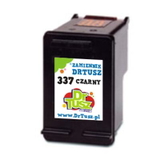
Compatible and Original OEM cartridges – one place, many options We offer a wide and practical selection of ink cartridges for HP Officejet 6300 Series, including both OEM and our trusted compatible alternatives. Popular choices in this category include: - Compatible Ink Cartridge 337 for HP (C9364EE) (Black) – a solid option for everyday black text printing.
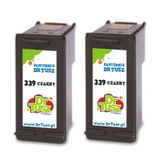
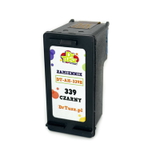
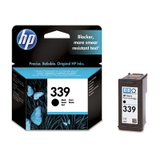
- Compatible Ink Cartridge 339 for HP (C8767EE) (Black) and Compatible Ink Cartridges 339 for HP (C9504EE) (Black) (2-pack) – great when you print a lot and want to stock up.
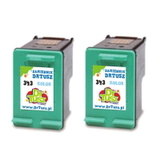
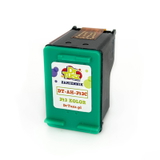
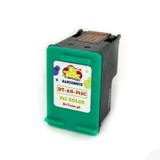
- Compatible Ink Cartridge 343 for HP (C8766EE) (Color) and Compatible Ink Cartridges 343 for HP (CB332EE) (Color) (2-pack) – for color documents, graphics and mixed printing.
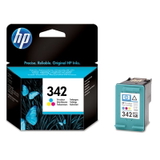
- Compatible Ink Cartridge 342 for HP (C9361EE) (Color) – a dependable color solution for everyday use.
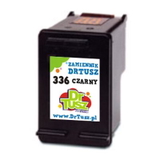
- Compatible Ink Cartridge 336 for HP (C9362EE) (Black) – an economical choice for frequent printing.
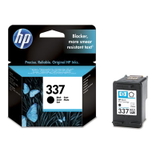
- Original OEM Ink Cartridge HP 337 (C9364EE) (Black) and Original OEM Ink Cartridge HP 339 (C8767EE) (Black) – official HP cartridges for users who prefer OEM.
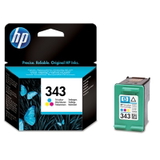
- Original OEM Ink Cartridge HP 342 (C9361EE) (Color) and Original OEM Ink Cartridge HP 343 (C8766EE) (Color) – original color cartridges for consistent, predictable output.
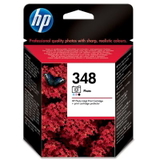
- Original OEM Ink Cartridge HP 348 (C9369EE) (Foto) – for photo printing and smoother gradients.
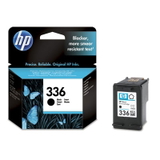
- Original OEM Ink Cartridge HP 336 (C9362EE) (Black) – original black for daily document printing.
Thanks to this range, you can easily choose ink for printer HP OfficeJet 6300 tailored to how you print—occasionally, regularly, or in higher volumes. How to choose the right ink cartridge for HP OfficeJet 6300 When selecting ink for HP OfficeJet 6300, start with two simple checks: the cartridge number and your printing style. If you print mostly text, focus on a black cartridge (e.g., 336/337/339). If you frequently use graphics or color elements, add the right color cartridge (e.g., 342/343). For photo prints, consider dedicated photo ink (e.g., 348) to improve tonal smoothness. Many customers ask us about the difference between OEM and compatible options. Here’s the practical breakdown: - Original OEM ink cartridge – produced by the printer brand, chosen by customers who prefer official consumables and a familiar printing experience.
- Compatible ink cartridge – a cost-effective alternative. Our compatible cartridges from DrTusz.pl are designed to be as good as the originals in everyday use, delivering strong print quality and reliable performance.
Not sure what to pick? If your priority is the best cost per page, compatible ink is usually the smartest route. If you want to stay with brand originals, we have the full OEM set ready for you as well. Common HP OfficeJet 6300 printing issues—and simple fixes The HP 6300 series is dependable, but like any inkjet it can run into typical consumable-related issues. If you notice light prints, missing colors or streaks, the solution is often straightforward: - Faded or streaky output – run the printer’s cleaning cycle and check if the cartridge is running low.
- Color looks off – make sure the correct color cartridge (342/343) is installed and try a printhead/nozzle cleaning.
- Cartridge not recognized – reinsert the cartridge firmly, ensure protective tape has been removed, and restart the printer.
- Printing stops unexpectedly – check ink levels and consider keeping a spare (for example, a 2‑pack black or color set) to avoid downtime.
If you ever have doubts, we encourage you to contact us—our team will help you match the correct ink cartridge for HP OfficeJet 6300 Series quickly and accurately. Order ink for HP OfficeJet 6300 with confidence We make it easy to choose the right ink for HP OfficeJet 6300—whether you prefer Original OEM cartridges or want to save with our high-quality Compatible options. Browse the products in this category, compare variants (single packs and 2‑packs), and pick the set that matches your printing routine. Call to action: We encourage you to view our full offer of ink cartridges for HP 6300, add the best option to your cart, and if you need help—reach out to us. We’re here to advise, and we ship orders quickly so you can get back to printing without delays. |