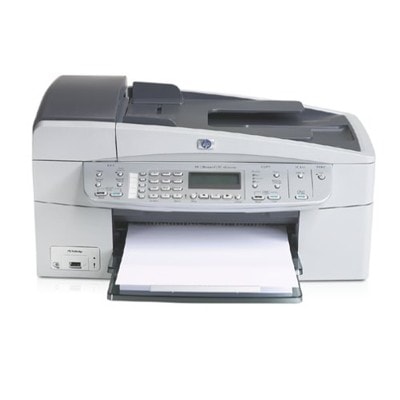
HP OfficeJet 6210v – a proven all‑in‑one for everyday printing The HP OfficeJet 6210v (also searched as HP 6210v, HP Officejet 6200 Series, 6210V or Q5801A) is a classic home-and-small-office multifunction device built for practical tasks: printing documents, scanning, and copying on demand. To keep this model working reliably and producing crisp text plus vivid color, it’s crucial to choose the right ink cartridges for HP OfficeJet 6210v—and to replace them before print quality drops too far. Ink for HP OfficeJet 6210v: what you should expect In this category we focus on ink cartridges designed specifically for the HP OfficeJet 6210v. The most popular choices are the well-known cartridge families: HP 338 (black) and HP 343 / HP 344 (color). With the right ink for HP 6210v you can count on: - Sharp black text for invoices, schoolwork, forms and everyday office documents.
- Clean color for charts, presentations and occasional photo prints.
- Stable performance in regular use—whether you print daily or only a few times a week.
- Convenient cartridge replacement without complicated procedures.
If you’re noticing faded prints, missing lines, streaks or colors that don’t look right, it’s often a sign that your ink cartridge for HP OfficeJet 6210v is running low, has dried slightly due to long breaks between prints, or needs a quick cleaning cycle in the printer settings. Compatible or Original OEM: choose what fits your needs We offer both Original OEM cartridges and high-quality compatible ink cartridges for HP OfficeJet 6210v. What’s the difference? - Original OEM ink cartridges are manufactured by HP and are a great choice if you prefer to stay with the brand’s own supplies.
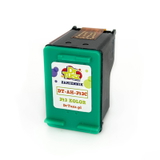
- Compatible ink cartridges are reliable alternatives designed to match the printer’s requirements. In our offer, compatible cartridges from DrTusz.pl are prepared to deliver print quality and performance comparable to originals—while helping you optimize printing costs.
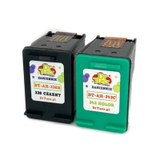
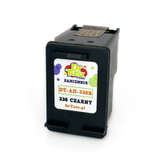
Both options can be excellent. The best choice depends on how much you print, what you print (text vs. color), and whether you value maximum brand continuity or the best price-to-page ratio. Popular ink cartridges in our offer for HP OfficeJet 6210v To make shopping easier, we keep a wide selection of the most frequently used items for this model—single cartridges as well as practical multi-packs and 2-packs: - Compatible Ink Cartridge 338 for HP (C8765EE) (Black) – a dependable option for crisp everyday text.
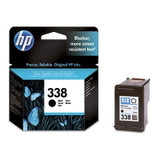
- Original OEM Ink Cartridge HP 338 (C8765EE) (Black) – OEM black for users who prefer original supplies.
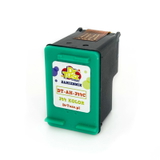
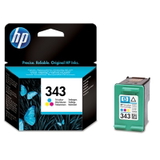
- Compatible Ink Cartridge 343 for HP (C8766EE) (Color) and Original OEM Ink Cartridge HP 343 (C8766EE) (Color) – solid color choices for graphics and mixed documents.
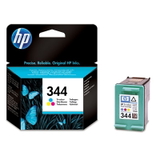
- Compatible Ink Cartridge 344 for HP (C9363EE) (Color) and Original OEM Ink Cartridge HP 344 (C9363EE) (Color) – another popular color cartridge variant for the 6200 series.
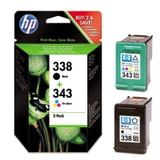
- Original OEM Ink Cartridges HP 338 + 343 (SD449EE) (multi pack) – a convenient set when you want both black and color together.
- Compatible Ink Cartridges 338 + 343 for HP (SD449EE) (multi pack) – a cost-effective bundle for frequent printing.
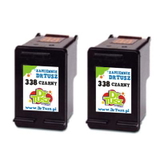
- Compatible Ink Cartridges 338 for HP (CB331EE) (Black) (2-pack) – smart if you print lots of text and want a spare ready.
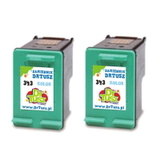
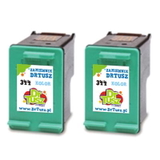
- Compatible Ink Cartridges 343 for HP (CB332EE) (Color) (2-pack) and Compatible Ink Cartridges 344 for HP (C9505EE) (Color) (2-pack) – helpful for color-heavy workloads.
This variety means you can choose exactly the cartridge type you need—single replacement, backup stock, or a complete refresh of your ink set for the HP Officejet 6200 Series. How to pick the right cartridge and avoid common issues When selecting ink for HP OfficeJet 6210v, we recommend checking the cartridge code currently installed in your printer or referenced in your manual. For this model, the key identifiers you’ll see most often are C8765EE (HP 338), C8766EE (HP 343), C9363EE (HP 344) and bundles like SD449EE. If you search using phrases such as 6210 v or 6210 V, you’ll still land in the right place—this category is built precisely for those variations. Typical user questions and issues for this printer series include: - Streaks or missing lines – often solved by replacing a low cartridge or running a printhead/nozzle cleaning cycle.
- Printer not used for a longer time – ink may dry slightly; a fresh cartridge and a cleaning cycle usually restore quality.
- Uneven color or strange tones – replace the color cartridge (343 or 344, depending on your setup) and print a test page.
- High printing costs – consider our compatible ink cartridges for HP 6210v or multi-packs/2-packs to lower cost per page.
If you’re unsure whether your printer requires HP 343 or HP 344, we encourage you to compare the code on your old cartridge—this is the fastest and safest method. Order ink for HP OfficeJet 6210v with confidence We want you to print without interruptions—whether you choose Original OEM ink cartridges or our proven compatible ink cartridges for HP OfficeJet 6210v. Browse the products listed above, pick the best pack size for your printing habits, and keep a spare on hand to avoid last-minute downtime. CTA: Add your chosen ink cartridge for HP OfficeJet 6210v to the cart and complete your order today. If you have any doubts about compatibility (e.g., HP 6210v / HP Officejet 6200 Series / Q5801A), contact us—our team will help you match the right cartridge quickly. We also provide fast delivery options so you can get back to printing as soon as possible. |