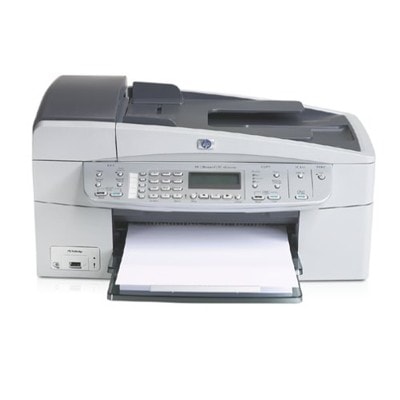
Reliable printing with the HP OfficeJet 6210 The HP OfficeJet 6210 (also searched as HP 6210 or HP Officejet 6200 Series) is a versatile all‑in‑one device built for everyday home and small-office work. Whether you print invoices, school materials, shipping labels or colourful presentations, choosing the right ink for HP OfficeJet 6210 has a direct impact on sharpness, colour accuracy and trouble-free operation. Ink cartridges for HP 6210 – what matters most This category includes ink cartridges for HP OfficeJet 6210 in two variants: Original OEM and Compatible. Both options are designed for inkjet printing and support the cartridges used in this printer family: HP 338 (black) and HP 343 / HP 344 (colour). Customers often search them by codes such as Q5801A, as well as cartridge part numbers like C8765EE, C8766EE, C9363EE or multipack code SD449EE. Good ink for printer HP OfficeJet 6210 should provide: - clear black text for documents and forms,
- vivid colours for charts, photos and marketing materials,
- reliable recognition by the printer,
- consistent results from the first to the last page.
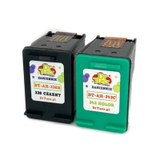
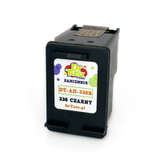
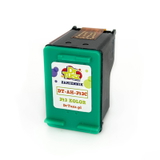
Compatible and Original OEM – one printer, two smart ways to buy We offer both Original OEM ink cartridges and carefully selected compatible ink cartridges. Original OEM options are produced by HP and are a classic choice for users who prefer manufacturer-branded supplies. At the same time, our compatible cartridges from DrTusz.pl are made to deliver print quality and reliability that are as good as the originals—with a very attractive price-to-performance ratio, especially for frequent printing. When you buy ink for HP 6210 from our offer, you can match the cartridge type to your printing style: everyday documents, mixed office use, or more colour-heavy materials. Popular ink cartridges in this category To help you choose quickly, here are some of the most popular options available in our range. You’ll find both single cartridges and convenient multipacks/2-packs: - Compatible Ink Cartridge 338 for HP (C8765EE) (Black) – a dependable choice for crisp documents.
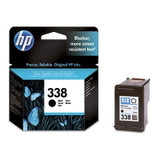
- Original OEM Ink Cartridge HP 338 (C8765EE) (Black) – OEM black cartridge for users who prefer HP-branded supplies.
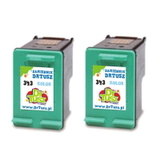
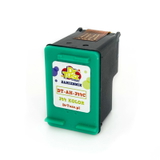
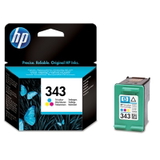
- Compatible Ink Cartridge 343 for HP (C8766EE) (Color) and Original OEM Ink Cartridge HP 343 (C8766EE) (Color) – for colourful prints and everyday graphics.
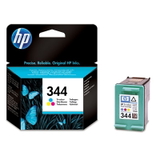
- Compatible Ink Cartridge 344 for HP (C9363EE) (Color) and Original OEM Ink Cartridge HP 344 (C9363EE) (Color) – an alternative colour option widely used in the series.
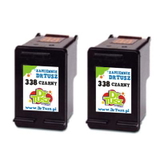
- Compatible Ink Cartridges 338 for HP (CB331EE) (Black) (2-pack) – practical for offices or high-volume printing.
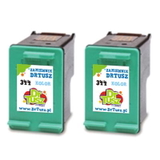
- Compatible Ink Cartridges 343 for HP (CB332EE) (Color) (2-pack) – ideal when colour runs out quickly.
- Compatible Ink Cartridges 344 for HP (C9505EE) (Color) (2-pack) – a convenient way to stock up on colour.
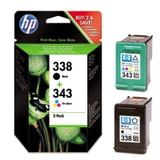
- Compatible Ink Cartridges 338 + 343 for HP (SD449EE) (multi pack) and Original OEM Ink Cartridges HP 338 + 343 (SD449EE) (multi pack) – a balanced set for black + colour printing in one purchase.
Thanks to this variety, you can easily find the right ink cartridge for HP OfficeJet 6210 whether you want a single replacement or a cost-effective bundle. How to choose the right ink for HP OfficeJet 6210 If you want to avoid mismatches, focus on the cartridge code and the colour: - For black text: choose HP 338 (C8765EE).
- For colour printing: choose HP 343 (C8766EE) or HP 344 (C9363EE) (depending on what you currently use).
- If you print both regularly: consider a multipack SD449EE to keep both cartridges ready.
Original OEM vs Compatible—what’s the difference in practice? - Original OEM: HP-branded cartridge, straightforward choice for users who always stick with manufacturer supplies.
- Compatible: excellent alternative with quality and reliability comparable to OEM; a great way to reduce printing costs without sacrificing results—especially when you print often.
Common HP OfficeJet 6210 cartridge questions and quick tips Users of the HP OfficeJet 6210 sometimes report typical inkjet concerns. Here’s how we recommend approaching them: - Printer doesn’t detect the cartridge: remove and reinsert it firmly; ensure protective tape is removed; gently clean the cartridge contacts with a dry, lint-free cloth.
- Streaks or faded colours: run the printer’s cleaning cycle; check if one colour is low; replace the colour cartridge (HP 343/344) if needed.
- Black text looks grey: switch to a fresh HP 338 and verify print settings (draft mode can reduce density).
- Frequent cartridge replacements: consider a 2-pack or multipack to keep a spare and reduce downtime.
If you’re unsure which ink for printer HP OfficeJet 6210 is best for your specific needs, we’re here to help you pick the right option quickly. Choose your ink and print with confidence We encourage you to explore our full selection of ink cartridges for HP OfficeJet 6210—both compatible and Original OEM. Add a single cartridge or choose a value multipack to keep your printer ready whenever you need it. If you have any questions about compatibility (HP 6210 / HP Officejet 6200 Series, Q5801A, SD449EE, C8765EE, C8766EE, C9363EE), contact us—our team will gladly advise you. Order today and enjoy fast, convenient delivery and dependable printing results. |