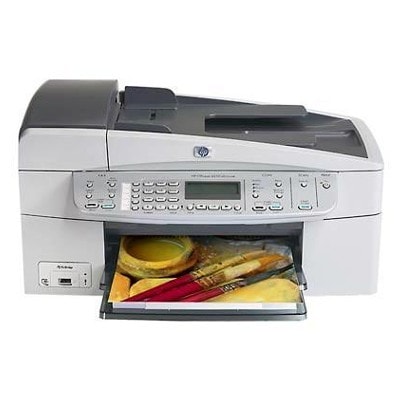
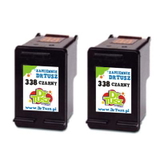
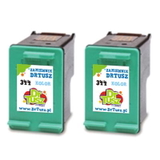
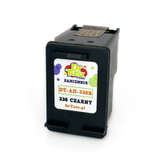
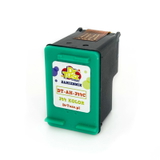
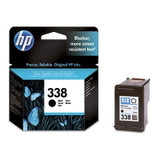
Reliable printing with the HP OfficeJet 6205 Dear Customer, the HP OfficeJet 6205 (also searched as HP 6205, HP Officejet 6200 Series or Q5805A) is a versatile inkjet all-in-one designed for everyday home and small-office tasks. It handles frequent printing, copying and scanning while keeping text sharp and colour documents clear. To keep this device working at its best, you simply need the right ink for HP OfficeJet 6205—and that’s exactly what we specialise in. Ink cartridges for HP OfficeJet 6205 – what matters most Choosing an ink cartridge for HP OfficeJet 6205 is not only about “black or colour”. It’s also about print consistency, clean nozzle work and predictable page yield. In this category you’ll find both Original OEM and compatible ink cartridges—so you can match the option to your budget and printing style without compromising quality. For this model, the most popular cartridge symbols are: - HP 338 – black ink for crisp documents and everyday printing
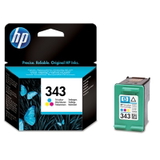
- HP 343 – colour ink for graphics, photos and mixed documents
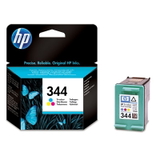
- HP 344 – colour ink option for users who print more colour pages
- SD449EE multipack – a convenient set combining black + colour
Whether you print invoices, school materials, forms or colour handouts, the right ink for HP 6205 helps you maintain strong contrast, readable fonts and smooth colour transitions. Compatible and Original OEM – two good paths, one goal: great prints We offer both Original OEM ink cartridges and carefully selected compatible cartridges. Original OEM is the manufacturer’s cartridge, designed for maximum predictability and factory-standard performance. Compatible ink cartridges are a smart alternative when you want to reduce printing costs while keeping excellent results. Importantly: our compatible cartridges from DrTusz.pl are designed to be as good as the originals in everyday use—clean prints, stable performance and a great value-per-page ratio. If you print a lot, compatible options and multipacks can make a noticeable difference to your budget without sacrificing quality. Popular choices in this category (and why customers pick them) To make selecting easier, here are some of the most frequently chosen products for ink for printer HP OfficeJet 6205: - Compatible Ink Cartridges 338 + 343 for HP (SD449EE) (multi pack) – a convenient, cost-effective set for regular black-and-colour printing.
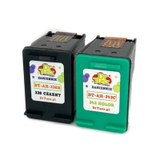
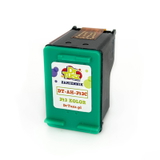
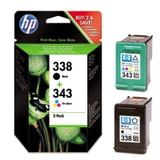
- Original OEM Ink Cartridges HP 338 + 343 (SD449EE) (multi pack) – an OEM multipack for users who want manufacturer-original cartridges in one purchase.
- Compatible Ink Cartridge 338 for HP (C8765EE) (Black) and Original OEM Ink Cartridge HP 338 (C8765EE) (Black) – ideal when you mainly print documents.
- Compatible Ink Cartridge 343 for HP (C8766EE) (Color) and Original OEM Ink Cartridge HP 343 (C8766EE) (Color) – a popular colour choice for mixed office and home printing.
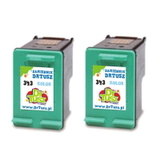
- Compatible Ink Cartridge 344 for HP (C9363EE) (Color) and Original OEM Ink Cartridge HP 344 (C9363EE) (Color) – great when colour output is your priority.
- Compatible Ink Cartridges 338 for HP (CB331EE) (Black) (2-pack), Compatible Ink Cartridges 343 for HP (CB332EE) (Color) (2-pack), Compatible Ink Cartridges 344 for HP (C9505EE) (Color) (2-pack) – perfect if you want запас and fewer interruptions.
With these options, you can easily tailor your purchase: single cartridge, 2-pack, or a multipack—depending on how often you print and what you print most. How to choose the right ink for HP OfficeJet 6205 We encourage you to select ink based on your real printing habits. A few simple rules help you decide quickly: - If you print mostly text (documents, forms): choose HP 338 black or a black 2-pack.
- If you print mixed content (text + charts + occasional photos): pick a HP 338 + HP 343 multipack like SD449EE.
- If colour is essential (presentations, photos, marketing materials): consider HP 343 or HP 344—and a colour 2-pack for convenience.
- If you want the lowest cost per page: our compatible ink cartridge for HP OfficeJet 6205 is the best value choice.
- If you want maximum OEM predictability: choose Original OEM cartridges.
Common user issues with the HP OfficeJet 6205 – and practical tips Over time, inkjet printers can show minor issues that are usually easy to solve. With the HP OfficeJet 6205, customers most often report: - Faded prints or missing colours – often caused by low ink levels or dried nozzles. Replacing the cartridge and running the printer’s cleaning cycle usually helps.
- Streaks on text or uneven fills – a sign the cartridge is nearing the end, or the printer needs a quick head cleaning/alignment.
- Cartridge recognition messages after replacement – make sure the protective tape is removed and the contacts are clean and dry; then reinstall the cartridge firmly.
- Ink drying out when printing rarely – printing a small test page weekly helps keep the nozzles in good condition.
If you ever have doubts which ink for HP OfficeJet 6205 to choose, we’re here to help. Tell us what you print and how often, and we’ll recommend the most cost-effective and reliable option. Order your ink today and keep your OfficeJet ready We encourage you to explore our full selection of ink cartridges for HP OfficeJet 6205—both compatible and Original OEM. Choose a single cartridge for immediate replacement, or go for a 2-pack/multipack to print without interruptions. Add your выбран cartridge to the cart, and if you need support, contact us—our team will gladly help you match the right cartridge code (338 / 343 / 344 / SD449EE) to your printer and printing needs. CTA: Browse the products in this category, pick the best ink for printer HP OfficeJet 6205, and order now—so you can print with confidence every day. |