Haven't found what you were looking for? Click here! ▼
Describe below exactly what you are looking for and we will see how we can help. You will receive a reply to your e-mail address by 09:16 at the latest
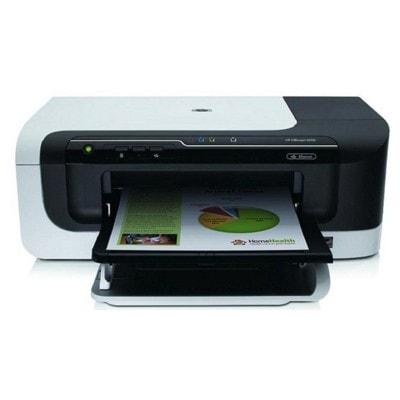
Ink cartridges for HP OfficeJet 6000 E609a - compatible and original OEM
Keep your HP OfficeJet 6000 E609a (HP E609a / Officejet 6000 Series, CB051A) printing crisp documents and vibrant color with the right supplies. In this category you’ll find ink cartridges for HP OfficeJet 6000 E609a in both Compatible and Original OEM options—so you can choose the best balance of price and brand preference without compromising on fit.
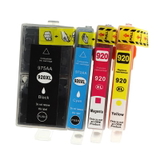
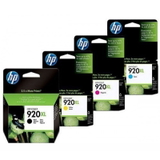
Select from high-yield HP 920 XL cartridges in Black, Cyan, Magenta, and Yellow, plus convenient CMYK multipacks (C2N92AE). Compatible 920 XL cartridges are built to match the printer’s requirements for smooth installation and reliable performance, while Original OEM cartridges deliver the manufacturer’s specified quality and consistency. You’ll also find essentials like the Original OEM HP CN643A printhead to keep your OfficeJet running at its best.
Whether you search by E609a, 6000, or the specific cartridge codes (CD971AE, CD972AE, CD973AE, CD974AE, CD975AE), you’re in the right place for compatible and OEM supplies. Stock up now and print with confidence—choose your HP 920/920 XL inks today and explore the full selection to find the perfect match for your setup.
Product Number: CB051A Other names: All-In-One Printer HP OfficeJet E609a, All-In-One Printer HP OfficeJet 6000
Reliable printing with the HP OfficeJet 6000 E609a
Dear Customer, the HP OfficeJet 6000 E609a (also found as HP E609a, HP Officejet 6000 Series, CB051A, E609a or simply 6000) is a popular inkjet printer designed for everyday home and small-office work. It’s valued for fast document printing, sharp text and cost-effective operation—provided you use the right ink for HP OfficeJet 6000 E609a and keep the print system in good condition with a properly functioning printhead.
Ink for HP OfficeJet 6000 E609a – what you get and what it’s used for
In this category you’ll find ink cartridges for HP OfficeJet 6000 E609a in both Original OEM and Compatible versions, as well as a dedicated printhead for HP OfficeJet 6000 E609a. This model uses the HP 920 / 920 XL system, which lets you choose standard or high-yield cartridges depending on how much you print.
Whether you print invoices, school materials, shipping labels or office reports, choosing the right ink for HP E609a matters for:
Clear black text that stays readable in business documents,
Accurate color for charts, presentations and graphics,
Stable performance across longer print runs (especially with XL cartridges),
Reduced interruptions thanks to multipacks and high-capacity options.
Compatible and Original OEM cartridges – a wide, practical selection
We make it easy to match the right cartridge to your needs. If you want manufacturer-branded supplies, choose Original OEM ink for HP OfficeJet 6000 E609a. If your priority is excellent value without sacrificing print quality, our compatible ink cartridges from DrTusz.pl are a strong alternative—built to deliver results that are as good as originals in everyday printing.
Popular choices in this category include:
Compatible Ink Cartridges 920 XL CMYK for HP (C2N92AE) (multi pack) – a convenient full set for color + black printing,
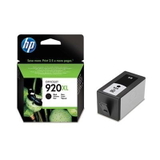
Compatible Ink Cartridge 920 XL for HP (CD975AE) (Black) – for frequent document printing,
Original OEM Ink Cartridges HP 920 XL CMYK (C2N92AE) (multi pack) – the classic OEM multipack for consistent office output,
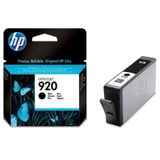
Original OEM Ink Cartridge HP 920 XL (CD975AE) (Black) – high-yield black for day-to-day business pages,
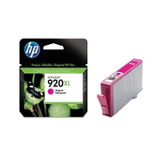
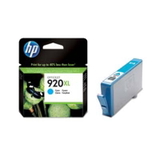
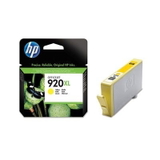
Original OEM Ink Cartridge HP 920 XL (CD972AE) (Cyan), CD973AE (Magenta), CD974AE (Yellow) – individual colors for targeted replacement,
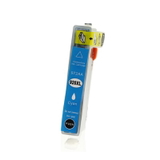
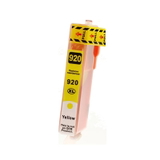
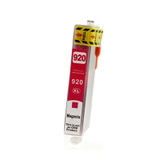
Compatible Ink Cartridge 920 XL for HP (CD972AE/ CD973AE/ CD974AE) – cost-effective color printing,
Original OEM Ink Cartridge HP 920 (CD971AE) (Black) – standard capacity for lighter printing needs,
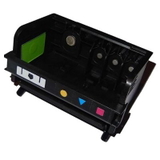
Original OEM Printhead HP CN643A (CN643A) – essential when print quality problems are caused by the printhead rather than the cartridge.
How to choose the right ink cartridge for HP OfficeJet 6000 E609a
When selecting ink for printer HP OfficeJet 6000 E609a, we recommend focusing on three things: capacity, color set, and your printing habits.
Choose XL for better efficiency: if you print regularly, HP 920 XL is usually the best option for fewer replacements and more convenient operation.
Pick a multipack to stay prepared: CMYK multipacks are ideal when you print in color and don’t want downtime.
Replace only what you need: if only one color runs out, single cartridges (C/M/Y/K) are a smart choice.
Original OEM vs Compatible: Original OEM ink is produced by the printer brand and is often chosen for maximum predictability in controlled office environments. Our compatible cartridges from DrTusz.pl are designed to offer the same everyday reliability and excellent print quality, while helping you lower your cost per page. If you’re printing documents, drafts, school work, and typical business materials, compatible ink for HP OfficeJet 6000 E609a is a proven, budget-friendly solution.
Common user issues with the HP OfficeJet 6000 E609a – and how we help
This printer is dependable, but like any inkjet, it can occasionally show issues related to ink delivery and print quality. Customers most often mention:
Faded prints or missing lines – often caused by low ink, dried nozzles, or a printhead that needs attention,
Color shifts – typically solved by replacing the specific low color (cyan/magenta/yellow) or running maintenance,
Printer doesn’t recognize a cartridge – sometimes resolved by reinserting the cartridge, checking it’s the correct code (e.g., CD972AE/CD973AE/CD974AE/CD975AE), or cleaning contacts,
Smudging on office paper – usually improved by using the right paper settings and ensuring the cartridge is in good condition.
If your print quality doesn’t improve after replacing ink, the solution may be the printhead for HP OfficeJet 6000 E609a—that’s why we also offer the Original OEM Printhead HP CN643A right in this category.
Order ink for HP E609a quickly and print without interruptions
We encourage you to explore our full selection of ink cartridges for HP OfficeJet 6000 E609a—both Original OEM and Compatible—and choose the setup that best matches your printing style. If you’re unsure whether you need HP 920, HP 920 XL, a multipack, or a new printhead, contact us—we’ll help you pick the right ink for HP OfficeJet 6000 Series so you can get back to smooth, clean printing as soon as possible.
CTA: Check the available cartridges and printheads in this category, add your chosen set to the cart, and let us help you keep your HP OfficeJet 6000 E609a running at its best—every day.