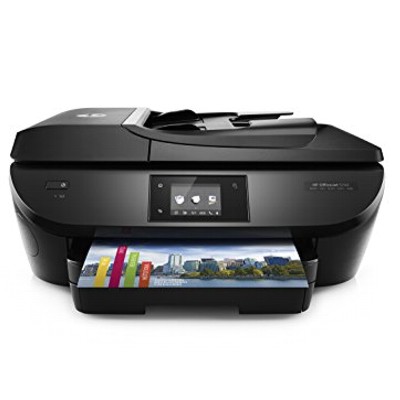
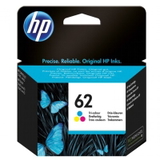
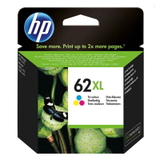
Ink that matches the strengths of the HP OfficeJet 5744 e-All-in-One HP OfficeJet 5744 e-All-in-One (also found as HP 5744, HP OfficeJet 5700 Series or model code B9S85A) is a versatile home-and-office device built for everyday printing, copying and scanning. It’s often chosen for its convenient wireless printing and reliable color output for documents, school materials and simple graphics. To keep this printer working at its best, choosing the right ink for HP OfficeJet 5744 e-All-in-One is essential—and that’s exactly what this category is for. What to expect from ink for HP OfficeJet 5744 The printer uses the popular HP 62 cartridge family in black and tri-color versions. In our selection you’ll find both standard and high-yield options, so you can adjust running costs to your printing style. Whether you print occasionally or you regularly produce longer document sets, the right ink cartridge for HP OfficeJet 5744 e-All-in-One helps maintain crisp text, readable barcodes, and clean color transitions. - Black ink – ideal for everyday documents, invoices, schoolwork and sharp text.
- Color ink (tri-color) – great for presentations, simple photos, charts and colorful materials.
- XL (high-yield) versions – fewer replacements and better cost-per-page for frequent printing.
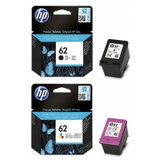
Original OEM and compatible cartridges—wide choice, easy decision We know customers want choice: some prefer manufacturer solutions, others want the best value. That’s why we offer both Original OEM and Compatible ink for HP OfficeJet 5744. Our compatible cartridges available at DrTusz.pl are designed to deliver results that are as good as the originals—clear print, stable performance and dependable page yield—so you can print confidently while keeping your budget under control. Popular products in this category (HP 62 / HP 62 XL) To help you choose faster, here are several frequently selected items for ink for printer HP OfficeJet 5744 e-All-in-One: - Original OEM Ink Cartridges HP 62 BK + 62 C (N9J71AE) (multi pack) – a convenient combo for balanced black-and-color printing.
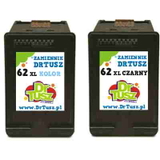
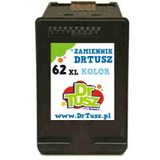
- Compatible Ink Cartridges 62 XL BK + 62 XL C for HP (N9J71AE) (multi pack) – high-yield set for frequent printing and strong value.
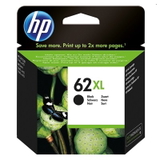
- Original OEM Ink Cartridge HP 62 XL (C2P05AE) (Black) – OEM quality with extended capacity for text-heavy work.
- Compatible Ink Cartridge 62 XL for HP (C2P05AE) (Black) – a cost-effective black option for everyday documents.
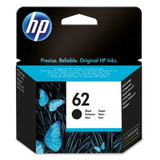
- Original OEM Ink Cartridge HP 62 (C2P04AE) (Black) – standard capacity for occasional printing.
- Original OEM Ink Cartridge HP 62 XL (C2P07AE) (Color) – vibrant color with higher yield.
- Original OEM Ink Cartridge HP 62 (C2P06AE) (Color) – standard tri-color cartridge for regular home use.
- Compatible Ink Cartridge 62 XL for HP (C2P07AE) (Color) – high-yield color printing with excellent everyday performance.
How to choose the right ink cartridge for HP OfficeJet 5744 e-All-in-One When selecting ink for HP OfficeJet 5744 e-All-in-One, start with two simple questions: how much do you print, and what do you print most often? - If you print a few pages per week, standard HP 62 cartridges (black or color) are usually enough.
- If you print frequently or don’t want to replace cartridges often, choose HP 62 XL—especially the black XL.
- If you print both text and color, consider a multi pack to keep both cartridges ready at the same time.
Original OEM vs Compatible: Original OEM cartridges are produced by the printer manufacturer and are often chosen for brand consistency. Compatible cartridges are a smart alternative for customers who want excellent print quality at a better price. In our offer, compatible ink is built to meet everyday expectations: clean text, stable color, and reliable work with your HP OfficeJet 5744. Common printing issues—simple tips that often help Many users looking for ink for printer HP 5744 also ask how to avoid typical problems. Here are practical tips we recommend: - Faded prints or streaks – run the printer’s built-in printhead cleaning/alignment after installing a new cartridge.
- “Cartridge not recognized” message – remove and reinsert the cartridge firmly; check protective tape is fully removed (for new cartridges).
- Color looks wrong – print a diagnostic page and perform alignment; replace the color cartridge if one channel is depleted.
- Ink dries out (infrequent printing) – print a small test page once every 1–2 weeks to keep ink flowing smoothly.
Choose your ink today—fast ordering and support from our team We encourage you to explore our full range of ink cartridges for HP OfficeJet 5744 e-All-in-One—both Original OEM and Compatible. Whether you need an affordable XL set for frequent printing or an OEM cartridge for a specific project, we make it easy to find the right ink for HP OfficeJet 5744 quickly. CTA: Add the right HP 62 / HP 62 XL cartridge to your cart now, and if you’re unsure which option fits your needs, contact us—we’ll help you choose the best ink for your printing style and budget. We’re ready to assist with product selection and delivery options so you can get back to printing without delay. |