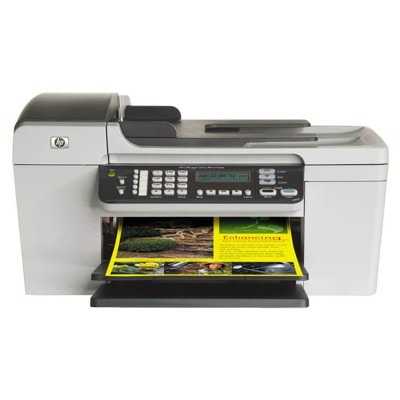
HP OfficeJet 5615 – a reliable home-and-office all‑in‑one The HP OfficeJet 5615 (also searched as HP 5615 or HP Officejet 5600 Series) is a practical all‑in‑one designed for everyday printing, copying and scanning. It’s a popular choice for home offices and small businesses because it prints quickly, handles typical document workloads well and keeps operating costs under control—especially when you match it with the right ink for HP OfficeJet 5615. What ink for HP OfficeJet 5615 do you need? In this category you’ll find ink cartridges for HP OfficeJet 5615 in two versions: Original OEM and carefully selected Compatible replacements. These are classic inkjet cartridges that cover the most common needs: sharp black text, vivid color graphics, and photo printing. The HP OfficeJet 5615 works with several well-known cartridge models, including HP 56 (C6656AE), HP 27 (C8727AE), HP 22 / HP 22 XL (C9352AE / C9352CE) and also the photo option HP 58 (C6658AE). If you’re searching by codes like Q7316A, or by the printer series name, you’re in the right place—this selection is dedicated to your device. - Black ink for HP OfficeJet 5615 – great for contracts, invoices, school prints and everyday text.
- Color ink for HP OfficeJet 5615 – ideal for presentations, charts, forms, and mixed text/graphics.
- Photo cartridge – for users who print more photos and want smoother tonal transitions.
Compatible and Original OEM – one printer, two smart choices We offer both Original OEM ink cartridges and compatible ink for HP OfficeJet 5615, so you can choose exactly what fits your expectations and budget. - Original OEM cartridges are produced by HP and are a natural choice if you want to stay strictly within the manufacturer’s ecosystem.
- Compatible cartridges from our DrTusz.pl offer are designed to deliver the same everyday reliability and print quality you expect—at a more attractive price per page. If you print a lot, compatible ink for HP 5615 can significantly reduce running costs without sacrificing results.
Popular ink cartridges in this category To make your choice easier, here are some of the most frequently selected options for ink for HP OfficeJet 5615—including single cartridges and convenient multi-packs: - Compatible Ink Cartridge 56 for HP (C6656AE) (Black) – a classic everyday black option.
- Original OEM Ink Cartridge HP 56 (C6656AE) (Black) – OEM black for crisp documents.
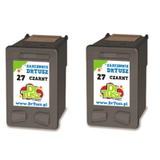
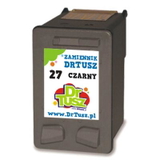
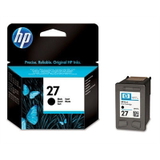
- Compatible Ink Cartridge 27 for HP (C8727AE) (Black) and Original OEM Ink Cartridge HP 27 (C8727AE) (Black) – another popular black alternative used in many HP setups.
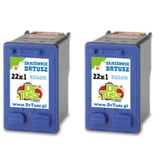
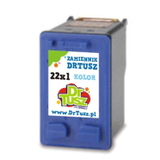
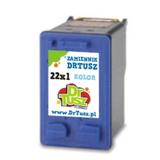
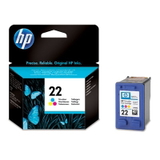
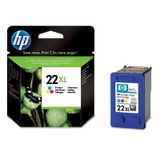
- Compatible Ink Cartridge 22 for HP (C9352AE) (Color) and Original OEM Ink Cartridge HP 22 (C9352AE) (Color) – for everyday color prints.
- Original OEM Ink Cartridge HP 22 XL (C9352CE) (Color) and Compatible Ink Cartridge 22 XL for HP (C9352CE) (Color) – XL capacity for higher volumes and fewer replacements.
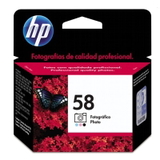
- Original OEM Ink Cartridge HP 58 (C6658AE) (Foto) – for users focused on photo output.
- 2‑packs for extra convenience: Compatible Ink Cartridges 27 for HP (C8727AE-2) (Black) (2-pack), Compatible Ink Cartridges 56 for HP (C9502AE) (Black) (2-pack), Compatible Ink Cartridges 22 XL for HP (C9352AE-2) (Color) (2-pack).
If you’re unsure whether your printer uses HP 56 or HP 27 (both appear in many searches for the Officejet 5600 Series), we’re happy to help you match the correct cartridge to your exact configuration. How to choose the right cartridge – practical tips When selecting ink cartridges for HP 5615, think about how you print: - Mostly documents? Choose a black cartridge (HP 56 / HP 27 equivalents). Consider a 2‑pack if you print regularly.
- Mixed work (text + color)? Add a color cartridge (HP 22). For frequent color printing, the HP 22 XL format is often the most economical.
- Photos and richer tones? Consider the HP 58 photo cartridge as an additional option for photo-oriented output.
Common issues users report with the HP OfficeJet 5615 usually come down to everyday maintenance rather than the printer itself: ink drying after long breaks, streaks caused by clogged nozzles, or “cartridge not recognized” messages after a quick swap. Our advice: - Print a small test page regularly to keep ink flowing.
- Use the printer’s built-in cleaning/alignment tools if you notice lines or faded colors.
- Install the cartridge firmly and keep protective elements intact until installation time.
And if you’re choosing between OEM and compatible: if you want the HP-branded route, pick Original OEM ink for HP OfficeJet 5615. If you want excellent value with reliable results, choose compatible ink for HP OfficeJet 5615 from our range—our compatible cartridges are built to meet real-life printing expectations. Order ink for HP OfficeJet 5615 with confidence We encourage you to explore our full selection of ink cartridges for HP OfficeJet 5615—compatible and Original OEM, single cartridges and cost-saving multipacks. If you need help choosing between HP 22 and HP 22 XL, or matching codes like C6656AE, C8727AE, C9352AE, C9352CE or search phrases such as HP Officejet 5600 Series and Q7316A, contact us—we’ll guide you to the right option. CTA: Choose your ink for HP 5615 today, add it to your cart, and enjoy a smooth, dependable printing experience. If you have questions about compatibility, page yield or the best set for your needs, write to us or call—our team is ready to help. We also offer fast delivery options, so you can get back to printing without unnecessary downtime. |