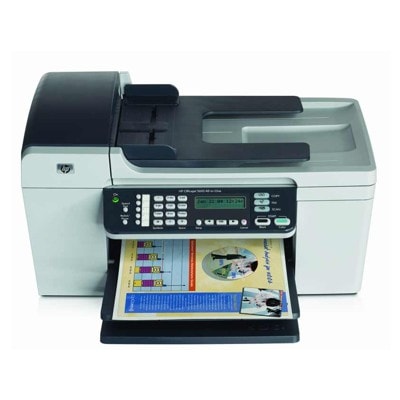
Reliable printing with the HP OfficeJet 5610xi The HP OfficeJet 5610xi (also found as HP 5610xi, 5610 xi, or HP Officejet 5600 Series) is a practical all-in-one device designed for everyday home and small-office work. It handles documents, forms, emails, and occasional color graphics—so choosing the right ink for HP OfficeJet 5610xi is key to keeping it fast, clean, and dependable. In this category we offer both compatible ink cartridges and Original OEM options, so you can match your printing style and budget without guessing. Ink cartridges for HP OfficeJet 5610xi: what matters most Your printer uses classic HP cartridge models that many users recognize by symbols and codes rather than the printer name. When you shop for ink for 5610xi, pay attention to cartridge type (black, color, photo) and capacity (standard or XL). The right ink cartridge for HP OfficeJet 5610xi helps you achieve: - Crisp black text for invoices, school work, and office documents
- Balanced color for charts, logos, and presentations
- Consistent performance with fewer interruptions and smoother day-to-day printing
If you print mostly text, a black cartridge will be your main choice. If you print mixed content (text + graphics), pairing black with a color cartridge is the most convenient setup. For photo-oriented projects, adding a photo cartridge can improve tonal transitions and image depth. Compatible and Original OEM ink—one printer, two smart paths We know customers often hesitate between Original OEM ink for HP OfficeJet 5610xi and a high-quality compatible alternative. Here’s the practical difference: - Original OEM cartridges are produced by HP and are a safe, straightforward choice if you want to keep everything strictly manufacturer-branded.
- Compatible ink cartridges are cost-effective replacements designed to work with the same printer models. Our compatibles from DrTusz.pl are made to deliver printing quality comparable to originals—clear text, vivid color, and reliable operation—while helping you reduce printing costs.
Whichever route you choose, the most important thing is matching the correct cartridge model to your printer—especially when the same printer family name (like HP Officejet 5600 Series) appears across multiple variants. Popular ink cartridges in this category (black, color, XL, and multi-packs) To make your choice easier, we’ve prepared a wide selection of the most-used cartridges for the HP OfficeJet 5610xi. Here are some frequently chosen options: - Compatible Ink Cartridge 56 for HP (C6656AE) (Black) – a solid everyday black option for documents
- Original OEM Ink Cartridge HP 56 (C6656AE) (Black) – original black cartridge for dependable office printing
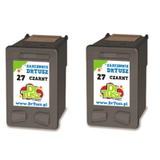
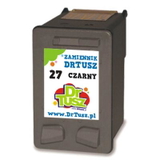
- Compatible Ink Cartridge 27 for HP (C8727AE) (Black) and Original OEM Ink Cartridge HP 27 (C8727AE) (Black) – popular choices for users focused on black text output
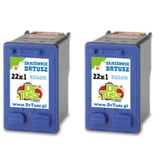
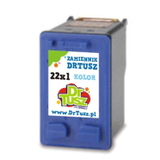
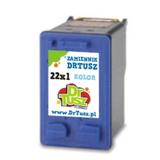
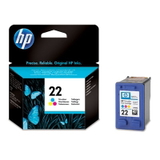
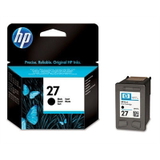
- Compatible Ink Cartridge 22 for HP (C9352AE) (Color) and Original OEM Ink Cartridge HP 22 (C9352AE) (Color) – for everyday color graphics and mixed printing
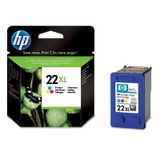
- Original OEM Ink Cartridge HP 22 XL (C9352CE) (Color) and Compatible Ink Cartridge 22 XL for HP (C9352CE) (Color) – higher capacity color printing for frequent use
- Original OEM Ink Cartridge HP 58 (C6658AE) (Foto) – a dedicated photo cartridge for better photo results
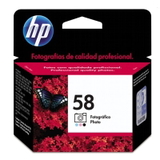
- 2-pack savings: Compatible Ink Cartridges 56 (C9502AE) (Black) (2-pack), Compatible Ink Cartridges 27 (C8727AE-2) (Black) (2-pack), Compatible Ink Cartridges 22 XL (C9352AE-2) (Color) (2-pack) – convenient when you print often or want a spare on hand
Looking for a cartridge by code? Many users search using identifiers from printer documentation or packaging (for example Q7311A or variations like 5610XI). If you’re unsure, we’ll help you match the correct ink cartridge for HP 5610xi quickly. How to choose the right ink for HP OfficeJet 5610xi Before adding to cart, consider these simple questions—this is the fastest way to select the best ink for printer HP OfficeJet 5610xi: - What do you print most? Text-heavy printing favors black cartridges (often in multi-packs). Mixed printing calls for black + color.
- How often do you print? If you print frequently, consider XL or 2-packs to reduce downtime and avoid last-minute shortages.
- Do you need photo quality? If yes, consider the HP 58 (C6658AE) Foto cartridge for smoother photo tones.
- Do you value savings or brand-only supplies? Our compatible cartridges from DrTusz.pl are built to perform like originals, while Original OEM is the go-to for those who prefer manufacturer branding.
Common HP OfficeJet 5610xi printing issues—and how the right cartridge helps The HP OfficeJet 5610xi is dependable, but like many inkjet printers, users occasionally report issues that are often cartridge-related or resolved by replacing the cartridge: - Faded prints or missing colors – usually a sign of low ink or an aging cartridge; replacing with a fresh color or black cartridge typically restores quality.
- Streaks on text or graphics – may appear after long pauses in printing; a new cartridge often improves consistency.
- “Cartridge not recognized” messages – reseating the cartridge can help; if the cartridge is worn or depleted, replacement is the simplest fix.
If you tell us what you’re seeing on the page (e.g., faint black, wrong colors, streaking), we can advise which ink for HP 5610xi is most likely to solve it. Choose your ink today—we’re here to help We encourage you to explore our full selection of ink cartridges for HP OfficeJet 5610xi—both compatible and Original OEM. Whether you want maximum savings with a high-quality compatible cartridge or the familiarity of HP originals, we’ll help you pick the right option and get back to printing quickly. CTA: Add the right ink for HP OfficeJet 5610xi to your cart now, or contact us if you’d like confirmation of the best cartridge code (C6656AE, C9352AE/C9352CE, C8727AE, C6658AE) for your exact needs. We offer fast delivery options and friendly support—so your HP OfficeJet 5610xi is never left waiting for ink. |