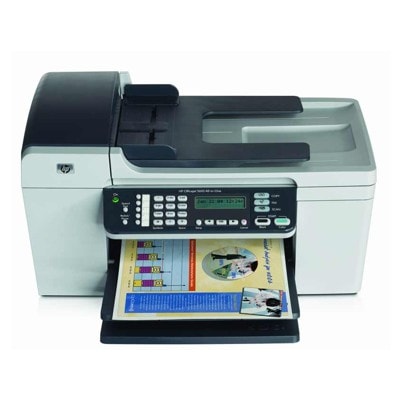
Ink for HP OfficeJet 5610 – keep your classic all‑in‑one printing reliably The HP OfficeJet 5610 (also searched as HP 5610 or HP Officejet 5600 Series) is a proven multifunction printer built for everyday home and small‑office tasks: printing documents, scanning, copying, and handling frequent black-and-color jobs. To keep it performing at its best, you need the right ink for printer HP OfficeJet 5610—matched to the correct cartridge numbers and your real printing habits. What makes ink cartridges for HP 5610 different? Ink cartridges for this model are designed for sharp text, consistent color, and reliable page feeding. Whether you print invoices, school materials, forms, or occasional photos, the right ink for HP OfficeJet 5610 helps you avoid streaks, faded lines, and repeated cleaning cycles. In our category you’ll find both Original OEM and Compatible ink cartridges—so you can choose between manufacturer cartridges or a cost-effective alternative without sacrificing quality. Typical uses and benefits: - Black ink cartridges for crisp, readable documents and everyday office printing.
- Color ink cartridges for charts, graphics, homework, and mixed pages.
- Photo ink options for better tonal transitions and improved photo output.
- Options for higher efficiency like XL and convenient 2‑packs to reduce interruptions.
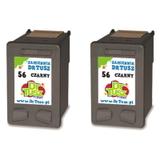
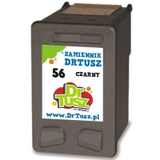
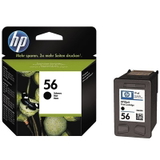
If you’re searching by codes like Q7311A or by printer family name, you’re in the right place—this page focuses specifically on compatible and original cartridges that fit the HP OfficeJet 5610 platform. Our range: Compatible and Original OEM cartridges in one place We keep the selection clear and practical—so you can quickly pick the cartridge that matches your needs and budget. Popular choices in this category include: - Compatible Ink Cartridge 56 for HP (C6656AE) (Black) – a great everyday option for text-heavy printing.
- Original OEM Ink Cartridge HP 56 (C6656AE) (Black) – manufacturer cartridge for those who prefer OEM solutions.
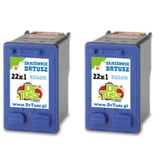
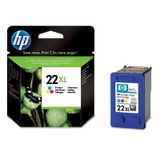
- Compatible Ink Cartridge 22 XL for HP (C9352CE) (Color) and Original OEM Ink Cartridge HP 22 XL (C9352CE) (Color) – higher-yield color printing when you want fewer replacements.
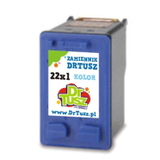
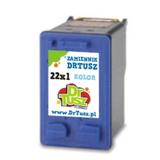
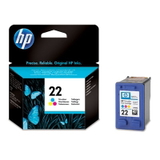
- Compatible Ink Cartridge 22 for HP (C9352AE) (Color) and Original OEM Ink Cartridge HP 22 (C9352AE) (Color) – standard color cartridge for everyday mixed printing.
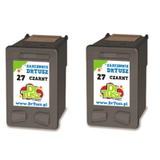
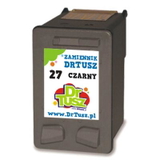
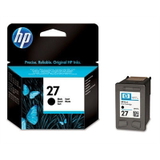
- Original OEM Ink Cartridge HP 27 (C8727AE) (Black) and Compatible Ink Cartridge 27 for HP (C8727AE) (Black) – reliable black options depending on your preference.
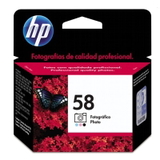
- Original OEM Ink Cartridge HP 58 (C6658AE) (Foto) – photo-focused cartridge for improved photo results on supported setups.
- Value bundles like Compatible Ink Cartridges 56 (C9502AE) (Black) (2-pack), Compatible Ink Cartridges 27 (C8727AE-2) (Black) (2-pack), and Compatible Ink Cartridges 22 XL (C9352AE-2) (Color) (2-pack) – ideal if you print regularly and want to stock up.
How to choose the right ink for HP OfficeJet 5610 Dear Customer, choosing the correct ink for HP 5610 is easiest when you follow two steps: confirm the cartridge code and match it to how you print. - Check the cartridge symbol on the current cartridge or in the printer settings: common codes here include C6656AE (HP 56), C9352AE (HP 22), C9352CE (HP 22 XL), C8727AE (HP 27), and C6658AE (HP 58 Photo).
- Choose capacity based on workload: if you print often, consider XL versions or 2‑packs to reduce downtime and cost per page.
- Decide between Original OEM and Compatible: OEM offers manufacturer branding and standardized results; our compatible ink cartridges are a smart alternative for customers who want excellent print quality at a better price.
Original vs compatible: what’s the real difference? Original OEM cartridges are produced by the printer manufacturer and are a popular choice for users who want to stay with official supplies. Compatible cartridges are designed to match the same specifications and fit, while offering a more budget-friendly way to print. In our offer, compatible ink cartridges from DrTusz.pl are as good as the originals in everyday use—especially for typical OfficeJet printing such as text documents, forms, and color graphics. They’re a great pick when you want to lower printing costs without giving up reliability. Common HP OfficeJet 5610 printing issues—and how the right cartridge helps This printer series is known for dependable work, but like any inkjet, it can show typical symptoms when ink is running low or the cartridge is worn: - Faded print or missing lines – often linked to low ink or clogged nozzles; a fresh cartridge and a quick cleaning cycle usually solves it.
- Color looks uneven – replacing the color cartridge (or choosing an XL option if you print lots of graphics) helps keep output consistent.
- Frequent “ink low” interruptions – consider a 2‑pack or higher-yield cartridge to keep printing uninterrupted.
- Smudging on paper – using the correct cartridge type and printing on suitable paper improves drying and sharpness.
If you’re unsure which ink cartridge for HP OfficeJet 5610 fits your printer, we encourage you to contact us—we’ll help you match the right code and version quickly. Choose your HP OfficeJet 5610 ink today We invite you to explore our full selection of ink for printer HP OfficeJet 5610—both Original OEM and high-quality Compatible cartridges, including XL options and cost-saving multipacks. Add the right cartridge to your cart and keep your HP 5610 ready for every document, form, and color project. CTA: Browse the products in this category now and choose the best cartridge for your printing needs. If you have any questions about compatibility (HP 5610 / HP Officejet 5600 Series / C6656AE / C9352AE / C9352CE / C8727AE / C6658AE), contact us—our team is here to help. We also offer fast delivery options, so you can get back to printing without unnecessary delays. |