Haven't found what you were looking for? Click here! ▼
Describe below exactly what you are looking for and we will see how we can help. You will receive a reply to your e-mail address by 09:15 on friday (2 October 2026) at the latest
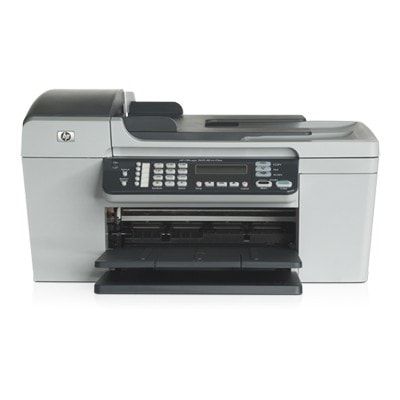
Ink cartridges for HP OfficeJet 5605 - compatible and original OEM
Find the right ink for your HP OfficeJet 5605 and keep your printer producing sharp text and vibrant color. This category brings together both Original OEM and compatible ink cartridges made for the HP Officejet 5600 Series, so you can choose the best balance of price, performance, and print quality.
Available options include black, tri-color, and photo cartridges: HP 56 (C6656AE) and HP 27 (C8727AE) for crisp everyday documents, HP 22 (C9352AE) and HP 22 XL (C9352CE) for rich color printing, plus HP 58 (C6658AE) for photo output. You’ll also find convenient 2-packs for high-volume printing. All cartridges in this selection are designed to fit and work properly with HP 5605 printers and models referenced by codes like Q7314A.
Choose Original OEM for manufacturer-grade consistency, or go with compatible cartridges for excellent value without sacrificing reliability. Stock up today and get the most out of your HP OfficeJet 5605 ink cartridges—explore the full range and pick the perfect match for your next print run.
Product Number: Q7314A Other names: All-In-One Printer HP OfficeJet 5605
Ink cartridges for HP OfficeJet 5605 – reliable printing for home and office
The HP OfficeJet 5605 (also searched as HP 5605 or HP Officejet 5600 Series) is a versatile all‑in‑one designed for everyday documents, occasional color prints, and convenient copy/scan work. To keep this printer performing at its best, you need the right ink for HP OfficeJet 5605—matched to your printing habits and expectations. In our category you’ll find both Original OEM and compatible ink cartridges, so you can choose exactly what suits you: maximum brand assurance or excellent value with proven quality.
What you should know about ink for HP OfficeJet 5605
This model uses classic HP ink solutions that many customers know well: black for sharp text and color for graphics, presentations and everyday photos. Depending on what you print, you can combine cartridges to get the best results and cost control. Choosing the correct ink cartridge for HP 5605 ensures:
clean, readable text for invoices, homework and office documents,
natural color for charts, marketing materials and mixed-content pages,
stable page yield (especially important if you print often),
fewer interruptions thanks to properly fitted cartridges.
Customers often search for cartridge codes such as Q7314A (printer reference) and, most importantly, ink symbols like C6656AE, C9352AE, C9352CE, C8727AE or C6658AE. In this category we group them clearly, so you can quickly find the right ink for your device.
Compatible vs Original OEM – choose what fits your priorities
We offer two classes of products: Original OEM (manufacturer cartridges) and compatible ink cartridges. Original OEM ink for HP OfficeJet 5605 is a great choice if you want to stick to the brand’s own supplies, especially for consistent color workflows and peace of mind.
At the same time, our compatible ink cartridge for HP OfficeJet 5605 options are made to deliver print quality and reliability comparable to originals—at a more attractive cost per page. Many customers choose compatible cartridges when they print frequently and want to keep budgets under control without sacrificing everyday quality.
Popular cartridges in this category (wide choice, clear codes)
To make selection easier, we stock the most commonly used items for this printer family—both single packs and convenient multi-packs:
Compatible Ink Cartridge 56 for HP (C6656AE) (Black) and Original OEM Ink Cartridge HP 56 (C6656AE) (Black) – a classic choice for crisp black text.
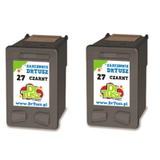
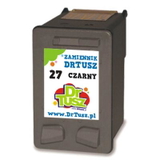
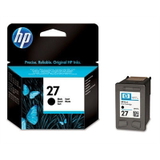
Compatible Ink Cartridge 27 for HP (C8727AE) (Black) and Original OEM Ink Cartridge HP 27 (C8727AE) (Black) – popular for everyday mono printing needs.
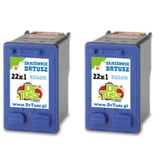
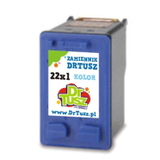
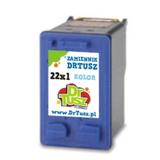
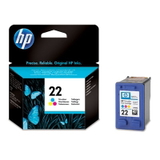
Original OEM Ink Cartridge HP 22 (C9352AE) (Color) and Compatible Ink Cartridge 22 for HP (C9352AE) (Color) – for color documents and graphics.
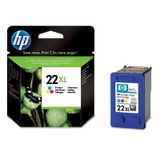
Original OEM Ink Cartridge HP 22 XL (C9352CE) (Color) and Compatible Ink Cartridge 22 XL for HP (C9352CE) (Color) – higher yield for frequent color printing.
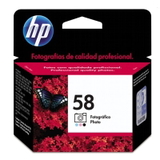
Original OEM Ink Cartridge HP 58 (C6658AE) (Foto) – for users who print photos and want smoother tonal transitions.
2-pack solutions such as Compatible Ink Cartridges 56 (C9502AE) (Black) (2-pack), Compatible Ink Cartridges 27 (C8727AE-2) (Black) (2-pack) and Compatible Ink Cartridges 22 XL (C9352AE-2) (Color) (2-pack) – ideal if you print regularly and want fewer reorders.
How to pick the right ink cartridge for HP 5605 (and avoid common problems)
When choosing ink for HP OfficeJet 5605, we recommend focusing on three practical points:
Match the code: black options often include C6656AE (HP 56) or C8727AE (HP 27); color is typically C9352AE (HP 22) or C9352CE (HP 22 XL); photo users may consider C6658AE (HP 58 Foto).
Choose yield to fit your routine: if you print color often, an HP 22 XL type cartridge can reduce the cost per page and the frequency of replacements.
Decide on Original OEM or compatible: OEM is the manufacturer’s line; our compatible cartridges are a smart alternative when you want excellent results and better value.
Typical user issues for the HP OfficeJet 5605 series include:
faded prints or streaks after long breaks in printing (ink can dry in the nozzles),
printer not recognizing a cartridge after replacement (often solved by reseating the cartridge and ensuring clean contacts),
colors not matching expectations (a fresh color cartridge or selecting the right photo/color option can help).
If you tell us what you print most—text, mixed documents, or photos—we’ll help you choose the best ink cartridge for HP OfficeJet 5605 and the most cost-effective setup.
Order today and keep your HP OfficeJet 5605 ready to print
We encourage you to explore our full selection of Ink cartridges for HP OfficeJet 5605—both compatible and Original OEM. Choose a single cartridge when you need a quick replacement, or go for a 2‑pack to stay stocked for longer. If you have any doubts about compatibility with HP Officejet 5600 Series devices or codes like C6656AE, C8727AE, C9352AE or C9352CE, contact us—we’ll guide you to the right product. Add your cartridges to the cart and enjoy fast, convenient delivery options and helpful customer support from a team that knows printing supplies inside out.