Haven't found what you were looking for? Click here! ▼
Describe below exactly what you are looking for and we will see how we can help. You will receive a reply to your e-mail address by 11:10 at the latest
Ink cartridges for HP OfficeJet 5600 - compatible and original OEM
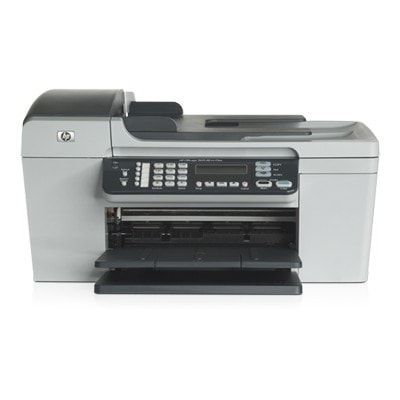
Find the right ink fast with our selection of Ink cartridges for HP OfficeJet 5600, covering the HP Officejet 5600 Series and searches like HP 5600 or 5600. This category includes both Compatible and Original OEM ink cartridges designed to fit your printer properly and deliver clean, reliable results for everyday printing.
Choose from black, color, and photo options, including popular models such as HP 27 (C8727AE), HP 56 (C6656AE), HP 22 / 22 XL (C9352AE / C9352CE), and HP 58 (C6658AE). Need better value? Compatible cartridges and convenient 2-packs help reduce cost per page, while Original OEM cartridges provide manufacturer-grade consistency—so you can match the cartridge to your budget and print expectations.
Whether you’re replacing a single cartridge or stocking up, these HP OfficeJet 5600 ink cartridges are selected for solid print quality and dependable compatibility. Pick your cartridge type and capacity now—order today and keep your HP OfficeJet 5600 printing without interruptions. Explore the full range to find the perfect match for your next print run.
HP OfficeJet 5600 Series – a proven all‑round printer for home and small office
The HP OfficeJet 5600 (also searched as HP 5600 or HP Officejet 5600 Series) is a reliable inkjet device designed for everyday printing: documents, forms, school materials, and color graphics. To keep this model working smoothly and to maintain consistent print quality, it’s worth choosing the right ink for HP OfficeJet 5600—matched to your needs and printing habits.
Ink cartridges for HP OfficeJet 5600 – what you can expect in daily use
In this category we offer ink cartridges for HP OfficeJet 5600 in two trusted options: Original OEM and Compatible. Both types are designed to deliver clear text, readable lines, and stable color reproduction—important whether you print occasionally or every day.
Typical uses for ink for HP 5600 include:
sharp black text for invoices, letters and office documents,
color prints for presentations, charts and learning materials,
photo printing (with a dedicated photo cartridge) for smoother tonal transitions.
When you choose a cartridge, pay attention not only to the color, but also to the capacity. Higher-yield versions (XL) help reduce the frequency of replacements—especially practical in busy households and small offices.
Compatible and Original OEM – wide choice for every budget
We know customers expect flexibility, so we stock both Original OEM ink cartridge for HP OfficeJet 5600 and carefully selected compatible alternatives. Here are some of the most popular items you’ll find in this category:
Original OEM Ink Cartridge HP 56 (C6656AE) (Black) – a classic choice for crisp, everyday black text.
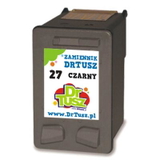
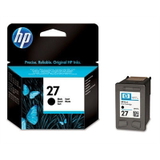
Original OEM Ink Cartridge HP 27 (C8727AE) (Black) – another widely used black cartridge for the 5600 series.
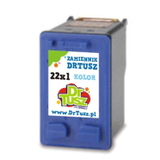
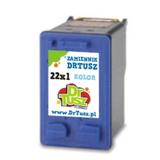
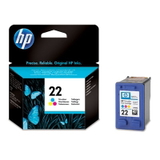
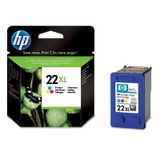
Original OEM Ink Cartridge HP 22 (C9352AE) (Color) and Original OEM Ink Cartridge HP 22 XL (C9352CE) (Color) – for color prints, with XL for higher page yield.
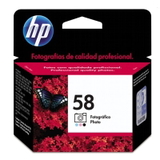
Original OEM Ink Cartridge HP 58 (C6658AE) (Foto) – for users who want better photo results and smoother shades.
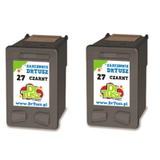
Compatible Ink Cartridge 56 for HP (C6656AE) (Black) and Compatible Ink Cartridge 27 for HP (C8727AE) (Black) – cost-effective options for frequent text printing.
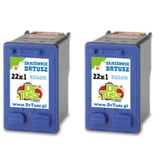
Compatible Ink Cartridge 22 / 22 XL for HP (C9352AE / C9352CE) (Color) – for affordable color output without sacrificing quality.
2-pack options such as Compatible Ink Cartridges 27 (C8727AE-2), Compatible Ink Cartridges 56 (C9502AE), or Compatible Ink Cartridges 22 XL (C9352AE-2) – convenient for higher-volume printing and better value.
Thanks to this selection, you can easily match the right ink for HP OfficeJet 5600 to your exact printing style—whether you prefer OEM reliability or want to optimize running costs with compatible cartridges.
How to choose the right ink for HP 5600 – practical tips we recommend
When customers look for ink for printer HP OfficeJet 5600, they most often want two things: trouble-free installation and predictable results. Here’s what we suggest:
Check the cartridge code before ordering: HP 56 / HP 27 (black), HP 22 / HP 22 XL (color), and optionally HP 58 (photo).
Choose XL if you print often – an XL color cartridge can be a smarter option when you print lots of graphics.
Consider multipacks if you don’t want interruptions—having a spare black cartridge at hand is one of the best ways to avoid downtime.
Original OEM vs Compatible: Original OEM cartridges are made by the printer manufacturer and are a safe, well-known route. Our compatible cartridges are a strong alternative: in DrTusz.pl we focus on compatibility, reliable performance and print quality that is as good as the originals, while helping you reduce printing costs.
Common HP OfficeJet 5600 issues – and how the right cartridge helps
With older, proven inkjet models like the HP Officejet 5600 Series, users sometimes report issues that are often easy to solve with correct supplies and a few good habits:
Faded prints or streaks – usually linked to low ink or a cartridge that has been stored too long after opening.
Color imbalance – often caused by one color running out in a tri-color cartridge; replacing the color cartridge restores balance.
“Cartridge not recognized” messages – can occur after replacement; reinstalling the cartridge and ensuring protective tapes are removed typically resolves it.
If you’re unsure which ink cartridge for HP OfficeJet 5600 you need, we’re here to help you choose the correct code and version.
Choose your HP OfficeJet 5600 ink cartridge and print with confidence
We encourage you to explore our selection of compatible and Original OEM ink for HP OfficeJet 5600 and pick the option that best fits your budget and printing needs. Add the cartridge to your cart, choose a convenient delivery method, and get back to smooth, high-quality printing.
Need help before ordering? Contact us—together we’ll quickly match the right ink for HP 5600 so you can print without interruptions.