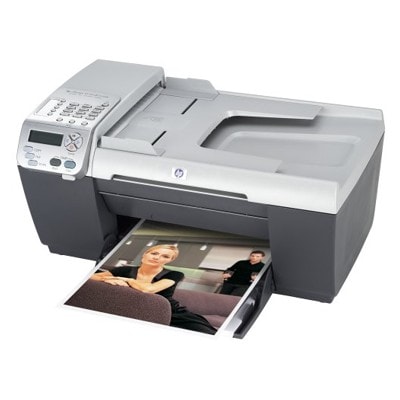
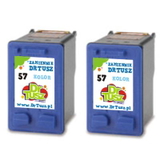
Reliable printing with the HP OfficeJet 5505 (HP OfficeJet 5500 Series) The HP OfficeJet 5505 is a proven all-in-one device designed for everyday home and small-office work: printing documents, occasional color materials, and quick copies when you need them most. To keep this model running smoothly, the right ink for HP OfficeJet 5505 matters—both for print quality and for avoiding common issues like streaks, faded colors, or annoying “cartridge not recognized” messages. In this category we offer carefully selected ink cartridges for HP 5505 in two classes: Compatible and Original OEM. Ink cartridges for HP OfficeJet 5505: what you need to know This printer uses two core cartridges: HP 56 for black text and HP 57 for color. You may also see them referenced by codes such as Q3438A, or by cartridge numbers like C6656AE (black) and C6657AE (color). Choosing the right ink for HP OfficeJet 5505 ensures crisp black documents, clean lines, and well-balanced color for charts, photos, and everyday graphics. Our cartridges are ideal for: - home printing: schoolwork, invoices, forms, and labels,
- small office use: contracts, shipping documents, and reports,
- color materials: presentations, simple marketing handouts, and illustrations.
Compatible or Original OEM—two smart ways to print We know every customer prints differently, so we offer both Original OEM ink cartridges for HP OfficeJet 5505 and high-quality compatible ink for HP OfficeJet 5505. Original OEM cartridges are made by the printer manufacturer and are a classic choice when you want factory-standard operation. Our compatible cartridges are a practical option for customers who print more and want to keep costs under control—without sacrificing quality. Importantly, the compatible cartridges from the DrTusz.pl offer are engineered to deliver results that are as good as the originals: strong black text, stable color reproduction, and dependable everyday performance. Popular products in this category (wide selection, ready to ship) To make shopping easier, we highlight several frequently chosen items—covering single cartridges as well as cost-effective multi packs: - Compatible Ink Cartridge 56 for HP (C6656AE) (Black) – a great pick for document-heavy printing.
- Compatible Ink Cartridge 57 for HP (C6657AE) (Color) – ideal for color charts and graphics.
- Compatible Ink Cartridges 56 for HP (C9502AE) (Black) (2-pack) – convenient запас for busy weeks.
- Compatible Ink Cartridges 57 for HP (C9503AE) (Color) (2-pack) – a smart choice if you often print in color.
- Compatible Ink Cartridges 56 + 57 for HP (SA342AE) (multi pack) – balanced set for everyday use.
- Compatible Ink Cartridges 2x 56 + 57 for HP (SD399AE) (multi pack) – for customers who want fewer reorders and more savings.
- Original OEM Ink Cartridge HP 56 (C6656AE) (Black) and Original OEM Ink Cartridge HP 57 (C6657AE) (Color) – manufacturer cartridges for those who prefer OEM.
- Original OEM Ink Cartridges HP 56 + 57 (SA342AE) (multi pack) – the OEM set for complete coverage.
How to choose the right ink for HP 5505—practical tips When selecting ink cartridges for HP OfficeJet 5505, we recommend focusing on three simple points: - Match the cartridge number: HP 56 (black) or HP 57 (color). If your printer is listed as HP Officejet 5500 Series, it uses the same family.
- Decide on OEM vs compatible: choose Original OEM for manufacturer-standard purchasing habits, or compatible if you want excellent quality with a better cost per page.
- Consider your printing volume: multi packs and 2-packs reduce downtime and help you avoid running out mid-task.
Common user issues with the HP OfficeJet 5505 often come down to everyday maintenance and cartridge handling. If prints look streaky or faded, it’s usually worth running the printer’s cleaning cycle and checking if the cartridge is properly seated. If you see a “cartridge not recognized” prompt, removing and reinstalling the cartridge can help—also make sure any protective tape has been removed before first use. And if you print infrequently, using the printer occasionally in both black and color helps prevent ink from drying in the nozzles. Choose your HP OfficeJet 5505 ink and print with confidence We encourage you to explore our full range of ink for HP OfficeJet 5505—from single cartridges to convenient multi packs, in both Compatible and Original OEM options. If you’re unsure whether you need C6656AE, C6657AE, SA342AE, or another set for your HP 5505, we’re here to help you choose quickly and correctly. CTA: Add your preferred ink cartridge for HP OfficeJet 5505 to the cart today, or contact us for personalized support—we’ll help you match the right cartridge and get your printer back to clean, reliable printing with fast delivery. |