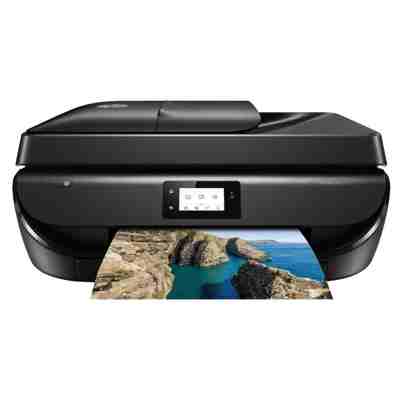
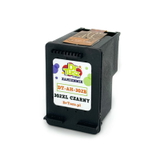
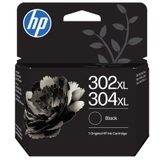
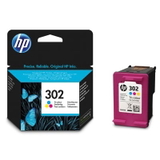
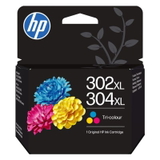
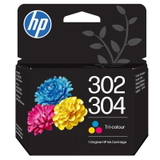
Ink for HP OfficeJet 5220 – made for everyday printing HP OfficeJet 5220 (also searched as HP 5220, HP Officejet 5500 Series or by code M2U81B) is a compact all-in-one inkjet designed for home and small-office tasks: documents, school materials, occasional photos and scanning/copying. To keep this device reliable and cost-effective, it’s crucial to choose the right ink for HP OfficeJet 5220—both in terms of cartridge type and capacity. In our category you’ll find ink cartridges for HP OfficeJet 5220 in two proven options: Original OEM cartridges and compatible cartridges. This gives you the freedom to match the ink to your printing style—without compromising print quality. Which cartridges does HP OfficeJet 5220 use? The HP OfficeJet 5220 works with the popular HP 302 family (also appearing in some listings as HP 302/304). You can choose standard versions for moderate printing or XL versions for higher page yield and fewer replacements. In this category we focus on: - Black ink cartridge for HP OfficeJet 5220 – for crisp text, contracts, forms and invoices.
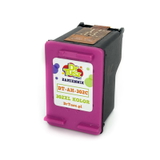
- Color ink cartridge for HP OfficeJet 5220 – for charts, graphics and color documents.
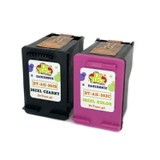
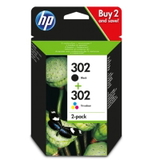
- Multipacks – black + color sets that are convenient and often the most economical per page.
Whether you print occasionally or every day, choosing the right ink for printer HP OfficeJet 5220 helps keep output sharp and consistent while reducing interruptions. Original OEM vs compatible ink – what’s the difference? Many customers ask us which option is “better.” The honest answer is: it depends on what you value most. Original OEM ink cartridges for HP OfficeJet 5220 are produced by the printer manufacturer and are a safe, straightforward choice for users who want to stick to the original brand. At the same time, our compatible ink for HP OfficeJet 5220 is designed to be a smart alternative: reliable, efficient and budget-friendly. We select compatible cartridges that deliver results comparable to originals—clear text, solid blacks and natural-looking color—so you can print confidently while controlling costs. - If you want maximum brand consistency: choose Original OEM.
- If you want great quality at a better price: choose Compatible ink cartridges from our offer.
- If you print a lot: consider XL versions for higher yield and fewer replacements.
Popular ink cartridges for HP OfficeJet 5220 in our offer We keep the range wide so you can choose exactly what you need—single cartridges, XL capacity, or convenient sets. Here are some of the most frequently chosen products in this category: - Compatible Ink Cartridges 302 XL BK + 302 XL C for HP (X4D37AE) (multi pack) – a high-yield set for frequent printing.
- Original OEM Ink Cartridges HP 302 BK + 302 C (X4D37AE) (multi pack) – the classic original combo for everyday use.
- Compatible Ink Cartridge 302 XL for HP (F6U68AE) (Black) and Compatible Ink Cartridge 302 XL for HP (F6U67AE) (Color) – ideal when you want XL performance cartridge-by-cartridge.
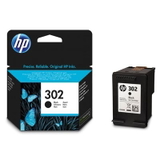
- Original OEM Ink Cartridge HP 302 (F6U66AE) (Black) / Original OEM Ink Cartridge HP 302 (F6U65AE) (Color) – standard originals for lighter printing needs.
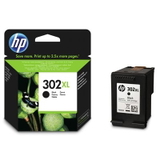
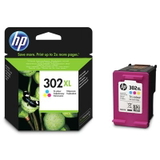
- Original OEM Ink Cartridge HP 302 XL (F6U68AE) (Black) and Original OEM Ink Cartridge HP 302 XL (F6U67AE) (Color) – original XL options for higher volume.
- Compatible Ink Cartridge 302 for HP (F6U66AE) (Black) and Compatible Ink Cartridge 302 for HP (F6U65AE) (Color) – dependable compatibles in standard capacity.
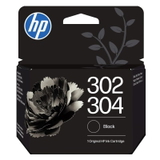
- Original OEM Ink Cartridge HP 302/304 (B7RT7AE) (Black) and Original OEM Ink Cartridge HP 302/304 (B7RT6AE) (Color) – original variants commonly searched by combined 302/304 labeling.
- Original OEM Ink Cartridge HP 302XL/304XL (B7RT9AE) (Black) and Original OEM Ink Cartridge HP 302XL/304XL (B7RT8AE) (Color) – XL originals often listed under 302XL/304XL naming.
This selection makes it easy to match the cartridge to your priorities—price, yield, or sticking with OEM—while ensuring it fits your HP OfficeJet 5220. How to choose the right ink for HP OfficeJet 5220 When you’re deciding on the best ink for HP OfficeJet 5220, we recommend a quick checklist: - Check what you print most: text-heavy documents favor black (often XL), while presentations and school projects benefit from a strong color cartridge.
- Choose standard or XL: if you print regularly, HP 302 XL versions are usually more cost-effective per page.
- Consider a multipack: it’s convenient and helps you avoid running out of one color unexpectedly.
- Match the code if you like certainty: many customers search by symbols like F6U66AE, F6U65AE, F6U68AE, F6U67AE or X4D37AE.
Common printing issues with HP OfficeJet 5220 – and how the right cartridge helps Users of the HP OfficeJet 5220 sometimes encounter typical inkjet challenges. The good news is that the correct cartridge choice—and a few habits—often solve them quickly: - Faded prints or streaks: usually linked to low ink levels or a cartridge nearing the end—switching to a fresh ink cartridge for HP OfficeJet 5220 (especially XL if you print often) helps maintain consistency.
- Color not matching expectations: for graphics and photos, using a healthy color ink for HP OfficeJet 5220 and selecting the correct print settings makes a big difference.
- Frequent cartridge changes: if you feel you replace cartridges too often, moving from standard to HP 302 XL can reduce downtime and lower the cost per page.
- Printer reports low ink quickly: it’s a common concern with inkjet workflows—choosing a well-matched, high-quality cartridge (OEM or our proven compatible) helps keep printing smooth and predictable.
If you’re unsure which cartridge fits your exact needs, we’re here to help you pick the most suitable ink for printer HP OfficeJet 5220 based on what and how much you print. Order today and print with confidence We encourage you to browse our full range of ink cartridges for HP OfficeJet 5220—from reliable Original OEM options to cost-effective compatible ink that performs just as well for everyday work. Choose black, color, XL, or a multipack and keep your HP OfficeJet 5220 ready whenever you need it. CTA: Add your chosen cartridge to the cart and place your order now—or contact us if you want a quick recommendation. We offer fast delivery options and friendly support, so you can get back to printing without delay. |