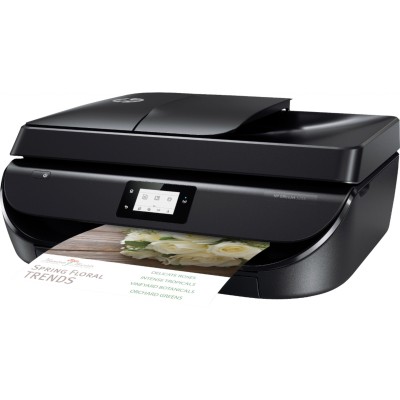
Reliable printing with the HP OfficeJet 5200 All-in-One Series The HP OfficeJet 5200 All-in-One Series (often searched as HP 5200 or simply 5200) is a popular home and small-office all‑rounder: it prints, scans, copies, and helps you handle everyday documents efficiently. To keep it working at its best, you need the right ink cartridge for HP OfficeJet 5200 All-in-One Series—whether you choose Original OEM or a high-quality compatible alternative. In this category we’ve gathered proven solutions that deliver sharp text, readable graphics, and consistent color in every print. Ink for HP OfficeJet 5200: what you can expect from the right cartridge Choosing the correct ink for HP OfficeJet 5200 All-in-One Series is not only about “black or color”. It’s about print stability, proper nozzle work, and predictable results page after page. The cartridges in this category are designed for devices using the HP 302 family, which is widely used in this printer line and closely related searches such as HP Officejet 5500 Series. With well-matched ink cartridges for HP 5200, you get: - Crisp black text for invoices, schoolwork, forms, and daily office documents.
- Clean, balanced color for charts, presentations, and colorful handouts.
- Fewer printing interruptions thanks to stable ink flow and reliable cartridge recognition.
- A choice of standard and XL yields so you can match your printing volume to your budget.
Original OEM vs Compatible: choose what fits your needs In our store you’ll find both Original OEM ink cartridges and Compatible ink cartridges for the HP OfficeJet 5200 All-in-One Series. Original OEM means cartridges manufactured by the printer brand for maximum out-of-the-box consistency. Compatible cartridges are carefully selected alternatives that help reduce printing costs—without giving up quality. Many customers ask us if a compatible ink cartridge for HP OfficeJet 5200 prints as well as an original. Our answer: yes—our compatible cartridges from the DrTusz.pl offer are designed to deliver results that are comparable to OEM in everyday use, with solid blacks, accurate colors, and dependable performance. - Original OEM – great for users who want brand-native consumables and predictable results in every environment.
- Compatible – ideal when you print a lot and want to lower cost per page while keeping professional-looking output.
- XL versions – recommended for frequent printing; fewer replacements and better efficiency.
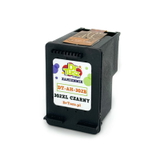
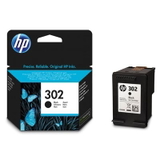
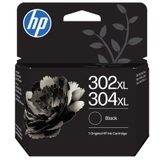
Popular ink cartridges in this category (HP 302 / 302 XL) We make it easy to find the right ink for printer HP OfficeJet 5200 All-in-One Series. Here are some of the most frequently chosen products from this category: - Original OEM Ink Cartridge HP 302 (F6U66AE) (Black) – a classic choice for clear, everyday black text.
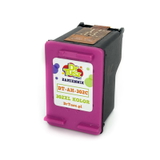
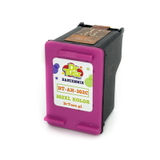
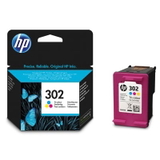
- Original OEM Ink Cartridge HP 302 (F6U65AE) (Color) – for graphics, school projects, and color documents.
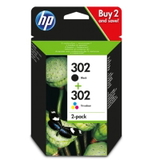
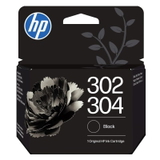
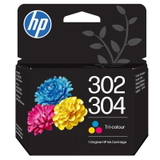
- Original OEM Ink Cartridges HP 302 BK + 302 C (X4D37AE) (multi pack) – a convenient set when you want both colors ready.
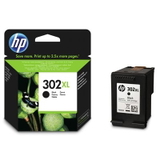
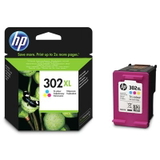
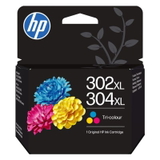
- Original OEM Ink Cartridge HP 302 XL (F6U68AE) (Black) and Original OEM Ink Cartridge HP 302 XL (F6U67AE) (Color) – higher yield options for frequent printing.
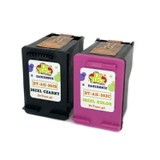
- Compatible Ink Cartridge 302 (F6U66AE) (Black) and Compatible Ink Cartridge 302 (F6U65AE) (Color) – cost-effective daily printing with dependable quality.
- Compatible Ink Cartridge 302 XL for HP (F6U68AE) (Black) and Compatible Ink Cartridge 302 XL for HP (F6U67AE) (Color) – excellent when you want more prints per cartridge.
- Compatible Ink Cartridges 302 XL BK + 302 XL C for HP (X4D37AE) (multi pack) – an economical bundle for home and office workflows.
Thanks to this variety, you can choose a single black cartridge for document printing, a color cartridge for mixed content, or a multi pack to stay stocked up. How to pick the best ink for HP OfficeJet 5200 All-in-One Series When choosing an ink cartridge for HP OfficeJet 5200, we recommend three quick checks: - Match the cartridge code: this series typically uses HP 302 and HP 302 XL (black and color). If your old cartridge shows F6U66AE/F6U65AE (standard) or F6U68AE/F6U67AE (XL), you’re in the right place.
- Choose yield based on volume: print occasionally? Standard 302 may be enough. Print often? Go for 302 XL for fewer replacements.
- Decide OEM or compatible: if you want maximum brand continuity, pick Original OEM. If you want a better cost-per-page, our compatible options are an excellent choice and are as good as the originals for typical home and office printing.
Common user issues and practical tips The HP OfficeJet 5200 All-in-One Series is user-friendly, but like any inkjet printer it can run into a few common situations. Here’s what we advise most often: - Printer says “cartridge problem”: remove the cartridge, check protective seals were fully removed, gently reinsert, and make sure it clicks into place.
- Faded prints or streaks: run the printer’s head cleaning/alignment from the maintenance menu. This often helps after long breaks in printing.
- Color doesn’t look right: try printing a test page and perform alignment; also check you’re not printing in “draft” mode.
- Ink runs out too quickly: consider switching to HP 302 XL black/color or an XL multi pack—higher yield usually lowers the overall cost of printing.
If you’re unsure which ink for HP 5200 is best for your printing habits, tell us what you print (text, mixed documents, or color-heavy pages). We’ll help you choose the most practical option. Order your ink today and keep your HP 5200 ready for every task We encourage you to browse the full range of ink cartridges for HP OfficeJet 5200 All-in-One Series in Original OEM and Compatible versions. With single cartridges, XL options, and cost-saving multi packs, you can easily build the setup that fits your home or office. CTA: Choose your preferred ink for printer HP OfficeJet 5200 All-in-One Series now, add it to your cart, and enjoy smooth printing without downtime. If you need help matching the right HP 302 / 302 XL cartridge, contact us—our team will guide you quickly so you can buy with confidence. We also offer fast delivery options so your printer can be back to work as soon as possible. |