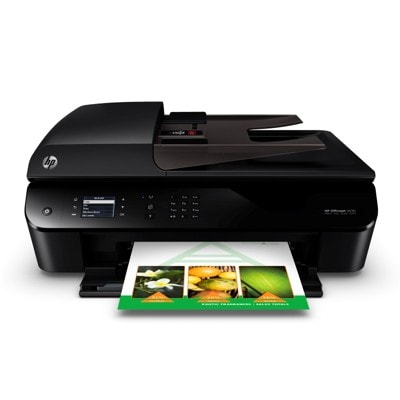
Reliable printing with the HP OfficeJet 4639 e-All-in-One The HP OfficeJet 4639 e-All-in-One (also searched as HP 4639, D4J75A or the HP Officejet 4630 e-All-in-One Printer series) is a practical home-and-office device designed for everyday printing, copying, scanning and faxing. It’s valued for simple operation, wireless printing and solid quality for documents and occasional color materials. To keep it working smoothly and cost-effectively, choosing the right ink for HP OfficeJet 4639 e-All-in-One is essential—especially if you print regularly or want consistent results from the first page to the last. What ink cartridges fit the HP OfficeJet 4639 and what you can expect This model uses the popular HP 301 family of cartridges, available in standard and high-yield (XL) versions. In this category you’ll find both Original OEM and Compatible ink cartridges for HP OfficeJet 4639 e-All-in-One—so you can decide whether you prefer the manufacturer’s solution or a high-quality compatible alternative. Whether you print invoices, schoolwork, shipping labels or color graphics, the right ink for HP 4639 ensures: - clear black text and crisp lines for everyday documents,
- balanced colors for presentations and simple photo prints,
- fewer interruptions thanks to XL capacity options,
- predictable performance when you match the cartridge type (Black or Color) to your needs.
Choosing ink for printer HP OfficeJet 4639 e-All-in-One is also about convenience—having the correct cartridge ready prevents downtime at the worst possible moment. Original OEM or Compatible: choose the option that suits your printing style Many customers ask us what the real difference is between an OEM cartridge and a compatible one. Original OEM ink cartridges are made by HP and are a great pick if you want to stick with the manufacturer’s brand. Compatible ink cartridges are an excellent alternative for customers who print more and want to reduce cost per page—without sacrificing quality. The compatible cartridges available in our DrTusz.pl offer are designed to deliver print results that are as good as originals, while remaining a smart choice for everyday use. - Original OEM: manufacturer-branded solution, widely chosen for brand consistency.
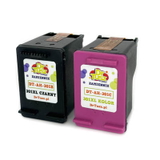
- Compatible: very attractive cost-to-performance ratio, ideal for frequent printing—our compatibles are as good as the originals in everyday use.
Popular cartridges in this category (HP 301 and HP 301 XL) We’ve built this category so you can quickly find the exact ink cartridge for HP OfficeJet 4639 e-All-in-One you need—Black, Color, standard yield, XL, or convenient multipacks. Here are some of the most frequently chosen options: - Compatible Ink Cartridges 301 XL BK + 301 XL C for HP (N9J72AE) (multi pack) – a high-yield set for frequent printing.
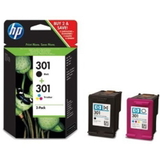
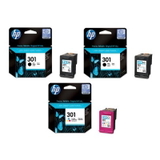
- Original OEM Ink Cartridges HP 301 BK + 301 C (N9J72AE) (multi pack) – the classic OEM black + color combination.
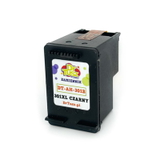
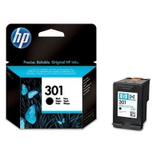
- Original OEM Ink Cartridge HP 301 (CH561EE) (Black) – standard black for everyday documents.
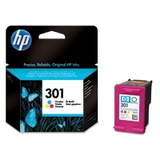
- Original OEM Ink Cartridge HP 301 (CH562EE) (Color) – standard color for charts, graphics and home use.
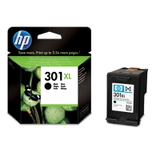
- Original OEM Ink Cartridge HP 301 XL (CH563EE) (Black) – higher capacity black, fewer replacements.
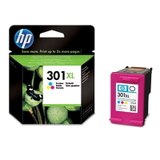
- Original OEM Ink Cartridge HP 301 XL (CH564EE) (Color) – higher capacity color for more color pages.
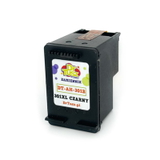
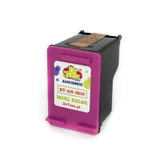
- Compatible Ink Cartridge 301 for HP (CH561EE) (Black) and Compatible Ink Cartridge 301 for HP (CH562EE) (Color) – cost-effective standard-capacity choices.
- Compatible Ink Cartridge 301 XL for HP (CH563EE) (Black) and Compatible Ink Cartridge 301 XL for HP (CH564EE) (Color) – high-yield compatible option for heavy use.
- Original OEM Ink Cartridges HP 2x 301 BK + 301 C (E5Y87EE) (multi pack) – a practical OEM multipack for busy households and small offices.
Thanks to the range of options, it’s easy to tailor your purchase—one cartridge for occasional printing, or an XL multipack when you want maximum convenience and value. How to pick the right ink for HP OfficeJet 4639 e-All-in-One (and avoid common issues) If you’re not sure which ink for HP OfficeJet 4639 e-All-in-One to choose, we recommend a simple approach: - Match the cartridge code: HP 301 (standard) or HP 301 XL (high yield), Black (BK) or Color (C).
- Choose XL if you print often: XL means fewer replacements and better efficiency for frequent printing.
- Consider a multipack: a set like N9J72AE is convenient and usually more economical than buying cartridges separately.
Users of the HP OfficeJet 4639 e-All-in-One sometimes report typical ink-related problems such as faded prints, missing lines, or the printer not recognizing a newly installed cartridge. In many cases, the cause is simple: a protective seal not removed, dried ink after long breaks between print jobs, or a mismatch between the cartridge version and what was intended (301 vs 301 XL, Black vs Color). If anything is unclear, we encourage you to contact us—we’ll help you choose the right cartridge and get your printer back to perfect prints. Order your ink cartridges today—fast, safe and with expert help We make it easy to find and order the right ink cartridge for HP 4639—whether you prefer Original OEM cartridges or a reliable Compatible option from our carefully selected range. Explore the available products, choose the best capacity for your needs, and enjoy smooth printing again. Call to action: We encourage you to browse the category and pick the best ink for printer HP OfficeJet 4639 e-All-in-One—and if you have any questions about compatibility, XL yields or multipacks, contact us. We’ll gladly advise you and help you place the right order with convenient delivery options. |