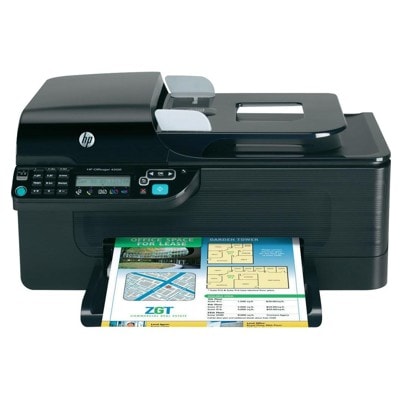
Reliable printing with the HP OfficeJet 4500 G510n Dear Customer, the HP OfficeJet 4500 G510n (also found as HP G510n, HP Officejet 4500 All-in-One Series - G510 or CN547A) is a practical all‑in‑one device designed for everyday office and home-office tasks. It combines printing, scanning and copying, and it’s valued for straightforward operation and solid document output. To keep it working at its best, you need the right ink for HP OfficeJet 4500 G510n—and that’s exactly what we focus on in this category. Ink cartridges for HP OfficeJet 4500 G510n: what matters most Choosing the correct ink cartridge for HP OfficeJet 4500 G510n is not only about compatibility, but also about print quality, efficiency and daily convenience. This printer uses HP cartridge families that are popular and easy to source—especially the HP 901 series, including standard and high-yield versions. In our store you’ll find both Original OEM and Compatible options, so you can match your purchase to your printing habits and budget. Whether you print invoices, shipping labels, school materials or color graphics, good ink ensures: - clear black text and sharp lines on documents,
- consistent color reproduction for charts and presentations,
- reliable cartridge recognition and stable performance,
- lower risk of streaks, fading or uneven coverage.
If you search online for ink for printer HP OfficeJet 4500 G510n or simply ink for G510n, you’ll often see multiple cartridge codes. In this category we’ve gathered the cartridges that match this printer family, making the selection easier and faster. Original OEM vs Compatible: choose the solution that fits your needs Many customers ask us which is better: Original OEM ink for HP OfficeJet 4500 G510n or a compatible ink cartridge. The honest answer is: it depends on your priorities. Original OEM cartridges come straight from the printer manufacturer and are a safe pick when you want the “factory standard” option. Compatible cartridges are designed as fully functional replacements—often chosen for better cost control, especially when printing frequently. In our offer, compatible ink cartridges are a smart alternative—our compatible solutions available at DrTusz.pl are made to deliver results that are as good as originals in everyday printing. If you print a lot of black text pages, a compatible high-yield option can be a real game changer for your cost per page. - Original OEM – manufacturer cartridge, predictable output, great for users who prefer OEM supplies.
- Compatible – excellent value, strong performance in daily use, ideal for frequent printing and budget-conscious users.
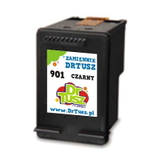
Popular ink cartridges in this category We keep this category focused on the most searched and most useful cartridges for the HP OfficeJet 4500 G510n. Here are some of the key products you’ll find: - Original OEM Ink Cartridge HP 901 (CC653AE) (Black) – a classic choice for crisp documents and everyday office work.
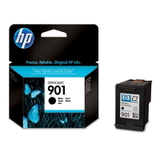
- Original OEM Ink Cartridge HP 901 XL (CC654AE) (Black) – higher yield for people who print often and don’t want to replace cartridges frequently.
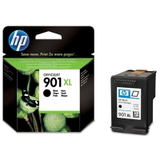
- Original OEM Ink Cartridge HP 901 (CC656AE) (Color) – reliable color printing for graphics, tables and mixed documents.
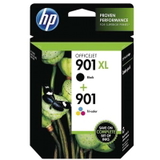
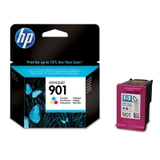
- Original OEM Ink Cartridges HP 901 XL BK + 901 C (SD519AE) (multi pack) – convenient set for balanced black + color usage.
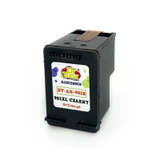
- Compatible Ink Cartridge 901 XL for HP (CC654AE) (Black) – an economical high-capacity alternative for heavy black printing.
- Compatible Ink Cartridge 901 for HP (CC653AE) (Black) – a cost-effective option for standard black printing needs.
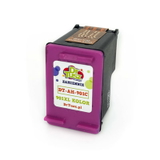
- Compatible Ink Cartridge 901 for HP (CC656AE) (Color) – affordable color printing without sacrificing everyday quality.
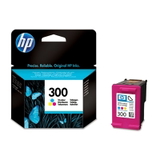
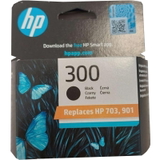
- Original OEM Ink Cartridge HP 300 (CC640EE) (Black) and Original OEM Ink Cartridge HP 300 (CC643EE) (Color) – additional OEM options that may appear in searches related to the 4500 series; we list them clearly so you can quickly verify what you need.
Thanks to this variety, you can easily choose the right ink for HP OfficeJet 4500—whether you prefer Original OEM cartridges, compatible cartridges, standard yield or XL yield. How to choose the right ink for HP OfficeJet 4500 G510n To pick the best ink for printer HP OfficeJet 4500 G510n, we recommend a simple checklist: - Check the cartridge code on your current cartridge (e.g. CC653AE, CC654AE, CC656AE).
- Decide on yield: if you print often, choose XL (for example HP 901 XL black).
- Match printing style: mostly text = focus on black; mixed work = consider a multipack or add a color cartridge.
- Choose OEM or Compatible: OEM for brand preference, compatible for excellent value with everyday quality comparable to originals.
Common issues reported by users of the HP OfficeJet 4500 G510n often relate to routine maintenance rather than the printer itself—such as cartridges running out unexpectedly, faint prints after long breaks, or messages about ink levels. Our practical tips: - If printing becomes pale, run the printer’s built-in cleaning cycle and make sure you use the device regularly.
- If you print a lot, consider an XL cartridge to reduce replacements and interruptions.
- If you’re unsure which cartridge fits your exact device name (e.g. G510n, 4500, CN547A), contact us—helping you select the correct ink is part of our service.
Order your ink today—quickly, safely, and with support We encourage you to explore our full range of ink cartridges for HP OfficeJet 4500 G510n—both Original OEM and Compatible. We’ve built this category to make your choice simple: clear product names, correct codes, and options for every printing volume. Ready to print without interruptions? Add the right ink for HP OfficeJet 4500 G510n to your cart now, or contact us if you’d like help choosing between OEM and compatible cartridges. We offer fast delivery options and friendly support, so you can get back to printing as soon as possible. |