Haven't found what you were looking for? Click here! ▼
Describe below exactly what you are looking for and we will see how we can help. You will receive a reply to your e-mail address by 12:07 at the latest
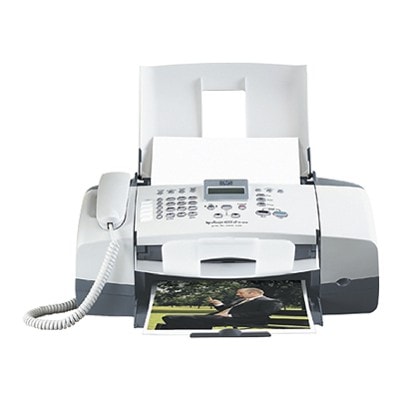
Ink cartridges for HP OfficeJet 4256 - compatible and original OEM
Keep your HP OfficeJet 4256 printing crisp and reliable with the right ink—whether you choose Original OEM cartridges for factory-grade consistency or compatible ink cartridges for a cost-effective alternative. This selection is tailored for HP Officejet 4200 Series printers and covers the most searched references, including HP 4256 and Q5615A.
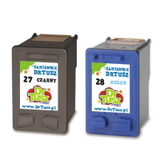
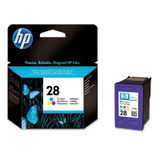
Choose from black and color options like HP 56 (C6656AE) and HP 57 (C6657AE), plus HP 27 (C8727AE) and HP 28 (C8728AE). Need better value and fewer reorders? Pick convenient multipacks and twin-packs such as 56 + 57 (SA342AE), 27 + 28 (CC628AE), and 2-packs of black or color cartridges—ideal for home and everyday office printing.
All cartridges in this category are selected to match the HP OfficeJet 4256 for dependable fit and print performance, so you can replace ink with confidence and get back to work fast. Stock up today and find the best match for your printer—explore the full range and choose your perfect cartridge set now.
Product Number: Q5615A Other names: All-In-One Printer HP OfficeJet 4256
HP OfficeJet 4256 – a reliable all-in-one that still deserves great ink
The HP OfficeJet 4256 (also searched as HP 4256 or HP OfficeJet 4200 Series) is a proven inkjet all-in-one designed for everyday home and small-office tasks: printing documents, schoolwork, forms, and occasional color pages. To keep this printer working smoothly, the key is choosing the right ink for HP OfficeJet 4256—matched to the correct cartridge number and your real printing needs.
Ink for HP OfficeJet 4256: what matters in daily printing
In this category you’ll find ink cartridges for the HP OfficeJet 4256 in both Compatible and Original OEM versions. These cartridges are built for sharp text, consistent page coverage, and dependable operation in the printhead system used by this series.
The HP OfficeJet 4256 typically uses a black cartridge for text and a tri-color cartridge for graphics and photos. With the right combo, you can comfortably print:
clear black text for invoices, forms, and emails,
color charts and presentations,
everyday photos and mixed-content pages.
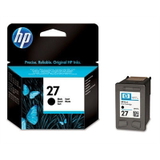
Common search phrases and cartridge references for this model include: Q5615A, C6656AE (HP 56 black), C6657AE (HP 57 color), C8727AE (HP 27 black), and C8728AE (HP 28 color). If you’re looking for ink for printer HP OfficeJet 4256, you’re in the right place.
Compatible and Original OEM ink cartridges – wide choice in one place
We make it easy to pick the exact ink for HP OfficeJet 4256 you want: original HP cartridges (OEM) for those who prefer manufacturer supplies, and carefully selected compatible cartridges that deliver excellent results and outstanding value.
Among the most popular options in this category are:
Compatible Ink Cartridges 56 + 57 for HP (SA342AE) (multi pack) – a convenient black + color set for everyday printing.
Compatible Ink Cartridges 2x 56 + 57 for HP (SD399AE) (multi pack) – a larger bundle for frequent printing and fewer re-orders.
Compatible Ink Cartridge 56 for HP (C6656AE) (Black) and Original OEM Ink Cartridge HP 56 (C6656AE) (Black) – two ways to keep crisp black text.
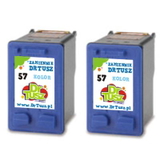
Compatible Ink Cartridge 57 for HP (C6657AE) (Color) and Original OEM Ink Cartridge HP 57 (C6657AE) (Color) – for color documents and photos.
Original OEM Ink Cartridges HP 56 + 57 (SA342AE) (multi pack) – the classic OEM set.
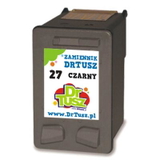
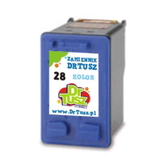
Compatible Ink Cartridges 27 + 28 for HP (CC628AE) (multi pack), plus single cartridges like Compatible Ink Cartridge 27 (C8727AE) (Black) and Compatible Ink Cartridge 28 (C8728AE) (Color).
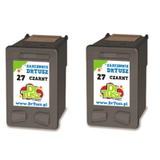
Cost-saving multi-packs such as Compatible Ink Cartridges 27 for HP (C8727AE-2) (Black) (2-pack), Compatible Ink Cartridges 56 for HP (C9502AE) (Black) (2-pack), and Compatible Ink Cartridges 57 for HP (C9503AE) (Color) (2-pack).
How to choose the right cartridge for HP OfficeJet 4256
When choosing ink for HP OfficeJet 4256, start with the cartridge number currently installed (you’ll find it on the label or in the printer software). Then decide based on how you print:
Mostly text? Choose a black cartridge (HP 56 / HP 27 equivalents) or a 2-pack to lower cost per page.
Text + color pages? A multi pack (black + color) is the most convenient and avoids downtime.
Printing a lot each month? Multi-packs like 2x sets help you stay stocked and save time.
Original OEM vs compatible cartridges: Original OEM cartridges are made by HP and are a good pick for users who want strictly manufacturer supplies. Our compatible cartridges, however, are designed to be just as dependable in everyday use—delivering strong blacks, vivid colors, and consistent performance, while offering excellent value. If you want quality without overpaying, compatible ink for printer HP OfficeJet 4256 is a smart choice.
Typical user issues and practical tips for the HP OfficeJet 4256
Older inkjet models can sometimes show warning messages or print defects—most of the time, the fix is simple. If your HP OfficeJet 4256 is acting up, these tips help:
Faded prints or missing colors – run the printer’s cleaning cycle and make sure the protective tape was removed from the new cartridge.
Cartridge not recognized – remove and reinsert the cartridge, clean the contacts gently, and restart the printer.
Streaks on paper – perform alignment/cleaning; this often restores sharp output quickly.
Ink dries out from infrequent printing – printing a small test page weekly can keep nozzles in good condition.
If you’re unsure whether your unit uses the HP 56/57 set or the HP 27/28 set, contact us—matching the correct cartridge family is the most important step when buying ink for HP OfficeJet 4256.
Choose your ink today and print with confidence
We encourage you to browse our full selection of compatible and original OEM ink cartridges for HP OfficeJet 4256 and pick the option that best fits your printing style—single cartridges, 2-packs, or convenient multi packs. If you need help identifying the right cartridge (e.g., C6656AE, C6657AE, C8727AE, C8728AE, SA342AE, CC628AE), we’re here to advise. Add your ink to the cart, choose fast delivery, and keep your HP OfficeJet 4256 ready for every task.