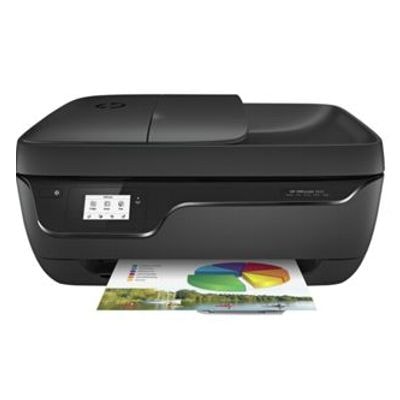
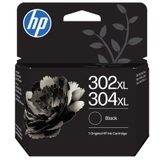
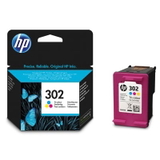
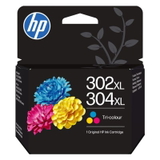
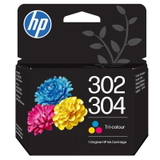
Everyday printing with the HP OfficeJet 3830 HP OfficeJet 3830 (also searched as HP 3830, HP OfficeJet 3800 Series or F5R95B) is a popular home-and-small-office all-in-one printer designed for convenient printing, scanning and copying. It’s valued for wireless operation, compact size and reliable results for everyday documents. To keep this device working at its best, you need the right ink for HP OfficeJet 3830—and in this category we offer both Original OEM and Compatible ink cartridges. Ink cartridges for HP 3830 – what you should know The HP OfficeJet 3830 uses the HP 302 family of cartridges, available in standard and high-yield options. Choosing the correct ink for printer HP OfficeJet 3830 has a direct impact on text sharpness, color vibrancy and the overall cost per page—especially when you print frequently. In this category you’ll find: - Black ink cartridge for crisp text, invoices, schoolwork and forms
- Color ink cartridge for graphics, charts and photo-ready documents
- XL (high-yield) ink for longer printing between replacements and a lower cost per page
- Multipack sets to cover both black and color needs in one purchase
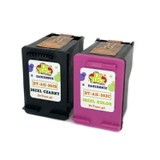
Whether you print occasionally or every day, selecting the right ink for HP OfficeJet 3830 helps maintain consistent quality and reduces interruptions caused by running out of ink at the wrong time. Our range: Compatible and Original OEM HP 302 ink We keep the offer broad so you can match the cartridge to your printing habits and budget. If you prefer manufacturer cartridges, our Original OEM options deliver the exact specification recommended for your device. If you want to save without sacrificing print quality, our compatible cartridges from DrTusz.pl are as good as the originals—a smart choice for everyday printing. Popular choices in this category include: - Compatible Ink Cartridges 302 XL BK + 302 XL C for HP (X4D37AE) (multi pack) – a high-yield set for frequent printing
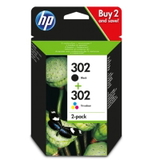
- Original OEM Ink Cartridges HP 302 BK + 302 C (X4D37AE) (multi pack) – convenient OEM multipack for balanced home/office use
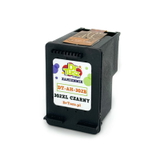
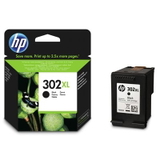
- Compatible Ink Cartridge 302 XL for HP (F6U68AE) (Black) – high-yield black for heavy text printing
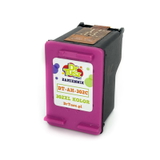
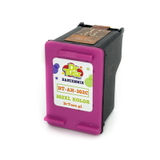
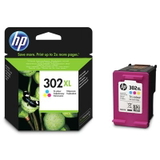
- Compatible Ink Cartridge 302 XL for HP (F6U67AE) (Color) – high-yield color for presentations and colorful materials
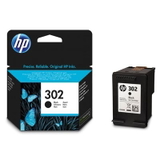
- Original OEM Ink Cartridge HP 302 (F6U66AE) (Black) and Original OEM Ink Cartridge HP 302 (F6U65AE) (Color) – standard yield OEM cartridges
- Original OEM Ink Cartridge HP 302 XL (F6U68AE) (Black) and Original OEM Ink Cartridge HP 302 XL (F6U67AE) (Color) – OEM XL options for better page economy
- Compatible Ink Cartridge 302 for HP (F6U66AE) (Black) and Compatible Ink Cartridge 302 for HP (F6U65AE) (Color) – budget-friendly standard yield alternatives
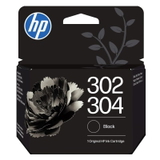
- Original OEM Ink Cartridge HP 302/304 (B7RT7AE) (Black), Original OEM Ink Cartridge HP 302/304 (B7RT6AE) (Color) and Original OEM Ink Cartridge HP 302XL/304XL (B7RT9AE) (Black), Original OEM Ink Cartridge HP 302XL/304XL (B7RT8AE) (Color) – OEM variants compatible with multiple printer lines
Thanks to this selection, you can easily find the right ink for HP 3830 whether you prioritize maximum savings, maximum convenience, or OEM-only supplies. How to choose the best ink for HP OfficeJet 3830 Dear Customer, the best cartridge is the one that matches your real printing needs. We recommend a simple approach: - If you print often (documents for work or school), choose 302 XL—you replace cartridges less frequently.
- If you print occasionally, a standard HP 302 cartridge can be the most practical choice.
- If you want one purchase that covers everything, pick a black + color multipack.
- Always confirm the code family: for this printer, look for HP 302 (including 302 XL).
Original OEM vs compatible ink – what’s the difference? Original OEM ink is produced by the printer manufacturer and is often chosen by users who prefer sticking strictly to brand supplies. Compatible ink is a cost-effective alternative designed to work with the same printer models. In our offer, compatible ink cartridges for HP OfficeJet 3830 from DrTusz.pl are as good as the originals: they’re a reliable option for sharp black text and vivid color prints while helping you control printing costs. Common HP OfficeJet 3830 cartridge issues and helpful tips Users of the HP OfficeJet 3800 Series sometimes report issues that are easy to prevent with the right steps: - Printer message: “Cartridge problem” – remove and reinsert the cartridge, and make sure all protective seals were removed before installation.
- Streaks or faded prints – run the printer’s cleaning cycle and check ink levels; consider switching to 302 XL if you print a lot and cartridges run empty quickly.
- Color looks off – print a test page/nozzle check and ensure you’re using the correct color ink for HP OfficeJet 3830.
- Ink dries out with rare printing – printing a small color page once in a while helps keep the nozzles clear.
If you’re unsure which ink for printer HP OfficeJet 3830 to choose, we’re here to help—just tell us how much you print and whether you need black-only or color as well. Choose your HP 302 ink today We encourage you to explore our full range of ink cartridges for HP OfficeJet 3830—both Original OEM and Compatible. Add the right HP 302 cartridge to your cart and keep your printer ready for everyday tasks, school projects and office documents. If you have questions about selecting the best ink for HP OfficeJet 3830 (HP 3830 / HP OfficeJet 3800 Series / F5R95B), contact us—we’ll help you choose quickly and confidently, and you can count on fast, convenient delivery options. |