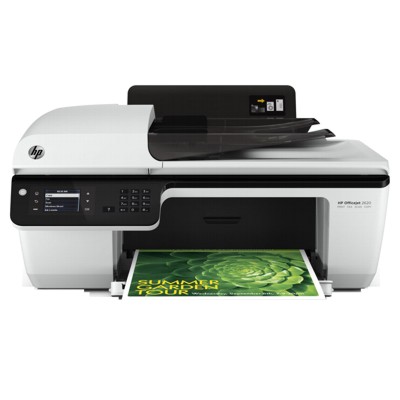
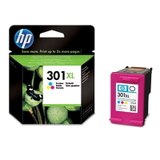
Ink for HP OfficeJet 2620 All-in-One – everyday printing made simple The HP OfficeJet 2620 All-in-One (also found under names like HP 2620, HP Officejet 2000 All-in-One Series or code D4H21B) is a popular home-and-small-office device designed for convenient printing, scanning and copying. It’s compact, easy to use, and perfect for daily tasks—school materials, invoices, forms, emails, photos for family albums. To keep this printer working smoothly and producing clean text and vivid colors, you need reliable ink for HP OfficeJet 2620 All-in-One that matches your printing style. What makes HP 2620 ink cartridges important? In this category you’ll find ink cartridges for HP OfficeJet 2620 All-in-One in two versions: Original OEM and Compatible. Both are made to fit the HP 2620 cartridge system and deliver consistent results—sharp black text and clear, balanced color output. Whether you print occasionally or frequently, choosing the right ink for HP 2620 helps you avoid typical issues like streaks, faded printouts or wasted pages caused by low-quality supplies. Customers choose these cartridges for: - Everyday documents – readable text, clean lines, professional-looking forms
- School and home printing – worksheets, assignments, invitations, basic graphics
- Color projects – charts, presentations and casual photo prints
- Convenient replacement – quick installation and predictable performance
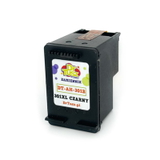
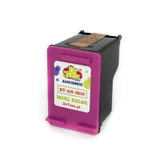
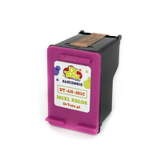
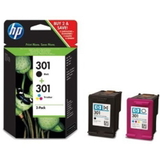
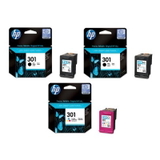
Our range: Original OEM and Compatible ink for HP OfficeJet 2620 All-in-One We make it easy to match the cartridge to your needs and budget. If you want manufacturer-standard performance, choose Original OEM. If you want excellent value without sacrificing quality, our compatible cartridges are a smart choice—our compatible ink cartridge for HP OfficeJet 2620 All-in-One is designed to print just as well as the original. Popular choices in this category include: - Original OEM Ink Cartridges HP 301 BK + 301 C (N9J72AE) (multi pack) – a convenient set for everyday black-and-color printing
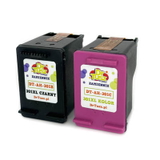
- Compatible Ink Cartridges 301 XL BK + 301 XL C for HP (N9J72AE) (multi pack) – higher capacity option for frequent printing at a great cost per page
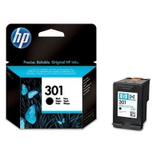
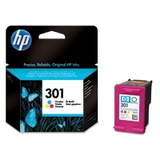
- Original OEM Ink Cartridge HP 301 (CH561EE) (Black) and Original OEM Ink Cartridge HP 301 (CH562EE) (Color) – classic standard-capacity replacements
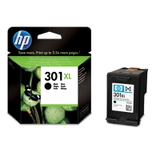
- Compatible Ink Cartridge 301 XL for HP (CH563EE) (Black) and Compatible Ink Cartridge 301 XL for HP (CH564EE) (Color) – ideal when you want fewer replacements and strong everyday performance
- Original OEM Ink Cartridges HP 2x 301 BK + 301 C (E5Y87EE) (multi pack) – great for households and offices that like to keep a backup ready
How to choose the right cartridge: 301 vs 301 XL, black vs color When shopping for ink for printer HP OfficeJet 2620 All-in-One, start with two simple questions: how much you print and what you print most often. - Choose 301 (standard) if you print occasionally and want a lower upfront cost.
- Choose 301 XL (high capacity) if you print more frequently—XL usually means better value per page and fewer interruptions.
- Black (BK) is best for documents, text, shipping labels and forms.
- Color (C) is essential for graphics, photos, colored charts and school projects.
- Multi packs are the easiest way to keep both colors ready and reduce the risk of running out at the wrong moment.
Original OEM vs Compatible: what’s the difference? Original OEM ink for HP OfficeJet 2620 All-in-One is produced under the HP brand and is a safe pick for users who want the exact manufacturer specification and predictable results. Compatible ink for HP OfficeJet 2620 All-in-One is a cost-effective alternative. In our offer, compatible cartridges from DrTusz.pl are built to deliver print quality comparable to OEM—clean black text, stable color output and reliable day-to-day use. Many customers choose compatible 301 and 301 XL cartridges specifically to reduce printing costs while maintaining the results they expect. Common user issues with HP OfficeJet 2620 ink – and how to avoid them Even the best printer can misbehave when a cartridge is low, stored incorrectly, or rarely used. For the HP 2620, customers most often report: - Faded prints or missing colors – often caused by low ink or a cartridge that hasn’t been used in a while
- Streaks on the page – typically fixed by replacing the cartridge and running the printer’s cleaning/alignment function
- Ink drying out – happens more when printing is infrequent; printing a short color page every week helps keep ink flowing
- Choosing the wrong version – 301 vs 301 XL; we recommend matching your typical monthly print volume to the right capacity
If you’re unsure which ink cartridge for HP OfficeJet 2620 All-in-One will be best for you—standard or XL, original or compatible—we’re here to help you choose quickly and correctly. Order ink for HP OfficeJet 2620 All-in-One with confidence We encourage you to explore our full selection of ink cartridges for HP OfficeJet 2620 All-in-One—both Original OEM and Compatible. Pick a single cartridge when you need a quick replacement, or choose a multi pack to stay prepared and lower your cost per print. CTA: Check the available cartridges now and choose the option that fits your printing habits. If you have questions, contact us—we’ll help you select the right ink for HP 2620, arrange fast delivery, and make sure your printer is ready whenever you are. |