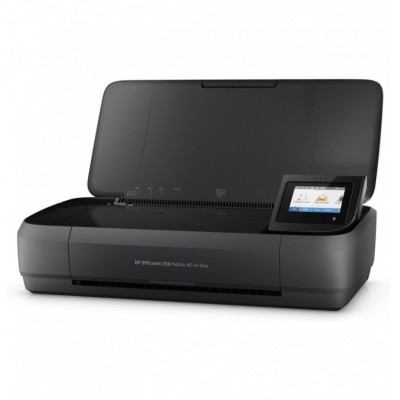
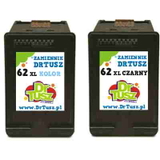
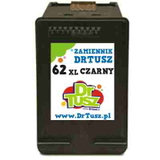
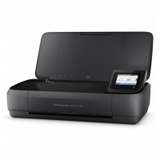
| The HP OfficeJet 250 (also searched as HP 250, HP OfficeJet 200 Mobile Printer, CZ992A or simply 250) is a compact, mobile all‑in‑one designed for people who need reliable printing away from the desk. It’s a great fit for business trips, small offices, home workspaces and anyone who values convenience—provided you choose the right ink for HP OfficeJet 250 and keep a spare cartridge ready. Vibrant color printing that matches the OfficeJet 250’s mobility In this category you’ll find color ink cartridges and black cartridges for the HP OfficeJet 250, including both Original OEM and Compatible options. The printer is built for everyday documents, invoices, forms, travel paperwork, as well as color materials like charts, simple marketing handouts or school projects. With the right ink for printer HP OfficeJet 250, you’ll get crisp text, readable graphics and consistent color—without wasting time on reprints. Because the OfficeJet 250 is often used on the go, customers value cartridges that are easy to install, dependable and efficient. That’s why we focus on proven models from the HP 62 and HP 62 XL family—standard and high‑yield—so you can match capacity to your printing habits. Original OEM and Compatible ink for HP OfficeJet 250—choose your best option We offer two clear paths: Original OEM cartridges for those who want the manufacturer’s solution, and Compatible cartridges for customers who want excellent quality with a more budget-friendly approach. Our compatible cartridges from DrTusz.pl are designed to be just as good as the originals in day‑to‑day use: strong blacks, clean color reproduction and smooth operation in your device. - Original OEM ink for HP OfficeJet 250 – ideal if you prefer manufacturer packaging and OEM consistency.
- Compatible ink for HP OfficeJet 250 – a smart choice when you print frequently and want to reduce cost per page without compromising results.
- XL (high-yield) cartridges – great for heavier use, fewer replacements, and better long-term value.
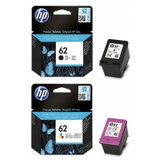
Popular cartridges available in this category To make shopping easier, we stock the most commonly chosen sets and individual cartridges for the OfficeJet 250. Here are some highlights from our offer: - Original OEM Ink Cartridges HP 62 (N9J71AE) (multi pack) – convenient bundle for balanced black + color printing.
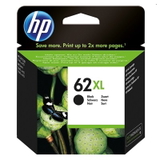
- Original OEM Ink Cartridge HP 62 XL (C2P05AE) (Black) – high-yield black for frequent document printing.
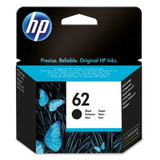
- Original OEM Ink Cartridge HP 62 (C2P04AE) (Black) – standard capacity black for occasional use.
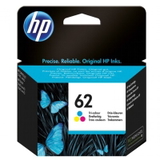
- Original OEM Ink Cartridge HP 62 (C2P06AE) (Color) – standard color cartridge for everyday graphics and mixed pages.
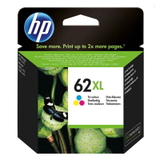
- Original OEM Ink Cartridge HP 62 XL (C2P07AE) (Color) – XL color for more pages and fewer interruptions.
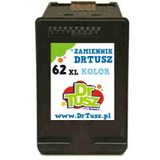
- Compatible Ink Cartridges 62 for HP (N9J71AE) (multi pack) – compatible multipack for the best overall value.
- Compatible Ink Cartridge 62 XL for HP (C2P05AE) (Black) – compatible XL black for cost-efficient text printing.
- Compatible Ink Cartridge 62 XL for HP (C2P07AE) (Color) – compatible XL color for frequent color output.
And if you’re upgrading, replacing hardware, or setting up a mobile workstation, you can also order the device itself: Printer HP OfficeJet 250. How to choose the right ink cartridge for HP OfficeJet 250 When selecting ink for HP 250, focus on two things: the cartridge series and your printing volume. The OfficeJet 250 uses HP 62 / HP 62 XL cartridges, so matching the code (for example C2P05AE for black XL or C2P07AE for color XL) ensures you’re buying the correct model. - If you print occasionally: choose standard cartridges like HP 62 (black or color).
- If you print often or dislike frequent replacements: choose HP 62 XL for better efficiency.
- If you print mixed documents: consider a multi pack to keep both black and color ready.
Common OfficeJet 250 printing issues—and simple ways to avoid them Mobile printers are often stored in bags, used irregularly, and exposed to changing conditions. The most common issues we hear about include: ink drying from long breaks, faint prints, or color looking uneven after transport. Our practical tips: - Print a short test page regularly to keep ink flowing—especially if the printer sits unused.
- Choose XL when you print a lot; fewer swaps means fewer chances for interruptions.
- Keep a spare ink cartridge for HP OfficeJet 250 in your case—mobile work doesn’t wait.
- If prints are streaky after travel, run the printer’s cleaning/alignment once and recheck the result.
Order ink for HP OfficeJet 250 today—ready for work, travel and everyday printing We encourage you to explore our full selection of Original OEM and Compatible options and choose the best ink for printer HP OfficeJet 250 for your needs. If you’re not sure whether to pick standard or XL, or OEM versus compatible, contact us—we’ll help you match the cartridge to your printing style and budget. Add your cartridges (or even the HP OfficeJet 250 printer) to the cart and enjoy fast, convenient delivery and support from a store that specializes in inks, toners and printing devices. CTA: Check the available HP 62 / HP 62 XL cartridges now and stock up—so your HP OfficeJet 250 is always ready to print when you are. |