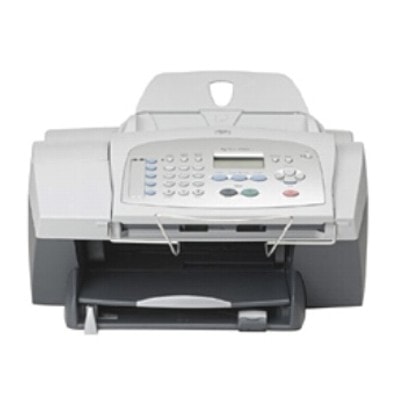
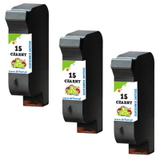
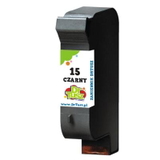
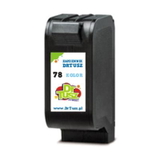
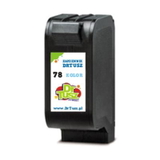
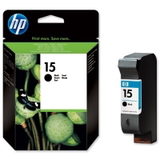
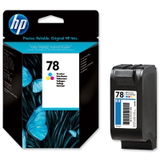
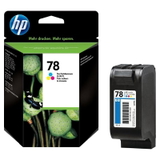
Ink cartridges for HP FAX 1230xi – reliable printing for home and small office If you use the HP FAX 1230xi (also searched as HP 1230xi, 1230xi, 1230 XI or 1230XI), you know it’s a practical all-in-one device built for everyday tasks: printing documents, copying, and faxing. To keep this classic HP Fax working smoothly, you need the right ink for HP FAX 1230xi—and you need it available quickly, in a version that fits your budget and expectations. That’s why in this category we offer both compatible ink cartridges and Original OEM ink cartridges for your printer. What inks does the HP Fax 1230xi use and what are they good for? The ink for printer HP FAX 1230xi is based on two key cartridges: black for crisp text and color for everyday graphics. In this category you’ll find cartridges compatible with popular HP part numbers such as C6615DE (often recognized as HP 15) and C6578DE / C6578AE (HP 78). Many users also look for the device by code Q1686A—regardless of the phrase used, the goal is the same: stable printing and predictable results. These ink cartridges are a great match for: - clean black text for invoices, forms, schoolwork and office documents,
- color printing for charts, simple marketing materials and daily home use,
- copying and faxing workflows where legibility matters most,
- users who want a straightforward, proven ink system.
Compatible and Original OEM – you choose how you want to print We know customers have different priorities, so we provide both options. Original OEM ink cartridges are made by the printer manufacturer and are ideal if you prefer to stick to the brand’s official solution. At the same time, our compatible ink cartridges for HP FAX 1230xi from DrTusz.pl are designed to deliver print quality and reliability on par with originals—while offering excellent value for money. In practice, the choice usually comes down to what matters most to you: - Original OEM: manufacturer-made, familiar performance, popular choice for brand-loyal users.
- Compatible: smart savings, great everyday quality, excellent option for frequent printing.
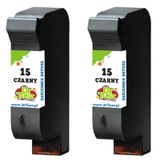
Popular ink cartridges in this category (black, color, and multipacks) To make shopping easier, we keep best-selling options for ink for HP 1230xi in clear variants—single cartridges and convenient multipacks for those who print more. - Compatible Ink Cartridge 15 for HP (C6615DE) (Black) – dependable black for sharp text.
- Original OEM Ink Cartridge HP 15 (C6615DE) (Black) – the official HP black cartridge option.
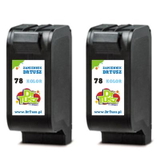
- Compatible Ink Cartridge 78 for HP (C6578DE) (Color) – everyday color printing for home and office.
- Compatible Ink Cartridge 78 for HP (C6578AE) (Color) – an alternative color version to match your needs.
- Original OEM Ink Cartridge HP 78 (C6578DE) (Color) and Original OEM Ink Cartridge HP 78 (C6578AE) (Color) – OEM color cartridges for users who prefer original solutions.
- Compatible Ink Cartridges 78 for HP (C6578AE-2) (Color) (2-pack) – a practical way to stock up on color.
- Compatible Ink Cartridges 15 for HP (C6615DE-2) (Black) (2-pack) and (C6615DE-3) (Black) (3-pack) – great for frequent black-text printing and better cost per page.
How to choose the right ink for HP FAX 1230xi (and avoid common problems) When selecting ink for HP Fax 1230xi, start with two things: the cartridge code and your printing habits. If you print mostly text, black multipacks are often the most economical. If you need color occasionally, a single color cartridge may be enough; if you print charts and graphics regularly, consider a color 2-pack for convenience. Common issues reported by users of older HP Fax devices like the 1230 xi often include: - Faded or streaky print – usually caused by low ink or a cartridge near end-of-life; replacing the cartridge typically solves it quickly.
- Color imbalance – when one color runs out first; a fresh color cartridge restores normal tones.
- Infrequent printing leading to weaker output – regular printing and timely cartridge replacement help maintain consistent quality.
- Wrong cartridge selection – always match the code (C6615DE, C6578DE, C6578AE) to your device and listing.
If you’re unsure whether to choose Original OEM ink cartridges or our compatible ink cartridges, we encourage you to think about your monthly page volume. For frequent printing, compatible cartridges from DrTusz.pl are a proven way to keep costs down without sacrificing day-to-day quality. For users who want to stay strictly with manufacturer supplies, OEM cartridges are ready and waiting in the same category—so you can buy exactly what you prefer. Order today and keep your HP 1230xi ready for every task We encourage you to browse the full selection in this category and pick the best ink for printer HP FAX 1230xi—compatible or Original OEM. If you need help matching the cartridge (for example when searching by Q1686A, HP 1230xi or HP Fax), contact us—our team will help you choose quickly and correctly. Add your cartridges to the cart and enjoy a smooth purchase, fast dispatch, and the confidence that your printer will be ready whenever you need it. CTA: Choose your ink cartridge for HP FAX 1230xi now—compare compatible and Original OEM options, select a multipack if you print often, and order today. |