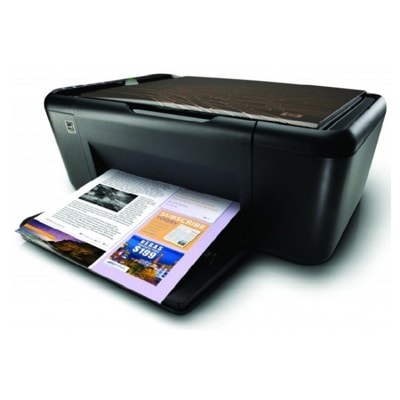
Ink cartridges for HP DeskJet Ink Advantage K209a – reliable printing at home and in the office The HP DeskJet Ink Advantage K209a (also found as HP K209a, HP Deskjet Ink Advantage Printer K209 Series, CH368A, K209A) is a popular all-in-one inkjet device designed for everyday printing, copying and scanning. It’s valued for simple operation, compact size and low running costs—provided you choose the right ink for HP DeskJet Ink Advantage K209a. In this category we gathered both Original OEM and Compatible ink cartridges so you can match the cartridge to your needs, budget and printing style. What you gain with the right ink for HP K209a A well-selected ink cartridge for HP DeskJet Ink Advantage K209a is more than “just ink”. It directly affects print sharpness, colour accuracy, page yield and how smoothly the printer works day to day. Whether you mainly print school materials, invoices, forms, recipes or occasional photos, you want results that are clean and consistent—from the first page to the last. In our offer you’ll find black and colour cartridges that support typical applications for this model: - Black ink for crisp text and clear lines—ideal for documents and forms.
- Colour ink for charts, presentations and everyday colour printing.
- Multipacks for convenience and better value when you print regularly.
Choosing the right ink for printer HP DeskJet Ink Advantage K209a also helps reduce common issues such as faded prints, uneven colours, or frequent cartridge changes. Compatible vs Original OEM cartridges – how to choose confidently We know customers often wonder which option is “best”. The answer depends on how you print—but the good news is: you can get excellent results with both choices. - Original OEM ink cartridges (from HP) are the manufacturer’s cartridges designed specifically for the device. They are a safe pick for anyone who wants a factory-original solution and predictable performance.
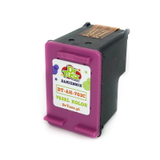
- Compatible ink cartridges are a cost-effective alternative. Our compatible cartridges from the DrTusz.pl offer are prepared to deliver print quality and reliability comparable to originals—so you can print more while spending less, without compromising everyday results.
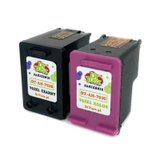
If you print occasionally, either option works well—many customers simply choose based on price and availability. If you print more often (schoolwork, home office, small business documents), compatible multipacks can be a particularly smart way to keep your ink for HP K209a always ready. Popular ink cartridges for HP DeskJet Ink Advantage K209a in our range To make your choice easier, here are some of the best-known cartridges included in this category—covering both Compatible and Original OEM options: - Compatible Ink Cartridges 703 for HP (F6V32AA) (multi pack) – practical set for users who want a ready-to-go supply for black and colour printing.
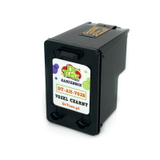
- Compatible Ink Cartridge 703 for HP (CD887AE) (Black) – a budget-friendly choice for frequent text printing.
- Compatible Ink Cartridge 703 for HP (CD888AE) (Color) – for everyday colour documents, school materials and graphics.
- Original OEM Ink Cartridges HP 703 (F6V32AA) (multi pack) – original set for those who prefer OEM solutions in one convenient package.
- Original OEM Ink Cartridge HP 703 (CD887AE) (Black) – original black cartridge for sharp text and consistent output.
- Original OEM Ink Cartridge HP 703 (CD888AE) (Color) – original colour cartridge for reliable colour printing.
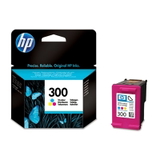
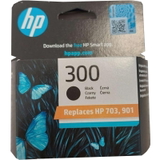
- Original OEM Ink Cartridge HP 300 (CC640EE) (Black) and Original OEM Ink Cartridge HP 300 (CC643EE) (Color) – OEM alternatives often searched for by users looking for HP originals for everyday use.
Thanks to this variety, you can choose exactly the ink cartridge for HP DeskJet Ink Advantage K209a that matches your printing habits—single black, single colour, or a convenient multipack. Common user questions and quick tips for the HP K209a Over time, every inkjet printer can face routine printing challenges. Here are a few practical tips that help many owners of the HP DeskJet Ink Advantage K209a: - Faded or streaky prints – it may be time to replace the cartridge, or run the printer’s cleaning cycle from the device/software.
- Printer not recognising a cartridge – remove and reinsert the cartridge firmly, check protective elements are removed, and make sure you selected the correct model (e.g., HP 703).
- Colours look off – use the built-in alignment option after installing a new colour cartridge, especially after long breaks in printing.
- Infrequent printing – print a small test page once in a while to keep ink flowing smoothly.
And if you’re unsure which ink for HP DeskJet Ink Advantage K209a is the right pick, we’re here to help—just tell us how you print and what matters most: price, OEM preference, or maximum convenience. Order your ink today and keep your HP DeskJet Ink Advantage K209a ready We encourage you to explore our full selection of ink cartridges for HP DeskJet Ink Advantage K209a—both Compatible and Original OEM. Choose a single cartridge or a multipack, stock up for home or office, and enjoy smooth, hassle-free printing. CTA: Check the available cartridges in this category now, and if you have any questions, contact us—together we’ll choose the best ink for printer HP K209a for your needs. We offer quick order processing and convenient delivery options, so you can get back to printing without delays. |