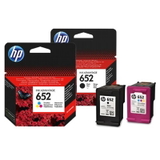
Reliable everyday printing with HP DeskJet Ink Advantage 5075 All-in-One If you use the HP DeskJet Ink Advantage 5075 All-in-One (also searched as HP 5075, HP Deskjet Ink Advantage 5000 Printer series, M2U86C or simply 5075), you already know why it’s so popular: it’s a compact inkjet all-rounder for home and small office tasks. It prints, scans and copies, handles everyday documents smoothly and makes it easy to produce colorful school materials, forms, invoices and simple photos—without taking up much space. Color ink cartridges designed for the 5075: crisp black text and vivid color To get the best out of your device, you need the right ink for HP DeskJet Ink Advantage 5075 All-in-One. This model uses the well-known HP 652 system: one black cartridge for sharp text and one tri-color cartridge for graphics and color documents. With properly matched cartridges, your printer maintains consistent quality, good page readability and stable color reproduction—whether you print occasionally or every day. In this category you’ll find both Original OEM and Compatible solutions, so you can choose what fits your budget and printing habits. Looking for ink for HP 5075 for school notes? Or reliable ink for HP DeskJet Ink Advantage 5075 All-in-One for office documents? We’ve got you covered with single cartridges and convenient multipacks. Our selection: Original OEM, high-quality compatible options, and even the printer itself We build this category to make shopping fast and safe: everything here is compatible with the HP DeskJet Ink Advantage 5075 All-in-One. You can choose Original OEM cartridges, cost-effective compatible replacements, or even the device if you’re completing your setup. - Original OEM Ink Cartridges HP 652 BK + 652 C (F6V25AE, F6V24AE) (multi pack) – a practical set for users who want manufacturer-original ink and the convenience of replacing both cartridges at once.
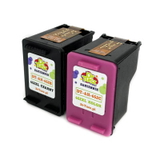
- Compatible Ink Cartridges 652 BK + 652 C for HP (DT-AH-652/K) (multi pack) – our popular value choice for everyday printing. Great for frequent use and keeping costs predictable.
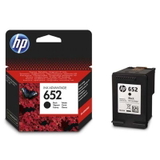
- Original OEM Ink Cartridge HP 652 (F6V25AE) (Black) – for clear black text, documents, homework and forms.
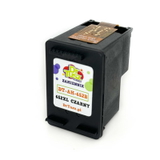
- Compatible Ink Cartridge 652 for HP (F6V25AE) (Black) – an excellent alternative when you print a lot and want to reduce cost per page without compromising quality.
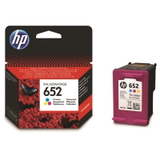
- Original OEM Ink Cartridge HP 652 (F6V24AE) (Color) – for colorful charts, graphics and everyday color printing.
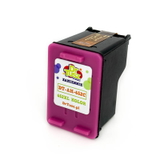
- Compatible Ink Cartridge 652 for HP (F6V24AE) (Color) – a budget-friendly option that still delivers strong, pleasant color for routine prints.
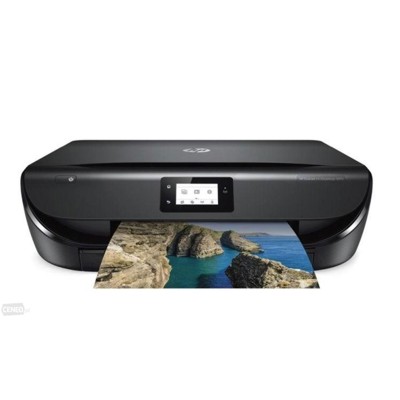
- All-In-One Printer HP DeskJet Ink Advantage 5075 All-in-One – perfect if you’re looking to replace a device or add a reliable all-in-one inkjet printer at home.
How to choose the right ink for HP DeskJet Ink Advantage 5075 All-in-One When selecting ink for HP DeskJet Ink Advantage 5075 All-in-One, the key is to match the cartridge symbols and your printing style: - Check the code: this printer uses HP 652 Black (F6V25AE) and HP 652 Color (F6V24AE).
- Choose single or multipack: if you print both text and color regularly, a multipack is convenient and helps avoid downtime.
- Match ink to your workload: for occasional printing, OEM can be ideal; for frequent printing, compatible cartridges help optimize running costs.
Original OEM vs Compatible: what’s the difference, and what do we recommend? Original OEM cartridges are produced by the printer manufacturer and are a great choice for customers who prefer sticking to factory solutions. Compatible cartridges, on the other hand, are designed to work seamlessly with the same printer model and cartridge standard—without paying extra just for the brand name. Our compatible cartridges from DrTusz.pl are engineered to be as good as the originals in everyday use: clear text, reliable operation and strong color output. If you’re looking for dependable ink for HP 5075 while keeping printing costs under control, compatible options are often the smartest pick. Common issues with the HP 5075 and quick tips to avoid them The HP DeskJet Ink Advantage 5075 All-in-One is user-friendly, but like any inkjet, it can run into typical cartridge-related situations. Here’s what customers most often ask about—and what helps: - Printer doesn’t recognize a cartridge: reseat the cartridge, check protective tape is removed, and restart the printer.
- Faded prints or missing colors: run the printer’s cleaning/maintenance utility; replace the color or black cartridge if it’s low.
- Streaks or smudges: print a nozzle check and align the cartridge; use quality paper suited for inkjet printing.
- Color looks “off”: ensure you’re using the correct HP 652 color ink and try a printhead cleaning cycle.
If you’re unsure which product is best for your needs, we’re here to help you select the right ink for HP DeskJet Ink Advantage 5075 All-in-One—OEM or compatible—based on what and how often you print. Choose your cartridges today and keep your HP printing without interruptions We encourage you to explore our full range of ink cartridges for HP DeskJet Ink Advantage 5075 All-in-One—from Original OEM to proven compatible options, plus the all-in-one printer itself. Add the right HP 652 black and color cartridges to your cart and enjoy smooth printing with consistent results. Need assistance before you buy? Contact us—together we’ll choose the best ink for HP 5075, suggest a convenient multipack, and help you avoid compatibility mistakes. Order now and keep your printer ready whenever you need it. |