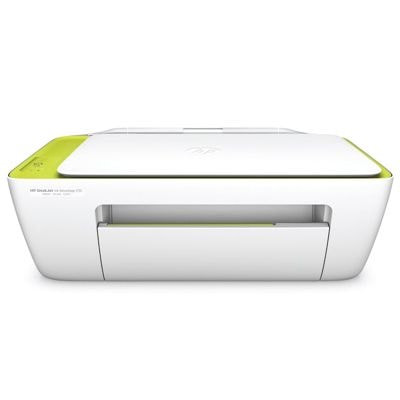
HP DeskJet Ink Advantage 2135 – a reliable everyday printer HP DeskJet Ink Advantage 2135 (also searched as HP 2135, F5S29C or HP Deskjet Ink Advantage 2000 Printer series) is a popular all-in-one device designed for home and small office use. It combines printing, copying and scanning in one compact unit, and it’s best known for simple operation and very good value in everyday color printing. If you want consistent results, choosing the right ink for HP DeskJet Ink Advantage 2135 is key—especially when you print often or need reliable black text and vivid color. Color ink cartridges for HP 2135 – what you can expect This category is dedicated to color ink cartridges and sets for the HP DeskJet Ink Advantage 2135. The printer works with the HP 652 family: one cartridge for black and one for tri-color. With the right cartridge installed, you can comfortably print: - documents (clear black text, sharp lines for school and office needs),
- color graphics (charts, presentations, flyers),
- everyday photos and family prints (best results on suitable paper).
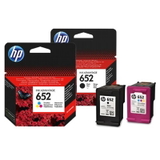
Whether you choose an Original OEM cartridge or a high-quality Compatible alternative, good ink for HP 2135 means stable color, fewer interruptions and predictable performance page after page. Our selection: Original OEM, Compatible, and the printer itself We keep the offer clear and complete—so you can buy exactly what you need for your device. In this category you’ll find both single cartridges and cost-effective multipacks, plus the printer model for customers who want a proven all-in-one from the start. - Original OEM Ink Cartridges HP 652 BK + 652 C (F6V25AE, F6V24AE) (multi pack) – a convenient set for users who want to replace both cartridges at once.
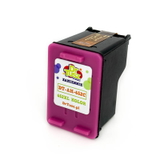
- Compatible Ink Cartridges 652 BK + 652 C for HP (DT-AH-652/K) (multi pack) – our best-value option for frequent printing with excellent quality.
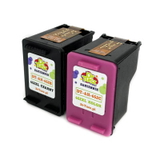
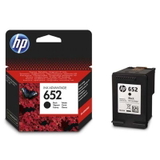
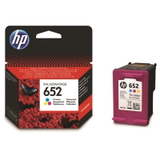
- Original OEM Ink Cartridge HP 652 (F6V25AE) (Black) and Original OEM Ink Cartridge HP 652 (F6V24AE) (Color) – individual replacements when only one cartridge is empty.
- Compatible Ink Cartridge 652 for HP (F6V25AE) (Black) and Compatible Ink Cartridge 652 for HP (F6V24AE) (Color) – dependable alternatives that help lower printing costs without sacrificing results.
- All-In-One Printer HP DeskJet Ink Advantage 2135 – a practical choice if you’re setting up a home printing corner or need a simple device for documents and color.
How to choose the right ink for HP DeskJet Ink Advantage 2135 When selecting ink for printer HP DeskJet Ink Advantage 2135, start with two questions: what do you print most, and how often do you print? If you mainly print text, black will run out first; if you print school projects, graphics or photos, the color cartridge will be used more intensively. Many customers prefer a multipack to avoid downtime. Also pay attention to the cartridge codes—this printer uses HP 652: - F6V25AE – black cartridge,
- F6V24AE – color cartridge.
If you see these symbols in the product name, you’re looking at the correct ink for HP 2135. Original OEM vs Compatible – what’s the difference? Original OEM ink cartridges are produced by the printer manufacturer and are a solid option for customers who want to stay with the original brand ecosystem. Compatible ink cartridges are designed to match the same specifications and fit the same printer model—often chosen for their excellent cost-to-print ratio. In our store, we focus on proven quality. That’s why our compatible ink for HP DeskJet Ink Advantage 2135 from DrTusz.pl is made to deliver results that are as good as originals: strong blacks, clean lines and lively color—so you can print confidently while keeping costs under control. Common user issues with HP 2135 ink cartridges and practical fixes HP DeskJet Ink Advantage 2135 is straightforward, but like any inkjet printer it can show typical cartridge-related issues. Here are the most frequent situations and what we recommend: - Streaks or faded color – run the printer’s cleaning/alignment function and make sure you print regularly (even one page a week helps prevent nozzle drying).
- Printer doesn’t detect the cartridge – remove and reinsert the cartridge, check protective tape removal, and gently clean the contacts if needed.
- Color looks off – perform alignment and verify print settings (draft vs normal), then consider replacing the color cartridge if it’s near empty.
- Ink runs out too quickly – avoid unnecessary “photo” mode for everyday documents and choose a multipack if you print frequently.
If you’re unsure which cartridge you need—or you searched by phrase like HP DeskJet Ink Advantage 2135, 2135, or F5S29C and still want confirmation—we’re here to help you match the right product. Choose your HP 652 cartridge today – we’re ready to help We invite you to explore our full range of ink for HP DeskJet Ink Advantage 2135: Original OEM cartridges, high-quality compatible cartridges, and convenient multipacks. Order the right HP 652 black or color cartridge now, and enjoy smooth printing without delays. If you have questions about compatibility, print quality or selecting the best option for your needs, contact us—together we’ll choose the best ink for your HP 2135 and get you back to printing fast. |