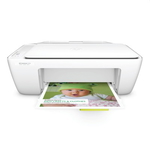
HP DeskJet Ink Advantage 2130 – a proven home all‑rounder If you use the HP DeskJet Ink Advantage 2130 (also searched as HP 2130, F5S40B or HP Deskjet Ink Advantage 2000 Printer series), you probably appreciate one thing most: simple, everyday printing at a reasonable cost. This compact all‑in‑one handles documents for work and school, occasional graphics, and colorful homework projects without complicated setup. To keep it performing at its best, you need the right color ink cartridge and black ink that match the HP 302 family. Color ink for HP 2130: what you print, how it looks, how long it lasts Choosing the right ink for printer HP DeskJet Ink Advantage 2130 directly impacts print quality and comfort of use. Color ink cartridges for this model are designed for clear, vivid prints—useful for charts, photos on plain paper, invitations, school presentations, and any page where color matters. With the right cartridge you can expect: - Consistent color reproduction for everyday graphics and mixed text/color pages
- Smooth gradients and readable details in charts, icons and simple images
- Reliable operation with the printer’s built‑in monitoring and cartridge recognition
- Convenient replacement—HP 302 cartridges are quick to install and easy to verify
In this category you’ll find both Original OEM and Compatible solutions, so you can choose the option that fits your printing style—whether you print occasionally or regularly. Original OEM and compatible ink cartridges – one printer, two smart choices We offer two main routes for ink for HP DeskJet Ink Advantage 2130: - Original OEM ink cartridges – manufactured to HP specifications, a great choice if you want the classic OEM experience, predictable results and direct brand matching.
- Compatible ink cartridges – a cost‑effective alternative for the same printer model. Our compatible cartridges from DrTusz.pl are designed to deliver print quality and reliability comparable to originals, while helping you reduce your cost per page.
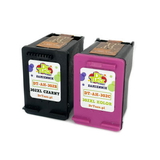
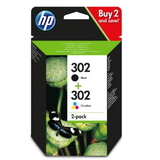
If you print a lot, consider XL versions: the higher capacity can mean fewer replacements and more convenience during busy weeks. Popular products for HP 302 – our top picks in this category To make your choice easier, here are some of the most frequently selected items for the HP 2130: - Original OEM Ink Cartridges HP 302 (X4D37AE) (multi pack) – a practical set for users who want OEM black + color ready to go.
- Compatible Ink Cartridges 302 for HP (X4D37AE) (multi pack) – a budget‑friendly multipack for everyday home printing.
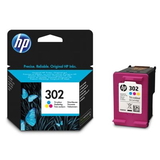
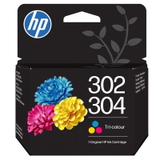
- Original OEM Ink Cartridge HP 302 (F6U65AE) (Color) – standard capacity color for balanced, occasional use.
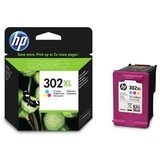
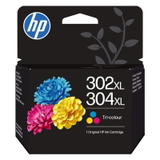
- Original OEM Ink Cartridge HP 302 XL (F6U67AE) (Color) – extended capacity when you print more color pages.
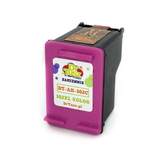
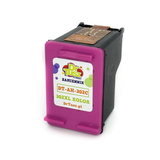
- Compatible Ink Cartridge 302 for HP (F6U65AE) (Color) – a smart alternative for regular color printing.
- Compatible Ink Cartridge 302 XL for HP (F6U67AE) (Color) – XL convenience at a lower running cost.
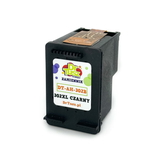
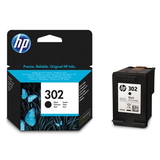
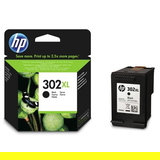
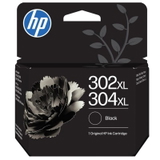
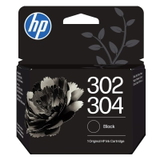
- Original OEM Ink Cartridge HP 302 (F6U66AE) (Black) and Original OEM Ink Cartridge HP 302 XL (F6U68AE) (Black) – for crisp text and strong contrast.
- Compatible Ink Cartridge 302 for HP (F6U66AE) (Black) and Compatible Ink Cartridge 302 XL for HP (F6U68AE) (Black) – efficient daily printing for work and school.
- All-In-One Printer HP DeskJet Ink Advantage 2130 – if you’re rebuilding your home office or need a simple all‑in‑one again.
Thanks to this range, you can buy a single color ink cartridge for HP 2130, upgrade to XL, or choose a multipack and stay stocked for longer. How to choose the right ink for HP DeskJet Ink Advantage 2130 When selecting ink for printer HP DeskJet Ink Advantage 2130, we recommend a quick checklist: - Match the cartridge code: this model uses the HP 302 family (standard and XL), in black and color.
- Choose capacity based on your habits: occasional printing → standard; frequent printing → XL for fewer swaps.
- Decide OEM vs compatible: OEM is the brand’s original solution; compatible from DrTusz.pl is a high‑quality alternative with excellent value.
- Consider multipacks: if you often run out at the wrong moment, a multipack is the easiest way to stay prepared.
Common HP 2130 printing issues – and how the right cartridge helps Users of the HP DeskJet Ink Advantage 2130 most often report a few typical situations: faded color, missing lines, or the printer refusing to print after a long break. In many cases, solutions are straightforward: - Streaks or missing colors: replacing an old/empty color cartridge and running the printer’s cleaning/alignment routine usually restores quality.
- Faded prints: choosing an XL cartridge for heavier use can help maintain consistency and reduce “end‑of‑cartridge” surprises.
- Infrequent printing: if you print rarely, it’s worth doing a small color test page from time to time to keep inks flowing smoothly.
If you’re unsure which color ink cartridge or multipack is best for your needs, we’re here to help you pick the right option for your exact printing routine. Order ink today and keep your HP 2130 ready for every task We encourage you to explore our selection of ink for HP DeskJet Ink Advantage 2130—Original OEM, Compatible, standard and XL, as well as convenient multipacks. Add the cartridges you need to your cart and enjoy fast, reliable delivery options. If you have any questions about compatibility (HP 302 / 302 XL, F6U65AE, F6U67AE, X4D37AE) or want help choosing the best set for your budget, contact us—together we’ll make sure your HP 2130 prints exactly the way you expect. CTA: Check the available HP 302 color ink cartridges and multipacks in this category and choose the best option for your HP DeskJet Ink Advantage 2130 today. |