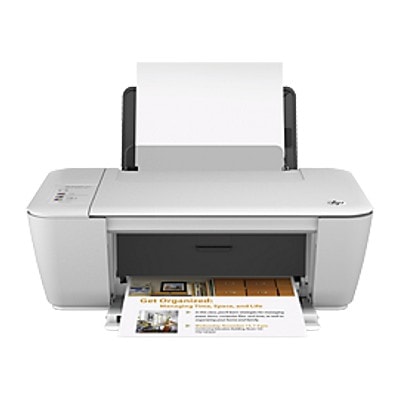
Reliable everyday printing with the HP DeskJet Ink Advantage 1510 All-in-One The HP DeskJet Ink Advantage 1510 All-in-One (also searched as HP 1510 and HP Deskjet Ink Advantage 1000 Printer series) is a practical home-and-small-office device designed for simple, cost-effective printing, scanning, and copying. It’s a great choice for school materials, documents, forms, and occasional color prints. To keep this printer running smoothly and to maintain clear, sharp output, you need the right ink for HP DeskJet Ink Advantage 1510 All-in-One—and that’s exactly what you’ll find in this category: both Original OEM and Compatible ink cartridges. Ink for HP 1510 – what these cartridges do best This printer uses the well-known HP 650 cartridge set: black for crisp text and a tri-color cartridge for graphics and photos. Choosing the correct ink cartridge for HP DeskJet Ink Advantage 1510 All-in-One means stable performance, fewer interruptions, and predictable results—whether you print occasionally or in larger bursts. With the right ink for HP 1510, you can expect: - Clean, readable black text for documents, homework, invoices, and forms
- Natural-looking colors for charts, presentations, and everyday photo prints
- Consistent output quality over the life of the cartridge
- Easy replacement and compatibility with the HP DeskJet Ink Advantage 1510 All-in-One
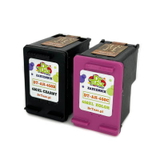
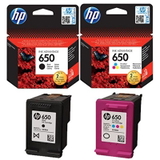
Compatible and Original OEM – a wide choice of HP 650 cartridges We know different customers have different priorities—some want the manufacturer’s cartridges, others want the best value without compromising quality. That’s why we offer both Original OEM ink cartridges for HP DeskJet Ink Advantage 1510 All-in-One and high-quality compatible ink for HP DeskJet Ink Advantage 1510 All-in-One. Our compatible cartridges are designed to deliver results that are as good as originals, while helping you reduce printing costs. Popular options in this category include: - Original OEM Ink Cartridges HP 650 BK + 650 C (CZ101AE, CZ102AE) (multi pack) – a convenient set for everyday printing in black and color
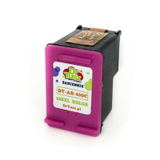
- Compatible Ink Cartridges 650 BK + 650 C for HP (DT-AH-650/K) (multi pack) – excellent value for users who print often and want to optimize cost per page
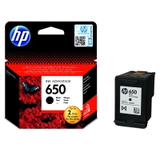
- Original OEM Ink Cartridge HP 650 (CZ101AE) (Black) – ideal when you mostly print text documents
- Compatible Ink Cartridge 650 for HP (CZ101AE) (Black) – a budget-friendly solution for frequent black printing
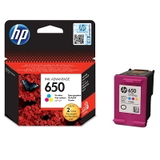
- Original OEM Ink Cartridge HP 650 (CZ102AE) (Color) – reliable color performance for charts, school projects, and photos
- Compatible Ink Cartridge 650 for HP (CZ102AE) (Color) – strong everyday color output with excellent cost control
How to choose the right ink cartridge for HP DeskJet Ink Advantage 1510 All-in-One When selecting ink for printer HP DeskJet Ink Advantage 1510 All-in-One, start with your printing habits: - If you print mostly documents: choose HP 650 Black (CZ101AE) or its compatible equivalent.
- If you print school projects, graphics, or photos: add HP 650 Color (CZ102AE).
- If you want convenience and a balanced stock at home: pick a multi pack (black + color).
Original OEM vs compatible ink for HP 1510: Original OEM cartridges are made by the printer manufacturer and are a classic choice for those who prefer OEM branding. Our compatible ink cartridges for HP DeskJet Ink Advantage 1510 All-in-One are a smart alternative—carefully selected to provide dependable recognition in the printer, consistent print quality, and excellent everyday performance. If you want to lower printing costs without giving up quality, compatible cartridges are often the best option. Common HP 1510 printing issues – and how the right ink helps Users of the HP DeskJet Ink Advantage 1510 All-in-One often report a few recurring situations: faded text, missing colors, streaks, or sudden “low ink” messages. In many cases, the solution is simple: replace the cartridge with a fresh ink cartridge for HP 1510 and make sure you’re using the correct model numbers (CZ101AE for black, CZ102AE for color). If color prints look uneven, it’s usually the color cartridge nearing the end of its life or not being used regularly—keeping a spare HP 650 color ink on hand is a practical way to avoid downtime. Choose your HP 650 ink today – fast purchase, helpful support We encourage you to explore our full selection of ink for HP DeskJet Ink Advantage 1510 All-in-One—both Original OEM and our proven compatible HP 650 ink cartridges. Whether you need a single black cartridge, a color refill, or a cost-saving multipack, we make it easy to match the right product to your printer and printing style. CTA: Check the available options in this category, choose the best ink for HP 1510, and place your order today. If you have any doubts about compatibility or need help selecting between Original OEM and compatible cartridges, contact us—we’ll be happy to advise and help you get back to printing quickly, with convenient delivery straight to your door. |