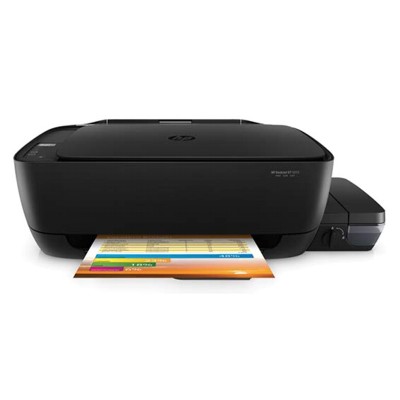
Reliable everyday printing with the HP DeskJet GT 5810 All-in-One HP DeskJet GT 5810 All-in-One (also known as HP GT5810, HP DeskJet GT Series and model code L9U63A) is a practical multifunction printer designed for home and small-office use. It combines printing, scanning and copying in one compact device, and its ink tank system is built for economical, high-volume printing. To keep your prints sharp and your costs under control, it’s worth choosing the right ink for HP DeskJet GT 5810 All-in-One—either Original OEM or our proven compatible options. Ink for HP GT5810: what matters most (quality, efficiency, peace of mind) When you choose ink for HP GT5810, you’re choosing more than just color. You’re deciding on day-to-day reliability: clear text for documents, consistent color for school projects, and smooth operation for months of printing. In this category we offer ink cartridges (bottles/cartridges dedicated to the GT system) and printheads, because both elements affect print quality. Well-matched ink and a healthy printhead help you achieve: - crisp black text for invoices, homework and office documents,
- balanced color for charts, presentations and simple graphics,
- reduced risk of clogging when you print regularly and maintain the printer correctly,
- predictable results—important if you print often and don’t want surprises.
If you search using phrases like HP DeskJet GT 5810 All-in-One, HP GT5810 or ink codes such as M0H57AE and M0H54AE, you’re in the right place—we’ve grouped compatible and Original OEM products so you can compare and buy quickly. Compatible and Original OEM inks: choose what fits your printing style We know customers often ask whether Original OEM is the only safe choice. Original OEM ink is made by HP and is a great option if you want to stick strictly to manufacturer supplies. At the same time, our compatible ink for HP DeskJet GT 5810 All-in-One is designed to deliver results that are as good as the originals—while helping you reduce printing costs without sacrificing everyday quality. Main differences you’ll notice when choosing between Original OEM and compatible ink: - Price-per-page: compatible ink is typically the more budget-friendly option, especially for frequent printing.
- Brand preference: Original OEM is ideal for users who want HP-labelled supplies; compatible ink is ideal for value-focused users.
- Buying flexibility: with compatible and OEM options available, you can tailor each purchase to current needs (e.g., black-heavy months vs. color-heavy months).
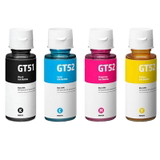
Popular products for HP DeskJet GT 5810 All-in-One (our customers’ go-to choices) This category includes both individual colors and convenient sets, so you can restock exactly what you need. Here are some highlights from our range: - Compatible Ink Cartridges GT53 XL BK + GT52 CMY for HP (DT-AH-51/K) (multi pack) – an excellent choice if you want one purchase to cover black plus the full CMY color set.
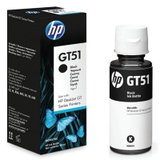
- Compatible Ink Cartridge GT51 for HP (M0H57AE) (Black) – perfect when you print lots of text and want a cost-effective refill.
- Original OEM Ink Cartridge HP GT51 (M0H57AE) (Black) – for customers who prefer OEM black ink for the HP GT5810.
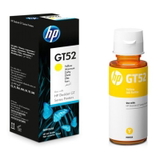
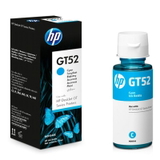
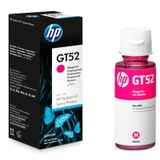
- Original OEM Ink Cartridge HP GT52 (M0H54AE) (Cyan), HP GT52 (M0H55AE) (Magenta), HP GT52 (M0H56AE) (Yellow) – OEM color inks for consistent everyday color output.
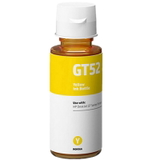
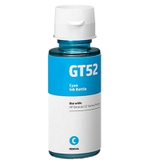
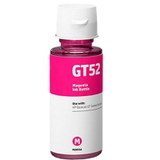
- Compatible Ink Cartridge GT52 for HP (M0H54AE) (Cyan), (M0H55AE) (Magenta), (M0H56AE) (Yellow) – a smart option when you want color at a lower running cost.
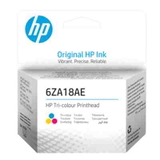
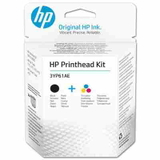
- Original OEM Printhead HP 6ZA18AE and Original OEM Printhead HP 3YP61AE – essential components if print quality drops due to a worn or clogged printhead.
Thanks to this mix, you can buy a single color, restock black only, or choose a multipack—whatever is most convenient for your printing routine. How to choose the right ink and printhead for HP DeskJet GT Series If you want to avoid mismatches, we recommend selecting supplies by printer name and code: HP DeskJet GT 5810 All-in-One / GT5810 / L9U63A. Then decide based on what you print most. - Mostly documents? Choose black ink first: GT51 (M0H57AE) in Original OEM or compatible.
- Color charts, school materials, mixed printing? Add the color set: GT52 Cyan/Magenta/Yellow (OEM or compatible), or pick a multipack.
- Streaks, missing lines, faded colors? Consider maintenance steps, and if problems persist, check whether you need a new printhead such as HP 6ZA18AE or HP 3YP61AE.
Common HP GT5810 issues—and how the right supplies help Users of the HP DeskJet GT Series typically report a few repeatable issues. The good news: many of them are easy to prevent with correct ink selection and simple habits. - Printhead clogging / gaps in print: often happens after long breaks in printing. We suggest printing a small test page regularly and using quality ink for HP DeskJet GT 5810 All-in-One. If clogs persist, a new OEM printhead can restore full quality.
- Washed-out black text: make sure you’re using the correct black ink (GT51 M0H57AE) and not mixing series. If you print a lot, consider keeping a spare black on hand.
- Uneven colors: low levels in one color (C/M/Y) can affect overall balance. Refill the missing color using the correct GT52 ink.
- Confusion about codes: HP naming can be tricky—GT51/GT52 refer to ink types, while codes like M0H54AE identify the specific product. We list both to make choosing easier.
Why shop with us for ink for HP DeskJet GT 5810 All-in-One? We focus on selection and clarity: you’ll find Original OEM supplies for customers who want HP-branded inks, and carefully selected compatible ink for HP GT5810 that performs on par with OEM in everyday use. We also stock printheads, so you can solve quality problems without searching multiple places. Call to Action: We encourage you to browse the full range in this category, compare compatible vs. Original OEM options, and choose the best ink for HP DeskJet GT 5810 All-in-One for your needs. If you’re unsure whether you need ink or a printhead, contact us—we’ll help you match the right product codes and get your HP GT5810 printing perfectly again. Fast delivery options are available so you can get back to printing without delay. |