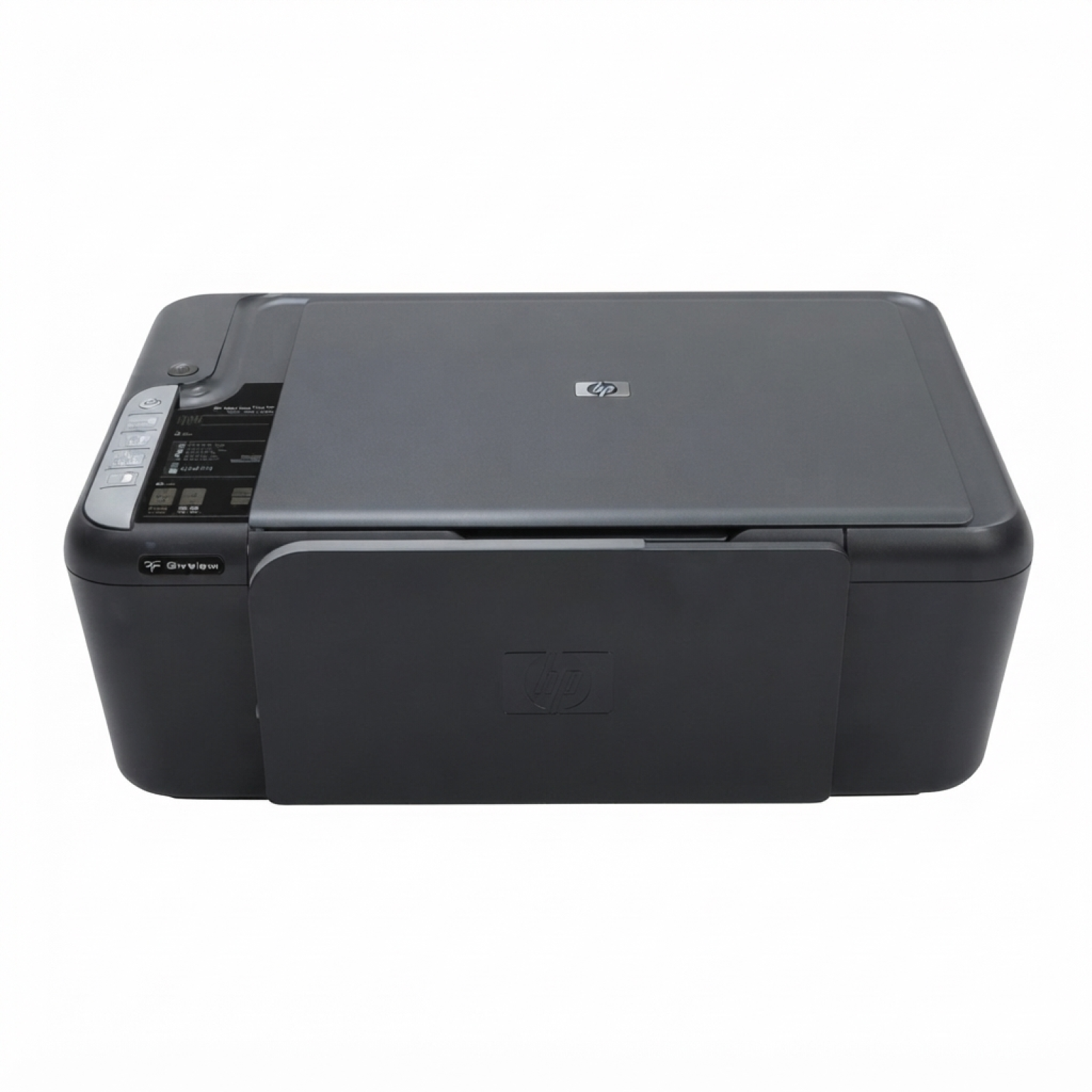
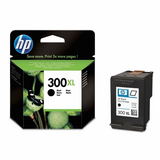
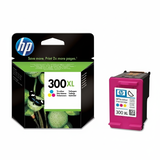
Ink cartridges for HP DeskJet F4583 – reliable printing at home and in the office The HP DeskJet F4583 (also known as HP F4583 or the HP Deskjet F4500 Series) is a popular all‑in‑one printer designed for everyday tasks: homework, forms, invoices, photos, and quick scans. To keep it working smoothly, it’s worth choosing the right ink for HP DeskJet F4583—matching your printing style, expected quality, and budget. In this category we offer both Original OEM and carefully selected Compatible ink cartridges, so you can print comfortably without overpaying. What you gain with the right ink for HP F4583 Choosing the proper ink cartridge for HP DeskJet F4583 affects not only color and sharpness, but also day-to-day convenience. The printer uses the well-known HP 300 family (including standard and XL versions), available in black and color. With the right cartridge you can expect: - clear text for documents and school prints,
- vivid colors for graphics and occasional photos,
- stable operation and fewer interruptions,
- better cost control thanks to XL options and multipacks.
If you search by codes such as CC640EE, CC643EE or multipack CN637EE (CB755C), you’re in the right place—this is exactly the selection dedicated to your model. Original OEM or Compatible – we give you a real choice In our store, you can choose between Original OEM ink cartridges and high-quality Compatible ink cartridges that are fully suited to the HP DeskJet F4583. Original OEM cartridges are made by the printer manufacturer and are a great option when you want to stick to brand solutions. At the same time, our compatible ink for HP DeskJet F4583 is a smart alternative: it’s designed to deliver print quality comparable to originals, while helping you significantly reduce printing costs. We select compatible cartridges with everyday reliability in mind—so you can print more for less without sacrificing readability, color, or comfort. Popular cartridges in this category (black, color, XL and multipacks) To make shopping easier, below are some of the most frequently chosen items for the HP F4583. Whether you print occasionally or regularly, you’ll find an option tailored to you: - Original OEM Ink Cartridge HP 300 (CC640EE) (Black) – a solid choice for standard black document printing.
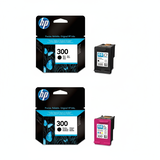
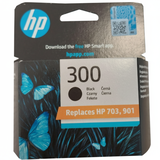
- Original OEM Ink Cartridge HP 300 (CC643EE) (Color) – for everyday color graphics, charts and school projects.
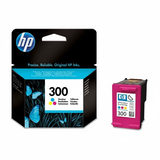
- Original OEM Ink Cartridge HP 300 XL (CC641EE) (Black) – extended yield for frequent printing and lower cost per page.
- Original OEM Ink Cartridge HP 300 XL (CC644EE) (Color) – more color printing without constant replacements.
- Original OEM Ink Cartridges HP 300 BK + 300 C (CN637EE) (multi pack) – a convenient set when you need both colors and black.
- Compatible Ink Cartridge 300 for HP (CC640EE) (Black) – budget-friendly black printing for daily needs.
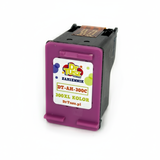
- Compatible Ink Cartridge 300 for HP (CC643EE) (Color) – a cost-effective way to keep color prints flowing.
- Compatible Ink Cartridge 300 XL for HP (CC641EE) (Black) – ideal for frequent printing with better efficiency.
- Compatible Ink Cartridge 300 XL for HP (CC644EE) (Color) – more pages in color with strong value.
- Compatible Ink Cartridges 300 XL BK + 300 XL C for HP (CN637EE) (multi pack) – a practical set for people who print a lot and want maximum savings.
Thanks to standard and XL versions, plus ready multipacks, you can easily tailor the purchase to your workload and avoid last-minute “out of ink” surprises. How to choose the best ink cartridge for HP DeskJet F4583 Dear Customer, if you’re not sure which cartridge to select, here are our simple tips. First, decide how much you print: - If you print occasionally: standard HP 300 black and color cartridges can be enough.
- If you print often (documents, school materials, work files): choose HP 300 XL for better running costs and fewer replacements.
- If you print both black and color regularly: consider a multipack (CN637EE / CB755C)—it’s convenient and typically more cost-effective.
Next, choose the cartridge class: - Original OEM – manufacturer solution, great when you prefer sticking to original branding.
- Compatible – our compatible cartridges are made to match the printer requirements and deliver results as good as originals in everyday use, while giving you excellent value.
Common user issues with the HP Deskjet F4500 Series – and how the right cartridge helps Users of the HP DeskJet F4583 sometimes report issues like faint prints, missing colors, or frequent cartridge changes. Very often, these problems are connected to low ink levels, prolonged breaks between printing, or choosing a cartridge that doesn’t match real usage (e.g., standard instead of XL for high volume). Our advice: - If black text is pale: replace the black cartridge in time and consider an XL option.
- If colors look uneven: a fresh color cartridge usually restores proper saturation for charts and images.
- If you print irregularly: it helps to print a small color page from time to time to keep colors consistent.
If you’re ever unsure whether you need CC640EE/CC643EE or CC641EE/CC644EE, just tell us what and how much you print—we’ll help you pick the best ink for HP F4583. Order ink for HP DeskJet F4583 today – we’re here to help We encourage you to explore our full range of ink cartridges for HP DeskJet F4583: Original OEM and high-quality Compatible options, single cartridges and multipacks. Choose the version that fits your needs and enjoy clean text, vivid colors and predictable printing costs. If you have any questions about compatibility, XL capacity, or selecting the best set for your printer, contact us—we’ll gladly advise. Place your order now and take advantage of fast, convenient delivery options so your HP DeskJet F4583 is always ready to print. |