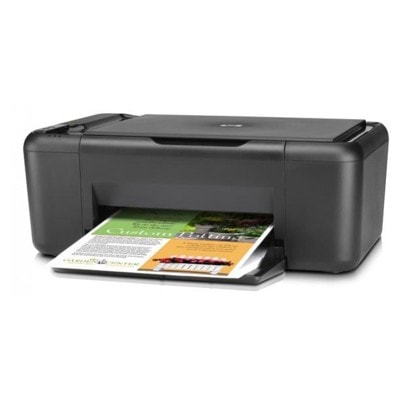
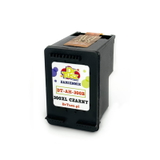
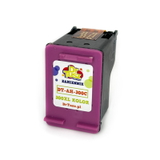
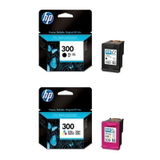
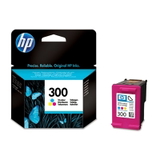
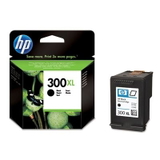
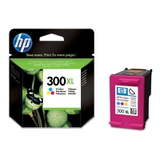
HP DeskJet F4500 Series – a proven all‑in‑one for everyday printing HP DeskJet F4500 (also searched as HP F4500 or HP Deskjet F4500 Series) is a popular home and small‑office multifunction printer designed for simple, reliable printing, copying and scanning. It’s valued for its easy operation and affordable running costs—provided you choose the right ink cartridges for HP DeskJet F4500. In this category we offer both Original OEM and Compatible solutions, so you can match the cartridge to your budget and printing habits without compromising on quality. Ink for HP DeskJet F4500 – what you print, how it looks, how long it lasts For this model, the key is selecting the correct HP 300 series cartridge. A well‑matched ink for printer HP DeskJet F4500 ensures clear text, consistent black coverage, and vivid colour transitions in graphics and photos. Whether you print school materials, invoices, shipping labels, or colourful projects, good ink translates into fewer streaks, better drying time and a reduced risk of smudging. With the right cartridge set, you can expect: - sharp black text for documents and forms,
- natural colours for charts, presentations and photos,
- stable performance during longer print breaks (when properly stored),
- predictable page yield—especially with XL versions for higher volumes.
When customers search “ink for HP F4500” or “ink for F4500”, they usually want one thing: smooth printing without surprises. That’s exactly why we keep both OEM and high‑quality compatible options in stock. Original OEM and Compatible cartridges – a wide, practical selection In our offer you’ll find the most commonly chosen ink cartridges for HP DeskJet F4500 in both colour and black, including standard and XL capacity. Popular choices include: - Original OEM Ink Cartridge HP 300 (CC640EE) (Black) – reliable black text and consistent results.
- Original OEM Ink Cartridge HP 300 (CC643EE) (Color) – everyday colour printing for home and office.
- Original OEM Ink Cartridges HP 300 BK + 300 C (CN637EE) (multi pack) – a convenient set when you want to replace both at once.
- Original OEM Ink Cartridge HP 300 XL (CC641EE) (Black) and Original OEM Ink Cartridge HP 300 XL (CC644EE) (Color) – higher yield for frequent printing.
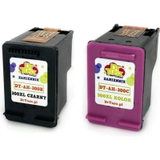
- Compatible Ink Cartridge 300 for HP (CC640EE) (Black) and Compatible Ink Cartridge 300 for HP (CC643EE) (Color) – cost‑effective everyday cartridges.
- Compatible Ink Cartridge 300 XL for HP (CC641EE) (Black) and Compatible Ink Cartridge 300 XL for HP (CC644EE) (Color) – great for more pages at a lower cost per print.
- Compatible Ink Cartridges 300 XL BK + 300 XL C for HP (CN637EE) (multi pack) – a high‑yield set that many customers choose for home offices.
Thanks to this range, you can easily tailor your purchase—OEM when you want the manufacturer’s cartridge, or a proven compatible when you want maximum savings with excellent print quality. How to choose the best ink cartridge for HP DeskJet F4500 When selecting ink for HP DeskJet F4500, start with two simple questions: how much do you print, and what do you print most often? - For occasional printing (a few pages a week): standard capacity cartridges such as HP 300 black or HP 300 colour are usually enough.
- For frequent printing (school materials, admin work, lots of documents): choose HP 300 XL versions to reduce the cost per page and replace cartridges less often.
- For mixed printing (text + colour): multipacks are convenient and help keep both black and colour ready at the same time.
Original OEM vs Compatible – what’s the difference? Original OEM cartridges are produced by HP and are a great choice if you prefer the manufacturer’s solution. Compatible cartridges are an excellent alternative when you want to keep costs down—especially for high‑volume printing. The compatible cartridges we offer at DrTusz.pl are carefully selected to deliver print quality and reliability that are as good as originals, while offering better value for money. Common HP DeskJet F4500 printing issues – and how the right cartridge helps Users of HP DeskJet F4500 Series often report issues that are easy to solve with correct cartridge choice and a few habits: - Faded print or streaks – usually caused by low ink or dried nozzles. Replacing the cartridge and running a cleaning cycle typically restores quality.
- Printer not used for a long time – ink can dry out. If you print occasionally, try printing a small test page every 1–2 weeks to keep ink flowing.
- Colour prints look dull – a fresh colour cartridge (especially XL for frequent use) can dramatically improve saturation and smooth gradients.
- Frequent cartridge replacement – switching to XL versions (OEM or compatible) helps reduce how often you need a new cartridge.
If you’re unsure which ink cartridge for HP DeskJet F4500 is best for your needs, we’re here to help you choose quickly and safely. Choose your ink today – fast order, expert support We encourage you to explore our category of ink cartridges for HP DeskJet F4500 and pick the option that matches your printing style—Original OEM for manufacturer preference or Compatible for smart savings with quality comparable to OEM. Add the right HP 300 or HP 300 XL cartridge to your cart and enjoy hassle‑free printing again. CTA: Browse the available cartridges now and, if you have any questions about compatibility for HP F4500 / F4500, contact us—our team will help you choose the best ink quickly. We offer efficient order processing and delivery, so you can get back to printing without delay. |