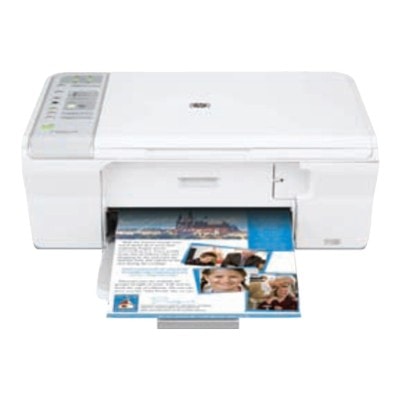
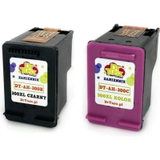
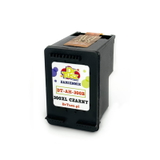
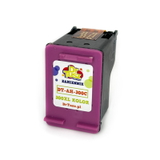
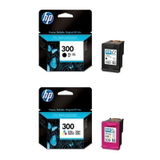
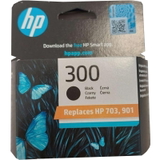
| The HP DeskJet F4280 (also searched as HP F4280, HP Deskjet F4200 Series or code CB656A) is a popular home all‑in‑one designed for everyday tasks: printing school assignments, documents, forms, emails and occasional color graphics. To keep this model working smoothly and to maintain clear, readable prints, choosing the right ink for HP DeskJet F4280 is essential—especially when you print regularly and want predictable results. In our category you’ll find both Original OEM and Compatible ink cartridges for HP DeskJet F4280, so you can match your purchase to your needs: maximum brand consistency or excellent value with reliable performance. We make it easy to pick the correct cartridge—whether you’re replacing black, color, or choosing a multipack. Ink cartridge options for HP DeskJet F4280: black, color and XL The HP DeskJet F4280 uses the well-known HP 300 cartridge family. Depending on how much you print, you can choose a standard capacity cartridge or an XL version designed for higher page volume and fewer replacements. This means you can optimize your printing in two ways: lower cost per page with XL, or lower upfront cost with standard cartridges. - Black ink cartridge for HP DeskJet F4280 – for crisp text, invoices, school work and everyday documents.
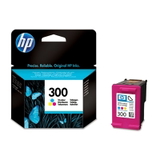
- Color ink cartridge for HP DeskJet F4280 – for charts, simple photos, colorful learning materials and mixed documents.
- Multipack – a convenient option when you want to replace both cartridges at once and avoid interruptions.
- XL cartridges – recommended if you print often, share the printer with family, or simply want fewer cartridge changes.
What we offer: Original OEM and reliable Compatible cartridges We know different customers have different priorities, so we stock a wide choice of ink for HP F4280 in both Original OEM and Compatible versions. Our Compatible cartridges from DrTusz.pl are designed to deliver print quality and reliability comparable to originals—while helping you significantly reduce printing costs. Popular choices in this category include: - Original OEM Ink Cartridge HP 300 (CC640EE) (Black) – a great pick for consistent text and everyday office/home printing.
- Original OEM Ink Cartridge HP 300 (CC643EE) (Color) – for clear color documents and graphics.
- Original OEM Ink Cartridges HP 300 (CN637EE) (multi pack) – convenient and time-saving when you need both colors and black.
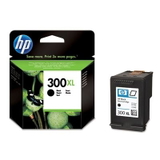
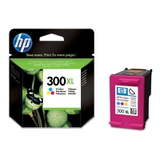
- Original OEM Ink Cartridge HP 300 XL (CC641EE) (Black) and Original OEM Ink Cartridge HP 300 XL (CC644EE) (Color) – higher capacity for frequent printing.
- Compatible Ink Cartridge 300 for HP (CC640E) (Black) and Compatible Ink Cartridge 300 for HP (CC643E) (Color) – cost-effective day-to-day printing without compromising readability.
- Compatible Ink Cartridge 300 XL for HP (CC641E) (Black) and Compatible Ink Cartridge 300 XL for HP (CC644E) (Color) – the best option when you want more pages and fewer replacements.
- Compatible Ink Cartridges 300 for HP (CN637E) (multi pack) – a practical set for home or small office use.
How to choose the right ink for HP DeskJet F4280 When selecting ink for printer HP DeskJet F4280, we recommend focusing on three simple points: what you print, how often you print, and whether you prefer OEM consistency or maximum savings. - Print mostly text? Choose a black cartridge, ideally HP 300 XL (or compatible XL) for better efficiency.
- Print mixed documents? Consider replacing black and color together (a multipack helps you stay ready).
- Print occasionally? A standard capacity cartridge can be a smart, budget-friendly choice.
- Print a lot? Go for XL to reduce cost per page and limit cartridge swaps.
Original OEM vs Compatible: what’s the difference in practice? Original OEM ink cartridges for HP DeskJet F4280 (HP-branded) are designed by the printer manufacturer and are often chosen by customers who want to stick with the original supply chain. Compatible ink cartridges for HP DeskJet F4280 are an excellent alternative when you want strong value and dependable results. - Original OEM – manufacturer-original cartridges, widely trusted for predictable output.
- Compatible (DrTusz.pl) – great print quality and reliability comparable to originals, usually with a more attractive cost per page.
Common HP DeskJet F4280 printing issues and easy fixes This model is straightforward to use, but like any inkjet printer it can sometimes show typical symptoms related to ink usage. If your HP DeskJet F4280 ink prints poorly, here are common causes: - Faded black or missing lines – often caused by low ink or clogged nozzles; try a printhead cleaning from the printer utility and replace the cartridge if needed.
- Colors look wrong – run alignment after installing a new color cartridge and check ink levels.
- Cartridge not recognized – remove and reinsert the cartridge, check protective tape was removed, and clean contacts gently if necessary.
- Ink dries out between prints – if you print rarely, consider printing a small test page weekly or choose a fresh cartridge when quality drops.
Order ink for HP F4280 today We encourage you to explore our full selection of ink cartridges for HP DeskJet F4280—Original OEM and Compatible, standard and XL, black, color, and multipacks. If you’re not sure which cartridge is best for your printing style, contact us: we’ll help you match the right HP 300 cartridge to your needs and budget. Add your chosen cartridges to the cart and enjoy fast, convenient delivery and friendly support from a team that knows printers and consumables inside out. Choose your ink for HP DeskJet F4280 now and keep your printer ready for every task—documents, homework, and colorful everyday prints. |