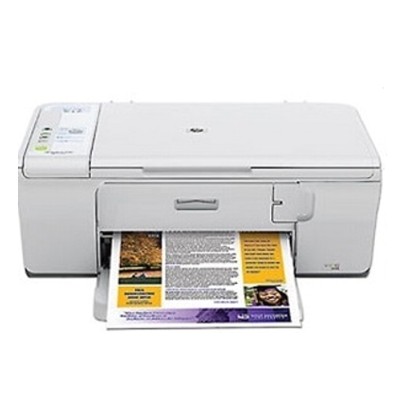
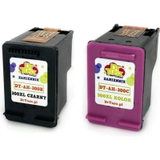
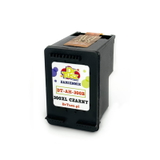
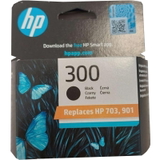
Reliable everyday printing with the HP DeskJet F4224 Dear Customer, the HP DeskJet F4224 (also known as HP F4224 or the HP Deskjet F4200 Series) is a popular all‑in‑one device designed for home and small office use. It’s valued for simple operation, compact size, and dependable results for everyday documents, school materials, web printouts, and occasional colour graphics. To keep it working at its best, choosing the right ink for HP DeskJet F4224 is essential—both for print quality and for avoiding common issues like streaks or faded colours. What ink cartridges fit the HP DeskJet F4224? This printer uses the HP 300 cartridge family in black and tri‑colour versions, including standard and high‑yield (XL) options. In our category you’ll find both Original OEM and Compatible ink cartridges, so you can match your choice to your printing style and budget—without compromising everyday reliability. - Black ink for HP DeskJet F4224 – crisp text, clear lines, great for documents.
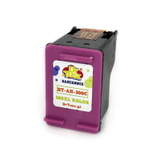
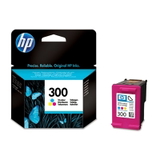
- Colour ink for HP DeskJet F4224 – a tri‑colour cartridge for photos, charts, and colourful school or business materials.
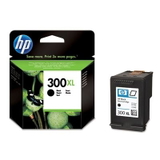
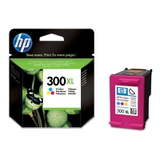
- XL versions – more pages per cartridge, fewer replacements, better cost per page for frequent printing.
Original OEM vs Compatible – how to choose the best option If you want maximum predictability and manufacturer-standard performance, Original OEM ink cartridges are a safe pick. They’re designed by HP specifically for the F4224 platform and deliver consistent colour balance and sharp black text. If you print a lot and want to lower your running costs, our compatible ink for HP DeskJet F4224 is the smart alternative. We select compatible cartridges that are built to match the printer’s requirements and deliver results that are as good as originals for everyday printing. That means strong blacks, clean graphics, and reliable page yields—at a more budget-friendly price. - Choose Original OEM if you prioritise brand-standard colour matching, or if you simply prefer manufacturer cartridges.
- Choose Compatible if you want excellent quality at a lower cost, especially for frequent document printing.
- Choose XL if you’re tired of replacing cartridges too often and want better efficiency.
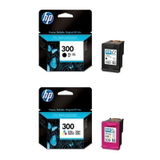
Popular HP 300 cartridges in our offer We keep this category focused and practical—only proven, commonly used items for the F4224 and HP Deskjet F4200 Series. Here are some of the most frequently chosen products: - Original OEM Ink Cartridges HP 300 BK + 300 C (CN637EE) (multi pack) – a convenient set for balanced black and colour printing.
- Compatible Ink Cartridges 300 XL BK + 300 XL C for HP (CN637EE) (multi pack) – ideal if you print often and want the best cost per page.
- Original OEM Ink Cartridge HP 300 (CC640EE) (Black) and Original OEM Ink Cartridge HP 300 (CC643EE) (Color) – standard capacity, perfect for occasional printing.
- Original OEM Ink Cartridge HP 300 XL (CC641EE) (Black) and Original OEM Ink Cartridge HP 300 XL (CC644EE) (Color) – high-yield options for heavier workloads.
- Compatible Ink Cartridge 300 for HP (CC640EE) (Black) / Compatible Ink Cartridge 300 for HP (CC643EE) (Color) – practical everyday replacements.
- Compatible Ink Cartridge 300 XL for HP (CC641EE) (Black) / Compatible Ink Cartridge 300 XL for HP (CC644EE) (Color) – high-capacity printing with fewer interruptions.
Helpful tips and common issues with HP DeskJet F4224 printing To get the most out of your ink for HP F4224, we recommend a few simple habits. Many common problems are not “printer faults” at all—they’re usually related to ink usage or storage. - Streaks or missing lines – often caused by dried nozzles. Running the printer’s cleaning utility and printing a test page usually helps.
- Faded colour or incorrect tones – a tri-colour cartridge may be low on one colour; replacing the colour cartridge restores balance.
- Ink dries out – if you print rarely, do a small print (even a simple text page) every 1–2 weeks.
- “Cartridge not recognised” messages – removing and reinserting the cartridge, gently cleaning contacts, and restarting the printer can solve it.
Not sure whether to pick standard or XL? If you print mostly documents, we usually recommend black XL ink for HP DeskJet F4224. If you print a mix of text and graphics, consider an XL multipack to stay fully stocked. Choose your ink for HP DeskJet F4224 and start printing with confidence We encourage you to explore our full range of ink cartridges for HP DeskJet F4224—both Original OEM and high-quality Compatible options. Whether you need a quick replacement, a cost-saving XL cartridge, or a convenient multipack, we’ve prepared this category so you can choose fast and print without hassle. CTA: Browse the available cartridges now, pick the best option for your needs, and if you have any questions about compatibility within the HP Deskjet F4200 Series, contact us—we’ll help you select the right ink for your printer and your printing habits. |