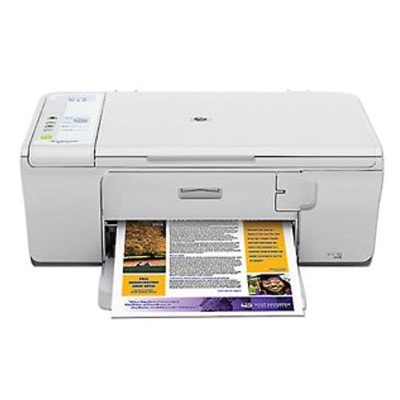
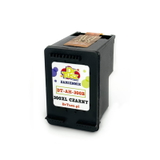
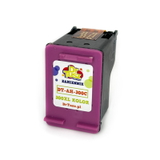
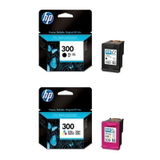
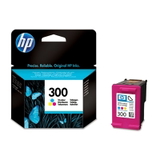
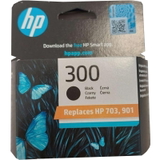
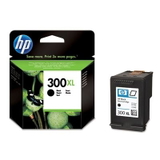
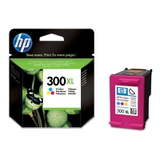
Reliable printing with the HP DeskJet F4210 (HP Deskjet F4200 Series / CB670A) If you use the HP DeskJet F4210 (also searched as HP F4210 or HP Deskjet F4200 Series), you already know why this model is still popular: it’s compact, easy to operate and perfect for everyday home printing. Whether you print school materials, invoices, forms or occasional photos, the right ink for HP DeskJet F4210 makes the difference—both in print quality and in how often you need to replace the cartridge. What ink cartridges does the HP DeskJet F4210 use? The HP DeskJet F4210 works with the well-known HP 300 cartridge family—available in standard and high-yield (XL) versions. In our category you’ll find both Original OEM cartridges and carefully selected Compatible alternatives, so you can choose the option that matches your budget and printing habits without compromising your day-to-day comfort. Depending on what you print, you may need: - Black ink for HP DeskJet F4210 – ideal for text documents, forms and crisp monochrome prints.
- Color ink for HP DeskJet F4210 – for graphics, charts, school projects and color photos.
- XL ink for HP DeskJet F4210 – a smart option if you print more and want fewer replacements.
- Multipacks – convenient sets for users who want to replace both cartridges at once.
Original OEM or compatible: choose what fits you best We offer two proven paths—both designed to give you dependable results with your printer: - Original OEM ink cartridges – genuine HP cartridges for users who prefer manufacturer-branded supplies and consistent output.
- Compatible ink cartridges – cost-effective alternatives. The compatible cartridges we offer are as good as the originals in everyday use: clear text, vivid colors and smooth operation in the HP DeskJet F4210.
If you print occasionally, a standard cartridge can be enough. If you print regularly (home office, schoolwork, frequent documents), choosing an HP 300 XL version is usually the most economical decision per page. Popular ink for HP DeskJet F4210 available in this category To make choosing easier, here are some of the most frequently selected products for this model—available as Original OEM and Compatible options: - Original OEM Ink Cartridge HP 300 (CC640EE) (Black) – a classic choice for sharp everyday text.
- Original OEM Ink Cartridge HP 300 (CC643EE) (Color) – for clean, balanced color printing.
- Original OEM Ink Cartridge HP 300 XL (CC641EE) (Black) – higher yield for frequent printing.
- Original OEM Ink Cartridge HP 300 XL (CC644EE) (Color) – more color pages with fewer replacements.
- Original OEM Ink Cartridges HP 300 BK + 300 C (CN637EE) (multi pack) – convenient set for complete replacement.
- Compatible Ink Cartridge 300 for HP (CC640EE) (Black) – a budget-friendly black option.
- Compatible Ink Cartridge 300 for HP (CC643EE) (Color) – affordable color for daily printing.
- Compatible Ink Cartridge 300 XL for HP (CC641EE) (Black) – great value for high-volume text printing.
- Compatible Ink Cartridge 300 XL for HP (CC644EE) (Color) – economical color printing with an XL yield.
- Compatible Ink Cartridges 300 XL BK + 300 XL C for HP (CN637EE) (multi pack) – a practical XL set for frequent users.
All products are clearly labeled, so you can quickly match the cartridge code to your needs—whether you search by HP DeskJet F4210, CB670A, or the cartridge symbols such as CC640EE, CC643EE, CC641EE and CC644EE. Helpful tips and solutions to common HP DeskJet F4210 printing issues Many users look for new ink for HP F4210 after noticing lighter prints, missing lines or faded colors. Before replacing the cartridge, it’s worth checking a few practical points: - Streaks or missing lines – run the printer’s cleaning cycle and print a test page. If the cartridge is near empty, replacement is the fastest fix.
- Faded black text – choose a fresh black cartridge, and consider the XL version if you print often.
- Colors look dull – replace the color cartridge (tri-color), and store spare cartridges properly to prevent drying.
- “Cartridge not recognized” message – remove and reseat the cartridge, gently clean the contacts, and restart the printer.
- Infrequent printing – print a small color page occasionally to keep the nozzles in good condition.
Not sure whether you need standard or XL? We recommend XL for anyone printing more than just a few pages per week—it reduces how often you replace cartridges and usually lowers the cost per page. Order ink for HP DeskJet F4210 with confidence We make it easy to choose the right ink for HP DeskJet F4210—whether you prefer Original OEM quality or want a reliable Compatible cartridge that performs just as well in everyday printing. Browse the options, pick black, color, XL or a multipack, and get back to printing without hassle. Call to Action: We encourage you to view the full selection of cartridges in this category and choose the best option for your printing style. If you have any questions about compatibility with the HP Deskjet F4200 Series or which cartridge will be best for your needs, contact us—we’ll help you select the perfect ink quickly and accurately. We also offer fast delivery, so you can replace your cartridge without long downtime. |