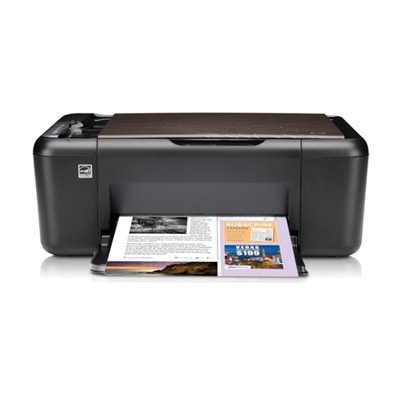
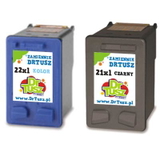
Reliable everyday printing with the HP DeskJet F4175 The HP DeskJet F4175 (also searched as HP F4175 or HP Deskjet F4100 Series) is a popular home all‑in‑one designed for simple, convenient printing, copying, and scanning. It’s a great fit for school materials, forms, invoices, and occasional photo prints. To keep it working smoothly, you need the right ink for HP DeskJet F4175—and in this category we offer both Original OEM and high-quality Compatible ink cartridges, so you can choose what best matches your budget and printing style. Ink for HP DeskJet F4175: what matters most This printer typically works with the well-known cartridge families: HP 21 / HP 21 XL for black and HP 22 / HP 22 XL or HP 57 for color. Choosing the correct ink cartridge for HP DeskJet F4175 is not only about “will it fit” (it will, when matched by code), but also about yield, print intensity, and your everyday needs—whether you print mostly text, or you want colorful graphics. With the right ink for HP F4175, you can expect: - clear black text for documents and schoolwork,
- consistent color in charts, presentations, and photos,
- reliable page output when you choose XL versions,
- smooth performance when the cartridge is installed and stored correctly.
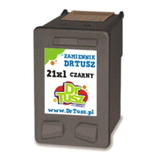
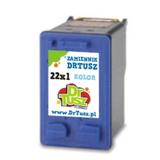
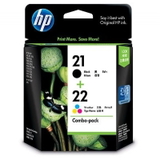
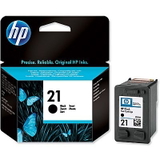
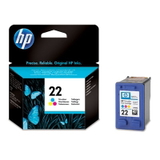
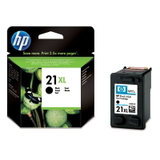
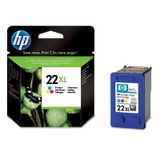
If you’re searching by codes like CB593A or by cartridge symbols such as C9351AE and C9352AE, you’re in the right place—this category is built specifically for ink for printer HP DeskJet F4175. Original OEM and Compatible cartridges—wide choice in one place We know that different customers expect different things from their ink for HP DeskJet F4175. That’s why we offer both Original OEM ink cartridges and carefully selected Compatible ink cartridges. If you prefer the manufacturer’s solution, Original OEM is a safe, classic choice. If you want to reduce printing costs without sacrificing quality, our Compatible cartridges from the DrTusz.pl offer are made to deliver results as good as originals—sharp text, strong blacks, and vivid colors. Among the most frequently chosen products in this category you’ll find: - Original OEM Ink Cartridge HP 21 (C9351AE) (Black) and Original OEM Ink Cartridge HP 22 (C9352AE) (Color) – trusted OEM set for everyday printing,
- Original OEM Ink Cartridge HP 21 XL (C9351CE) (Black) and Original OEM Ink Cartridge HP 22 XL (C9352CE) (Color) – higher yield for people who print more,
- Original OEM Ink Cartridges HP 21 XL + 22 XL (SD367AE) (multi pack) – a convenient bundle to keep black and color ready,
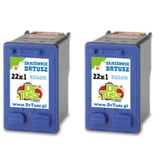
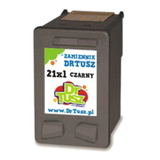
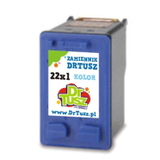
- Compatible Ink Cartridge 21 XL for HP (C9351CE) (Black) and Compatible Ink Cartridge 22 XL for HP (C9352CE) (Color) – excellent value for frequent printing,
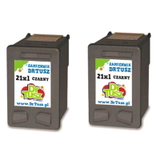
- Compatible Ink Cartridges 21 XL + 22 XL for HP (SD367AE) (multi pack) – a cost-effective multipack option,
- Compatible Ink Cartridges 21 XL for HP (CC627AE) (Black) (2-pack) and Compatible Ink Cartridges 22 XL for HP (C9352AE-2) (Color) (2-pack) – practical two-packs for heavier use,
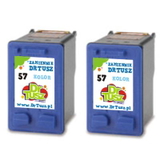
- Original OEM Ink Cartridge HP 57 (C6657AE) (Color) and compatible alternatives like Compatible Ink Cartridge 57 for HP (C6657AE) (Color) or Compatible Ink Cartridges 57 for HP (C9503AE) (Color) (2-pack) – ideal when you want rich color output.
How to choose the right ink cartridge for HP DeskJet F4175 When selecting ink for printer HP DeskJet F4175, we recommend focusing on three simple points: - Match the code: black cartridges are usually HP 21 / 21 XL (e.g., C9351AE, C9351CE), and color cartridges are HP 22 / 22 XL (e.g., C9352AE, C9352CE) or HP 57 (C6657AE).
- Choose XL if you print often: XL versions are designed for more pages and fewer replacements—great for home offices and students.
- Decide OEM vs Compatible: OEM is the manufacturer’s cartridge; Compatible is a budget-friendly alternative. Our Compatible cartridges are designed to provide quality comparable to the originals, making them a smart option for everyday printing.
Common user issues for the HP DeskJet F4175 are usually simple: the printer may report a “cartridge problem” after long storage, prints may show streaks after the ink dries in the nozzles, or colors may look uneven when the cartridge is nearly empty. In most cases, installing a fresh ink cartridge for HP DeskJet F4175, running the printer’s cleaning cycle, and printing a test page solves the problem quickly. If you print rarely, consider printing one small page every week or two—this helps keep the ink flowing. Order ink for HP F4175 with confidence We encourage you to explore our full selection of ink for HP DeskJet F4175—from affordable Compatible options to Original OEM cartridges and convenient multipacks. Choose the set that fits your printing habits, add it to your cart, and enjoy smooth, predictable printing again. If you’re unsure whether you need HP 21, HP 22, HP 57, or an XL version, contact us—we’ll help you pick the correct ink for HP Deskjet F4100 Series quickly. We also provide fast delivery options so you can get back to printing without unnecessary downtime. Check the available cartridges now and choose the best ink cartridge for your HP DeskJet F4175. |