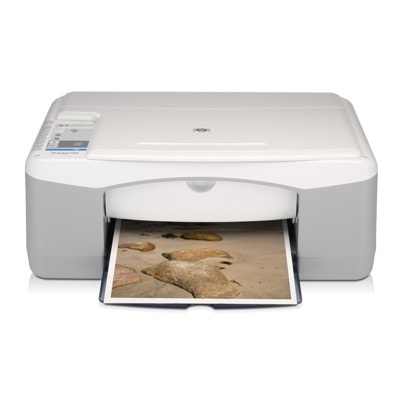
Reliable everyday printing with the HP DeskJet F394 The HP DeskJet F394 (also found as HP F394, HP Deskjet F300 series or model code Q8144A) is a popular home and small-office all‑in‑one built for simple tasks: printing homework, forms, invoices, emails, web pages and occasional photos. To keep this device working smoothly, you need the right ink for printer HP DeskJet F394—matched to the printhead system, page yield expectations and your daily printing habits. Ink for HP DeskJet F394: what matters most Choosing an ink cartridge for HP DeskJet F394 is not only about “black or color”. It’s about consistent results, no streaks, and predictable costs. This printer uses two cartridges—one black and one tri‑color—so you can tailor your purchase to what you actually print. - Sharp text for documents and school/office pages (black cartridge).
- Natural colors for charts, presentations and everyday photo prints (tri‑color cartridge).
- Standard and XL options—XL versions are ideal if you print more and want fewer replacements.
- Compatibility with the cartridge family used in the F300 series, making replenishment simple and repeatable.
In this category we offer both Original OEM and Compatible ink cartridges, so you can choose the solution that best fits your budget and expectations—without compromising on quality. Original OEM vs Compatible: choose your best option We know that many customers wonder whether to pick an original cartridge or a compatible one. With us, both choices are safe and practical—what changes is mainly your cost per page and how you plan your printing. - Original OEM ink for HP DeskJet F394 is designed by the manufacturer for maximum predictability, stable color reproduction and “out of the box” confidence—great for users who want the classic OEM experience.
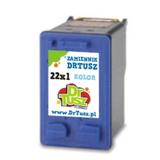
- Compatible ink cartridges for HP DeskJet F394 from our DrTusz.pl offer are as good as the originals in everyday use. They are a smart choice when you print frequently and want to significantly reduce printing costs while keeping crisp text and vivid colors.
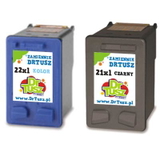
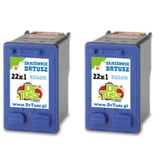
If you print a lot (school notes, office documents, shipping labels), we generally recommend an XL ink cartridge for HP DeskJet F394. If you print occasionally, standard capacity may be the better fit—especially to avoid ink drying during long breaks. Popular cartridges for HP F394 available in our store We keep this category well stocked, so you can quickly find the right ink for HP F394—whether you need a single black cartridge, a color replacement, or a convenient multipack. Here are some customer favorites: - Compatible Ink Cartridges 21 XL + 22 XL for HP (SD367AE) (multi pack) – a cost‑effective set for frequent printing.
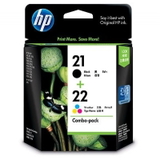
- Original OEM Ink Cartridges HP 21 XL + 22 XL (SD367AE) (multi pack) – OEM quality in a practical bundle.
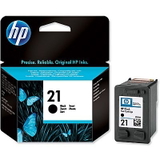
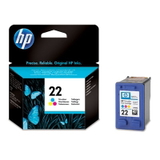
- Original OEM Ink Cartridge HP 21 (C9351AE) (Black) and Original OEM Ink Cartridge HP 22 (C9352AE) (Color) – classic standard cartridges for everyday work.
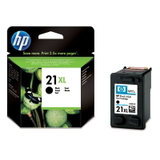
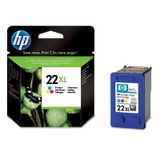
- Original OEM Ink Cartridge HP 21 XL (C9351CE) (Black) and Original OEM Ink Cartridge HP 22 XL (C9352CE) (Color) – higher yield for users who don’t want to replace cartridges too often.
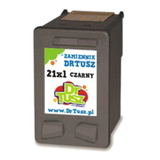
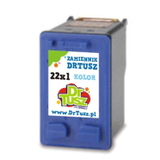
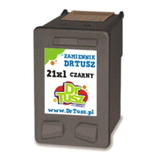
- Compatible Ink Cartridge 21 XL for HP (C9351CE) (Black) and Compatible Ink Cartridge 22 XL for HP (C9352CE) (Color) – excellent performance and savings with XL capacity.
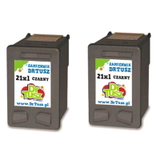
- Compatible Ink Cartridges 21 XL for HP (CC627AE) (Black) (2-pack) or Compatible Ink Cartridges 22 XL for HP (C9352AE-2) (Color) (2-pack) – convenient for higher print volumes.
- Compatible Ink Cartridge 21 for HP (C9351AE), Compatible Ink Cartridge 22 for HP (C9352AE) and a Compatible Ink Cartridge 21 for HP (C9351AE-S) (Black) (starter) – flexible options for different needs.
Thanks to this range, you can easily match your cartridge to how you print—documents-heavy, color-heavy, or balanced. How to avoid the most common HP DeskJet F394 printing issues The HP DeskJet F394 is dependable, but like every inkjet, it can show typical ink-related symptoms. When customers contact us about ink for printer HP DeskJet F394, the most common topics are: - Streaks or missing lines – usually caused by dried nozzles; a cleaning cycle and a fresh cartridge often solve it.
- Faded black or greyish text – a sign the black cartridge is near empty or the print settings are set too light.
- Incorrect colors – often appears when one color chamber in the tri‑color cartridge is depleted.
- Cartridge not recognized – reinsert the cartridge, check protective tapes were removed, and clean the contacts gently if needed.
We encourage you to choose the cartridge type that matches your habits. If you print rarely, consider printing a small test page every 1–2 weeks—this helps keep the ink system in good condition and reduces drying risk. Order your ink cartridges today and print with confidence We make it easy to buy the right ink cartridge for HP DeskJet F394—whether you prefer Original OEM cartridges or want the savings of our high‑quality Compatible options. Browse the products in this category, pick black, color or a multipack, and enjoy a smoother printing routine. CTA: Add the cartridge you need to your cart now, and if you’d like help choosing between standard and XL versions—or OEM vs compatible—contact us. We’ll guide you to the best ink for HP DeskJet F394 and arrange fast, convenient delivery. |