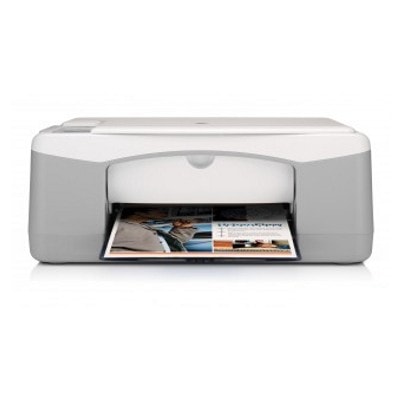
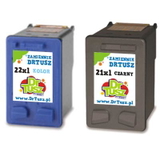
HP DeskJet F375 – a reliable all‑in‑one for everyday printing The HP DeskJet F375 (also known as HP F375 or the HP DeskJet F300 series, model Q8145A) is a practical all‑in‑one device designed for home and light office use. It combines printing, scanning and copying in one compact unit—perfect for school assignments, forms, invoices, and everyday documents. To keep your printer working smoothly and your prints looking sharp, you simply need the right ink cartridge for HP DeskJet F375 in black and color. Ink for HP DeskJet F375: what you should expect This category includes ink cartridges in two key versions: black for crisp text and color for photos, charts and graphics. The HP DeskJet F375 uses the popular HP 21 (black) and HP 22 (color) family, also available in high‑capacity XL options. Choosing the right ink for HP F375 helps you achieve: - Clear, readable text for everyday documents and school prints
- Vivid color for presentations, simple photo prints and graphics
- Stable performance with fewer interruptions and fewer cartridge changes (especially with XL)
- Cost control—you can select Original OEM ink or a high‑quality compatible ink cartridge depending on your needs
When you’re searching online, you may also come across cartridge codes like C9351 (black) and C9352 (color). In our offer, you’ll find both standard and XL capacity cartridges, as well as convenient multipacks. Original OEM and Compatible cartridges – we offer both (and explain the difference) We know customers want a choice. That’s why we stock Original OEM cartridges as well as carefully selected Compatible cartridges that are designed to work just as well as the originals—while offering an excellent price‑to‑performance ratio. - Original OEM ink cartridge for HP DeskJet F375 – ideal if you prefer the manufacturer’s solution, predictable results and “set and forget” convenience.
- Compatible ink cartridge for HP DeskJet F375 – a smart option if you print more and want to reduce cost per page without sacrificing print quality. Our compatible cartridges from DrTusz.pl are tested for reliable operation, strong black density and clean color output.
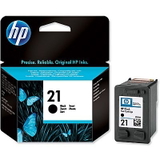
Popular ink cartridges for HP DeskJet F375 available in this category To make shopping easy, we’ve gathered the most frequently chosen cartridges for this printer model. Here are some highlights from the range: - Original OEM Ink Cartridge HP 21 (C9351AE) (Black) – standard capacity black for everyday documents.
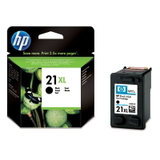
- Original OEM Ink Cartridge HP 21 XL (C9351CE) (Black) – higher yield, fewer replacements.
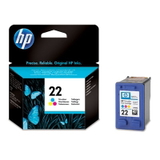
- Original OEM Ink Cartridge HP 22 (C9352AE) (Color) – standard capacity color for graphics and photos.
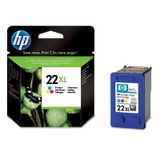
- Original OEM Ink Cartridge HP 22 XL (C9352CE) (Color) – more pages and better convenience for frequent printing.
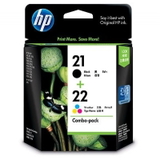
- Original OEM Ink Cartridges HP 21 XL + 22 XL (SD367AE) (multi pack) – a practical OEM set for black + color in one purchase.
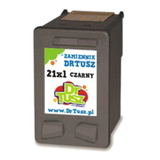
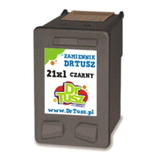
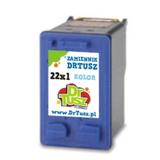
- Compatible Ink Cartridge 21 XL for HP (C9351CE) (Black) – an economical high‑yield option for frequent black printing.
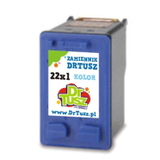
- Compatible Ink Cartridge 22 XL for HP (C9352CE) (Color) – high‑yield color for home and school use.
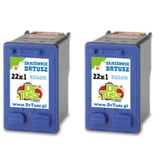
- Compatible Ink Cartridges 21 XL + 22 XL for HP (SD367AE) (multi pack) – a popular bundle that covers both colors at a great value.
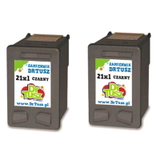
- Compatible Ink Cartridges 21 XL for HP (CC627AE) (Black) (2-pack) or Compatible Ink Cartridges 22 XL for HP (C9352AE-2) (Color) (2-pack) – ideal if you like keeping a spare at home.
- Compatible Ink Cartridge 21 for HP (C9351AE-S) (Black) (starter) – a good, budget‑friendly entry option.
Whether you need a single cartridge or prefer a multipack, we make it simple to match the right ink cartridge for HP DeskJet F375 to your printing habits. How to choose the right cartridge for HP F375 (and avoid common issues) If you print occasionally, standard cartridges like HP 21 and HP 22 may be enough. If you print more often—or don’t want to replace ink as frequently—choose XL versions like HP 21 XL and HP 22 XL. XL is usually the best choice for lowering the cost per page. Common user issues with the HP DeskJet F375 are often ink‑related and easy to prevent with the right purchase and a few habits: - Faded prints or missing lines – often caused by low ink or dried nozzles; replacing the cartridge and running the printer’s cleaning cycle usually helps.
- Printer not recognizing the cartridge – make sure you’ve chosen the correct model (HP 21/22 family) and that protective seals are removed before installation.
- Color looking “off” – consider a fresh color cartridge (especially if the printer was unused for a longer time) and print a nozzle check.
- Ink running out too quickly – if you print a lot, switching from standard to XL or choosing a multipack can make a noticeable difference.
If you’re unsure whether you need ink for HP DeskJet F375 in standard or XL, or you’re deciding between Original OEM and Compatible, we’re here to help you choose the best option for your budget and print volume. Choose your ink today – and keep your DeskJet F375 ready for anything We encourage you to browse our selection of compatible and Original OEM ink cartridges for HP DeskJet F375 and pick the set that matches your daily printing. Order today to keep a spare cartridge at home—so you’re never caught off guard right before an important print. CTA: Add the right ink for HP F375 to your cart now, or contact us—tell us what you print and how often, and we’ll help you choose between standard, XL, single cartridges or multipacks. We provide fast delivery options and friendly support, so you can get back to printing without hassle. |