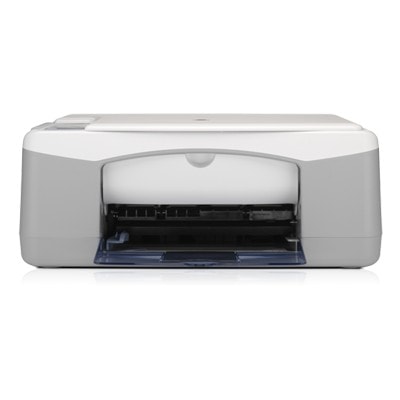
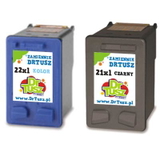
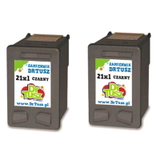
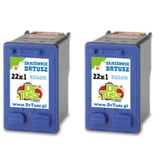
| If you use the HP DeskJet F350 (also searched as HP F350 or HP Deskjet F300 series), you know why this model is still popular: it’s a practical all‑in‑one for everyday printing, copying and scanning at home. To keep it working smoothly, you simply need the right ink for HP DeskJet F350—and in this category we offer both Original OEM cartridges and carefully selected Compatible cartridges that deliver results you can rely on. Reliable ink for HP DeskJet F350 – what matters in daily printing The DeskJet F350 uses two separate cartridges: black and tri‑color. Choosing the correct ink cartridge for HP DeskJet F350 affects everything you see on the page: sharp text, clean lines, and vivid colors for school materials, forms, recipes, photos, and occasional business documents. For this printer model, many customers look for part numbers such as Q8136A as well as cartridge codes HP 21 and HP 22—including their higher‑capacity XL versions. When you pick the right ink for HP F350, you gain: - consistent black text without smudging,
- balanced tri‑color output for graphics and photos,
- fewer interruptions thanks to XL capacity options,
- predictable performance for home and small office use.
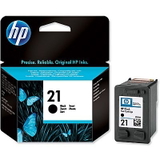
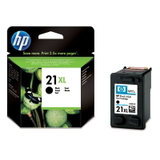
Original OEM and compatible cartridges – one printer, many smart options In our offer you will find both Original OEM ink cartridges (made by the printer manufacturer) and Compatible ink cartridges that are a cost‑effective alternative. Many users ask whether a compatible ink cartridge for HP DeskJet F350 can match OEM quality—our answer is: yes. The compatible cartridges we offer are selected to provide prints that are as good as the originals, while helping you keep printing costs under control. To make shopping easier, we clearly label every product as Original OEM or Compatible, and we include the cartridge code so you can quickly match it to your needs (for example C9351 for black and C9352 for color). Popular ink cartridges for HP DeskJet F350 in this category We keep this category focused on the most frequently used cartridges for the F350/F300 series, including standard and XL capacities and convenient multipacks. Here are some customer favorites: - Original OEM Ink Cartridge HP 21 (C9351AE) (Black) – dependable everyday black printing.
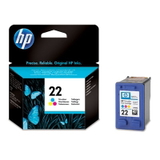
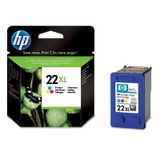
- Original OEM Ink Cartridge HP 22 (C9352AE) (Color) – reliable color for charts, images and school projects.
- Original OEM Ink Cartridge HP 21 XL (C9351CE) (Black) and Original OEM Ink Cartridge HP 22 XL (C9352CE) (Color) – higher yield, fewer replacements.
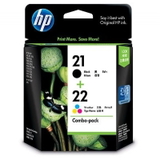
- Original OEM Ink Cartridges HP 21 XL + 22 XL (SD367AE) (multi pack) – a practical set if you print in both black and color.
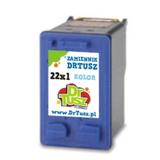
- Compatible Ink Cartridge 21 XL for HP (C9351CE) (Black) and Compatible Ink Cartridge 22 XL for HP (C9352CE) (Color) – excellent value with XL efficiency.
- Compatible Ink Cartridges 21 XL + 22 XL for HP (SD367AE) (multi pack) – a budget‑friendly way to refill both cartridges at once.
- Compatible Ink Cartridges 21 XL for HP (CC627AE) (Black) (2-pack) and Compatible Ink Cartridges 22 XL for HP (C9352AE-2) (Color) (2-pack) – ideal if you want spares ready at home.
- Compatible Ink Cartridge 21 for HP (C9351AE-S) (Black) (starter) – a convenient option for light printing or as a backup.
How to choose the right ink for HP DeskJet F350 Dear Customer, if you’re unsure which ink for printer HP DeskJet F350 to pick, we recommend a simple checklist: - Match the code: black is typically HP 21 (C9351AE/CE), color is HP 22 (C9352AE/CE).
- Choose standard or XL: XL cartridges (21 XL / 22 XL) are best if you print more often and want fewer replacements.
- Decide: Original OEM vs Compatible: Original OEM is the classic choice; our compatible cartridges are as good as the originals and usually offer a better cost per page.
- Consider a multipack: sets like SD367AE are convenient and often the most economical for mixed printing.
Common HP DeskJet F350 printing issues – and how the right cartridge helps The HP DeskJet F350 is straightforward, but like many inkjet devices it can show a few typical symptoms over time. Customers most often mention: - Faded prints or missing colors – usually caused by an empty cartridge or dried ink after long breaks between printing.
- Streaks or uneven text – often improved by installing a fresh ink cartridge for HP F350 and running the printer’s cleaning cycle.
- Cartridge recognition messages – making sure you use the correct HP 21/22 type and carefully re‑seating the cartridge typically resolves this.
If you print occasionally, we suggest printing a small color page from time to time—this helps keep the color cartridge in good condition. And if you need guidance, we’re here to help you choose the best ink for HP DeskJet F350 for your printing style. Order ink for HP DeskJet F350 today – we’re ready to help We encourage you to explore our full selection of ink cartridges for HP DeskJet F350—both Original OEM and Compatible. Choose a single cartridge, an XL version for better efficiency, or a multipack to stay stocked up. Add your preferred option to the cart and enjoy fast delivery and helpful customer support if you have any questions about compatibility, yield, or the best choice for your needs. CTA: Browse the available HP 21 / HP 22 cartridges now, pick the version that fits your budget, and contact us if you want a quick recommendation—we’ll help you get the best printing results from your HP DeskJet F350. |