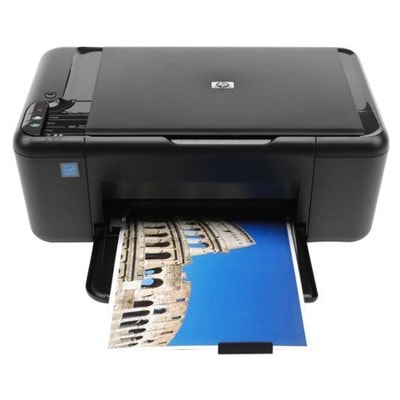
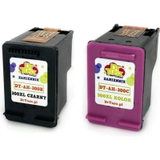
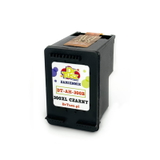
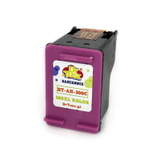
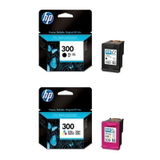
| Looking for reliable ink for HP DeskJet F2480? This popular all-in-one from the HP Deskjet F2400 Series (also searched as HP F2480 or CB730A) is valued for simple home printing, scanning and copying. To keep it working smoothly—and to maintain crisp text and vivid colours—you simply need the right ink cartridges for HP DeskJet F2480, whether you choose Original OEM or a high-quality Compatible option. Ink for HP DeskJet F2480 – what you get with the right cartridge The HP DeskJet F2480 uses the well-known HP 300 family of cartridges, available in black and colour versions, also in higher-capacity XL variants. Choosing a properly matched ink for HP F2480 means predictable printing and fewer interruptions—whether you print homework, forms, invoices, recipes, or occasional photos. With the right ink cartridge for HP DeskJet F2480, you can expect: - Sharp black text for documents and everyday office printing
- Clear colour output for charts, school projects and graphics
- Better efficiency with XL cartridges for more pages and fewer replacements
- Stable performance when the cartridge is stored and installed correctly
Original OEM or Compatible – choose what suits your printing style In this category you’ll find both Original OEM ink cartridges for HP DeskJet F2480 and carefully selected Compatible ink for HP DeskJet F2480. Original OEM cartridges are produced by the printer manufacturer and are a safe choice for users who want the classic, factory-standard solution. At the same time, our Compatible ink cartridge for HP DeskJet F2480 is designed to deliver results that are as good as originals—while offering a more budget-friendly option for frequent printing. If you print a lot, a compatible cartridge (especially XL) can be an excellent way to reduce cost per page without sacrificing quality. When deciding between Original OEM and Compatible, consider: - How often you print (occasional vs. frequent printing)
- What you print (mostly text vs. lots of colour graphics)
- Whether XL makes sense (higher yield, fewer swaps, better convenience)
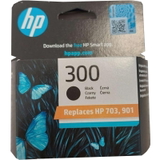
Popular HP 300 cartridges for the HP Deskjet F2400 Series (F2480) We keep the offer wide and practical, so you can quickly match the cartridge to your needs. Here are some of the most popular choices for ink for HP DeskJet F2480: - Original OEM Ink Cartridge HP 300 (CC640EE) (Black) – a classic OEM black cartridge for everyday documents
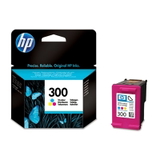
- Original OEM Ink Cartridge HP 300 (CC643EE) (Color) – OEM colour for graphics and mixed printing
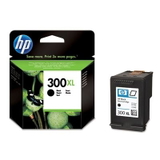
- Original OEM Ink Cartridge HP 300 XL (CC641EE) (Black) – higher-capacity OEM option for more frequent printing
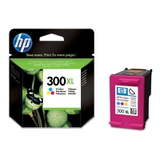
- Original OEM Ink Cartridge HP 300 XL (CC644EE) (Color) – OEM XL colour for users who print colour often
- Original OEM Ink Cartridges HP 300 BK + 300 C (CN637EE) (multi pack) – convenient OEM multipack to cover both colours
- Compatible Ink Cartridge 300 for HP (CC640EE) (Black) – cost-effective compatible black for everyday printing
- Compatible Ink Cartridge 300 for HP (CC643EE) (Color) – compatible colour for projects and graphics
- Compatible Ink Cartridge 300 XL for HP (CC641EE) (Black) – compatible XL black for frequent printing and better efficiency
- Compatible Ink Cartridge 300 XL for HP (CC644EE) (Color) – compatible XL colour when you need more pages
- Compatible Ink Cartridges 300 XL BK + 300 XL C for HP (CN637EE) (multi pack) – a popular compatible multipack for maximum convenience
All items in this category are ink cartridges designed specifically for the HP DeskJet F2480 and related searches like HP Deskjet F2400 Series. How to avoid common printing issues on the HP DeskJet F2480 Many users come to us because the printer suddenly prints faintly, colours look washed out, or the device reports a cartridge error. In most cases, the right steps and the right ink for HP F2480 solve the problem quickly. - Faded print / missing lines: this is often a sign of low ink or clogged nozzles. Replacing the cartridge (or choosing an XL) and running a cleaning cycle usually helps.
- Printer doesn’t recognize the cartridge: remove the cartridge, gently clean the contacts, reinstall it firmly, and restart the printer.
- Infrequent printing dries ink: if you print rarely, consider printing a small test page periodically and store spare cartridges properly.
- High cost of printing: if you print more than a few pages per week, XL versions and compatible options typically reduce cost per page.
If you’re unsure which ink cartridge for HP DeskJet F2480 is best, we’re here to help—tell us what you print and how often, and we’ll recommend the most cost-effective solution. Choose your ink today – we’re ready to help We encourage you to explore our full selection of ink cartridges for HP DeskJet F2480: Original OEM for factory-standard confidence and Compatible ink for HP DeskJet F2480 that performs as well as the original—at a smarter price. Add a black cartridge, a colour cartridge, or a convenient multipack and keep your printer ready whenever you need it. CTA: Choose the right ink for HP DeskJet F2480 from the options above, place your order, and if you have any questions—contact us. We’ll help you match the correct HP 300 cartridge (standard or XL) and get you printing again with fast, hassle-free delivery. |