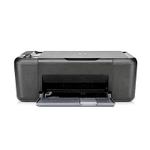
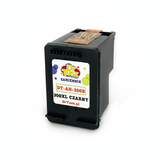
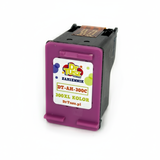
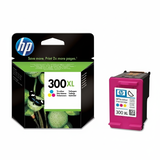
| The HP DeskJet F2400 (also found as HP F2400 or HP Deskjet F2400 Series) is a popular home all‑in‑one designed for everyday printing, copying and scanning. It’s valued for simple operation and low running costs—provided you choose the right ink cartridges for HP DeskJet F2400. In this category, we’ve gathered both Original OEM and carefully selected Compatible ink cartridges so you can print the way you like: maximum brand assurance or maximum savings without sacrificing quality. Reliable ink for HP DeskJet F2400 for everyday documents and color prints Whether you print school materials, invoices, forms or occasional photos, the right ink for HP DeskJet F2400 makes a clear difference: sharp text, consistent colors and fewer interruptions. The HP DeskJet F2400 uses the HP 300 family of cartridges, available in black and tri‑color variants, as well as higher‑capacity XL options. Choosing XL is often the simplest way to reduce cost per page and print longer between replacements. Our selection of ink cartridges for HP F2400 covers typical needs: - Black ink cartridge for crisp text and fast everyday printing
- Color ink cartridge for graphics, charts and photo‑like prints
- Multipacks (black + color) for convenience and better value
- XL cartridges for more pages and fewer cartridge changes
Original OEM vs Compatible: choose what fits your priorities We offer both Original OEM ink for HP DeskJet F2400 and high‑quality compatible ink for HP DeskJet F2400. Original OEM cartridges are produced to the printer brand’s specifications and are a classic choice when you want to stay with the manufacturer’s solution. Compatible cartridges, on the other hand, are designed as fully functional alternatives—ideal if you print more and want to control your budget. Importantly: our compatible ink cartridges for HP Deskjet F2400 Series from DrTusz.pl are built to deliver results that are as good as the originals in everyday use—clear text, strong color and dependable performance—while typically offering a more attractive cost per page. Popular ink cartridges in this category (HP 300 / HP 300 XL) To make shopping easier, we’ve included the most commonly chosen items for the F2400 series. Here are some customer favorites you’ll find here: - Original OEM Ink Cartridge HP 300 (CC640EE) (Black) – a reliable standard black cartridge for daily printing
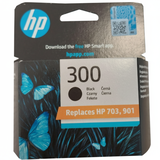
- Original OEM Ink Cartridge HP 300 (CC643EE) (Color) – tri‑color cartridge for vivid charts and colorful documents
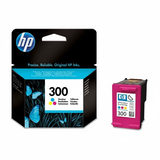
- Original OEM Ink Cartridges HP 300 BK + 300 C (CN637EE) (multi pack) – a convenient set for balanced printing
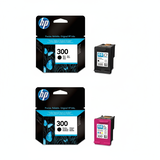
- Original OEM Ink Cartridge HP 300 XL (CC641EE) (Black) – higher capacity for frequent black‑text printing
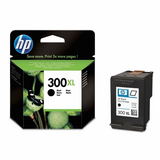
- Original OEM Ink Cartridge HP 300 XL (CC644EE) (Color) – XL color option for users printing more graphics
- Compatible Ink Cartridge 300 for HP (CC640EE) (Black) and Compatible Ink Cartridge 300 for HP (CC643EE) (Color) – budget‑friendly everyday choices
- Compatible Ink Cartridge 300 XL for HP (CC641EE) (Black) and Compatible Ink Cartridge 300 XL for HP (CC644EE) (Color) – more pages at a great value
- Compatible Ink Cartridges 300 XL BK + 300 XL C for HP (CN637EE) (multi pack) – an economical bundle for regular home printing
How to choose the right ink for printer HP DeskJet F2400 When selecting ink for HP DeskJet F2400, we recommend matching the cartridge to your printing style: - If you print mainly text: choose a black cartridge, ideally HP 300 XL for longer runtime.
- If you print school projects, graphics or photos: add a color cartridge or go for a multipack.
- If you print regularly: consider XL—lower cost per page and fewer replacements.
- If you want savings without compromising print quality: choose our compatible ink for HP F2400—a proven alternative that performs like the original in daily use.
Common user issues with HP DeskJet F2400 ink cartridges—and practical tips Many users of the HP Deskjet F2400 Series ask us about a few typical situations. Here’s how to handle them: - Faded prints or streaks – often caused by low ink or dried nozzles. A printer cleaning cycle and timely cartridge replacement usually solves it.
- Printer not printing after cartridge change – make sure the protective tape is removed and the cartridge is seated firmly. Restarting the device can help.
- Colors look wrong – a tri‑color cartridge may be running low in one channel; replacing the color cartridge restores balance.
- Too frequent replacements – switching to HP 300 XL (black or color) or an XL compatible set can significantly reduce how often you shop.
If you’re unsure which ink cartridge for HP DeskJet F2400 is right for your printer, we’re here to help—tell us what you print and how often, and we’ll recommend the best option. Order ink for HP DeskJet F2400 with confidence We make it easy to choose between Original OEM and Compatible options and quickly find the exact cartridge codes you need (HP 300 / HP 300 XL). We encourage you to browse the products listed in this category, compare standard vs XL versions, and pick the solution that matches your budget and printing habits. CTA: Choose your ink for printer HP DeskJet F2400 now—add the right black, color or multipack cartridge to your cart, or contact us if you’d like help matching the best Original OEM or Compatible option. We’ll support you with friendly advice and fast delivery so you can get back to printing without delays. |