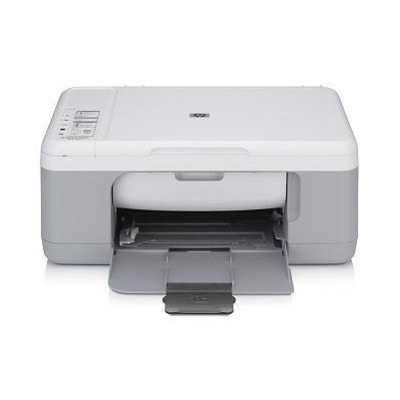
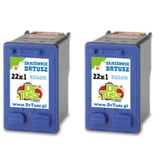
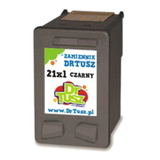
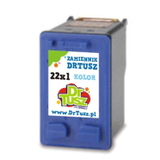
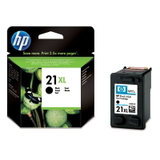
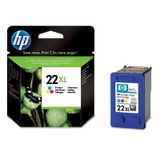
Reliable everyday printing with HP DeskJet F2200 The HP DeskJet F2200 (also known as HP F2200 or HP Deskjet F2200 Series) is a popular home all‑in‑one device designed for simple, practical printing. It’s a great choice for schoolwork, forms, occasional photos and daily documents—especially when you match it with the right ink for HP DeskJet F2200. In this category we’ve gathered both Original OEM and carefully selected compatible ink cartridges for HP DeskJet F2200, so you can print the way you prefer: brand-original or budget-friendly. What makes ink for HP F2200 important? Your printer’s quality and reliability depend largely on the cartridge. A well-matched ink cartridge for HP DeskJet F2200 provides crisp black text, smooth graphics and consistent colour output. The F2200 uses two main cartridges—black and tri-colour—so it’s easy to manage supplies and plan replacements. Whether you print occasionally or regularly, choosing the right capacity (standard or XL) helps you control cost per page and avoid frequent changes. - Black ink for sharp documents, homework and office text
- Colour ink for charts, presentations and family photos
- XL versions for more pages and fewer replacements
- Multipacks for convenient, balanced refills
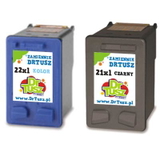
Compatible and Original OEM cartridges—one printer, two smart options In our store we make it simple to choose between Original OEM ink cartridges and compatible ink cartridges for HP DeskJet F2200. Original OEM cartridges are made by the printer manufacturer and are a great fit if you want to stick to the brand’s official supplies. On the other hand, our compatible cartridges from the DrTusz.pl offer are designed to be just as dependable in everyday use—providing excellent print quality and consistent performance, while helping you save on printing costs. When you type “ink for HP DeskJet F2200”, “ink for HP F2200” or “ink for F2200”, you’re usually looking for the HP 21 / HP 22 family (including XL). That’s exactly what you’ll find here—clearly described and easy to match. Popular ink cartridges for HP Deskjet F2200 Series in this category We offer a wide range of best-selling items—single cartridges, twin packs and multipacks—so you can buy exactly what you need. Here are some highlights from this category: - Compatible Ink Cartridges 21 XL + 22 XL for HP (SD367AE) (multi pack) – a convenient set for balanced black and colour printing
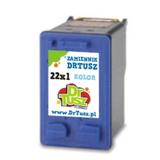
- Compatible Ink Cartridge 21 XL for HP (C9351CE) (Black) – a higher-yield black option for frequent text printing
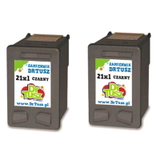
- Compatible Ink Cartridges 21 XL for HP (CC627AE) (Black) (2-pack) – extra value when you print lots of documents
- Original OEM Ink Cartridge HP 21 (C9351AE) (Black) – brand-original black cartridge for everyday documents
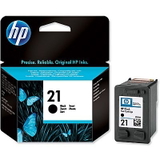
- Compatible Ink Cartridge 22 XL for HP (C9352CE) (Color) – more colour pages with fewer replacements
- Compatible Ink Cartridges 22 XL for HP (C9352AE-2) (Color) (2-pack) – practical choice for frequent colour use
- Original OEM Ink Cartridge HP 22 (C9352AE) (Color) – classic OEM tri-colour cartridge
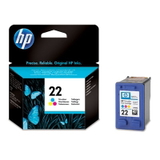
- Original OEM Ink Cartridges HP 21 XL + 22 XL (SD367AE) (multi pack) – OEM set for those who prefer manufacturer supplies
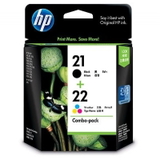
- Original OEM Ink Cartridge HP 21 XL (C9351CE) (Black) and Original OEM Ink Cartridge HP 22 XL (C9352CE) (Color) – higher-capacity OEM options
- Compatible Ink Cartridge 21 for HP (C9351AE-S) (Black) (starter) – a handy option when you need an affordable, quick replacement
How to choose the right ink cartridge for HP DeskJet F2200 Dear Customer, if you want to pick the best ink for printer HP DeskJet F2200, start with two simple decisions: black or colour, and standard or XL. If you mostly print text, prioritise a black XL. If you print school materials, colourful charts or photos, keep a colour cartridge ready (or choose a multipack for convenience). - Choose standard capacity if you print occasionally and want a lower one-time cost
- Choose XL capacity if you print often and want a better cost per page
- Choose a multipack if you want to avoid running out of one colour at the wrong time
- Choose Original OEM if you prefer manufacturer-branded supplies
- Choose Compatible if you want excellent quality and savings—our compatibles are as good as the originals
Common HP F2200 printing issues—quick tips we recommend The HP DeskJet F2200 is straightforward, but like any inkjet it can sometimes show typical cartridge-related problems. If your printer prints faintly, skips lines, or doesn’t recognise a newly installed cartridge, the cause is usually simple and fixable: - Faded or streaky print – run a cleaning cycle and check ink level; replace with a fresh ink cartridge for HP DeskJet F2200 if needed
- Cartridge not detected – reinsert the cartridge firmly and make sure protective tape was removed
- Irregular colour output – use printer maintenance tools; colour cartridges can dry if not used for long periods
- High printing costs – consider XL versions or a compatible cartridge to reduce cost per page
If you’re unsure which option fits your exact needs, we’ll help you choose the right ink for HP Deskjet F2200 Series based on what and how often you print. Choose your ink and start printing again We encourage you to browse the full selection of ink cartridges for HP DeskJet F2200—both Original OEM and Compatible—and pick the set that matches your printing habits. Order today to get back to clean, reliable prints quickly. If you have any questions about compatibility, XL vs standard, or which cartridge is best for your use, contact us—we’re here to help and we ship efficiently so you can replace your ink without delay. CTA: Explore the available cartridges now and choose the best-value ink for HP F2200—or ask us for quick support in selecting the right product. |