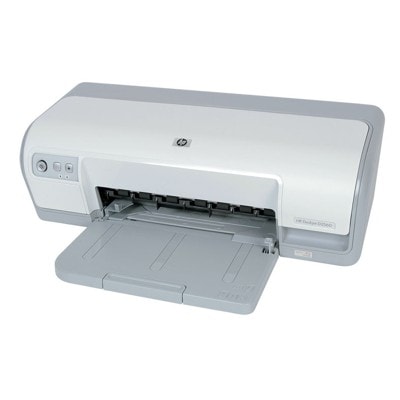
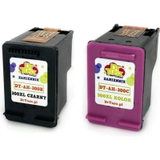
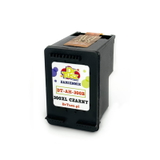
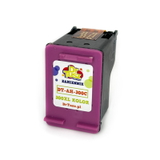
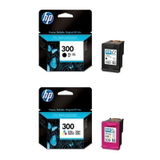
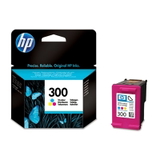
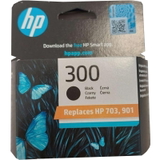
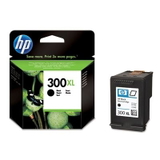
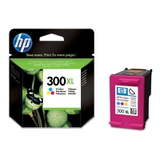
| The HP DeskJet D2560 (also found as HP D2560, HP Deskjet D2500 Series or the printer code CB671A) is a popular home inkjet printer designed for everyday printing: school assignments, office documents, forms and occasional color graphics. It’s simple, reliable and economical—provided you choose the right ink for HP DeskJet D2560. In this category we’ve gathered both Original OEM and Compatible ink cartridges dedicated to this model, so you can print comfortably and keep full control over cost per page. Ink for HP DeskJet D2560 – what to expect in daily use The HP DeskJet D2560 uses the well-known HP 300 family of cartridges, available in black and tri-color versions, also in higher-yield XL variants. This makes it easy to match the cartridge to your printing style—whether you print occasionally or you go through pages quickly. A good ink cartridge for HP DeskJet D2560 should deliver crisp text, stable black density, and consistent color blending for charts, photos and school projects. For many users, choosing an XL cartridge is the simplest way to reduce replacement frequency and improve convenience. - Black ink (BK) – best for sharp text, invoices, notes and everyday documents.
- Color ink (C) – tri-color cartridge for graphics, presentations, pictures and colorful materials.
- XL versions – more ink for people who print more often or dislike frequent cartridge changes.
- Multipacks – a practical set when you want both black and color ready to go.
Original OEM vs Compatible – choose what suits you best In our store you’ll find both Original OEM ink for HP DeskJet D2560 and carefully selected compatible ink for HP D2560. Original OEM cartridges are produced by the printer manufacturer and are a classic choice when you want to stay fully within the OEM ecosystem. At the same time, our compatible ink cartridges for HP DeskJet D2560 are designed to be just as good as originals in everyday printing: they offer strong readability, stable output and excellent value. If you print a lot (or simply want to lower running costs), compatible cartridges are often the smartest option—without sacrificing the quality you expect from your HP Deskjet D2500 Series printer. Popular HP 300 cartridges in our range (D2560 / CB671A) We keep this category practical and complete—so you can quickly find the correct cartridge by code (for example CC640EE or CC643EE) or by choosing black/color and standard/XL capacity. Here are some of the most frequently chosen options: - Original OEM Ink Cartridges HP 300 BK + 300 C (CN637EE) (multi pack) – a convenient OEM set for balanced home printing.
- Compatible Ink Cartridges 300 XL BK + 300 XL C for HP (CN637EE) (multi pack) – high-yield multipack for frequent printing at a great cost per page.
- Original OEM Ink Cartridge HP 300 (CC640EE) (Black) and Original OEM Ink Cartridge HP 300 (CC643EE) (Color) – standard capacity OEM cartridges for regular use.
- Compatible Ink Cartridge 300 for HP (CC640EE) (Black) and Compatible Ink Cartridge 300 for HP (CC643EE) (Color) – reliable everyday compatibles for the HP DeskJet D2560.
- Original OEM Ink Cartridge HP 300 XL (CC641EE) (Black) and Original OEM Ink Cartridge HP 300 XL (CC644EE) (Color) – OEM XL options when you want fewer replacements.
- Compatible Ink Cartridge 300 XL for HP (CC641EE) (Black) and Compatible Ink Cartridge 300 XL for HP (CC644EE) (Color) – our go-to choice for heavy users seeking savings.
How to pick the right ink cartridge for HP DeskJet D2560 To choose the best ink for HP DeskJet D2560, start with two questions: do you print mostly text, or also color? And do you print occasionally, or regularly? For black-heavy printing, an XL black cartridge is often the most economical. If you print color charts, school materials or photos, keep a color cartridge on hand—many users like buying a multipack to avoid downtime. Common issues reported by HP DeskJet D2560 owners are usually simple to solve: - Faded prints or streaks – typically a low ink level or a cartridge that needs a cleaning cycle.
- Cartridge not recognized – reseat the cartridge, clean contacts gently, then restart the printer.
- Color looks uneven – run printhead cleaning and make sure the cartridge isn’t near-empty.
- Frequent replacements – consider switching to HP 300 XL (black or color) to extend printing time.
If you’re unsure whether you need CC640EE / CC643EE (standard) or CC641EE / CC644EE (XL), we encourage you to choose based on your monthly volume—or simply ask us. We’re happy to help you match the right cartridge to your exact HP D2560 setup. Order ink for HP D2560 with confidence We encourage you to browse the full selection of ink cartridges for HP DeskJet D2560—both Original OEM and Compatible. Choose a single black or color cartridge, or pick a multipack to be ready for anything. Add your preferred ink for HP Deskjet D2500 Series to the cart, and if you need guidance, contact us—together we’ll select the best option for your printing style and budget. Order today and enjoy fast, convenient delivery and dependable printing from the very first page. |