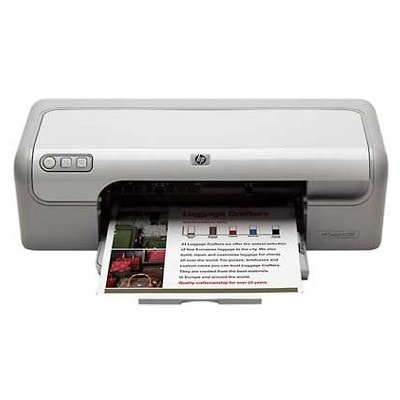
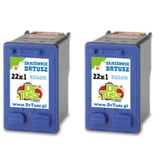
Reliable everyday printing with the HP DeskJet D2300 series If you use an HP DeskJet D2300 (also searched as HP D2300, HP Deskjet D2300 series or simply D2300), you already know it’s a practical, home-friendly inkjet designed for daily documents, school handouts and occasional color prints. To keep it working smoothly, the key is choosing the right ink cartridge for HP DeskJet D2300—one that matches your printing style, expected page yield and budget. Ink for HP DeskJet D2300: what to expect and why it matters The D2300 family typically works with two cartridges: black and tri-color. That means your print quality and costs depend heavily on whether you choose a standard or XL version, and whether you print mostly text or color. Our selection includes both Original OEM and Compatible options, so you can tailor ink for HP DeskJet D2300 to your real needs—without guesswork. With the right ink cartridge for HP DeskJet D2300, you can expect: - Clear, readable black text for everyday documents and forms
- Vibrant color output for simple graphics, charts and homework projects
- Better consistency and fewer interruptions thanks to XL (high-yield) choices
- Convenient replacement—especially when you keep a spare set at home
Original OEM or Compatible: we give you both (and we help you choose) In this category you’ll find Original OEM ink cartridges made by HP, as well as our carefully selected compatible ink cartridges for HP DeskJet D2300. Many customers ask whether compatible ink is “as good as the original”. Our answer is simple: the compatible cartridges from DrTusz.pl are as good as the originals for everyday printing needs, offering excellent quality and dependable performance—while often being the more cost-effective route. Here’s a quick, practical comparison: - Original OEM: ideal if you want to stay strictly within manufacturer branding, prefer HP’s own ink system, or print occasionally and want a straightforward choice.
- Compatible: ideal if you print more often, want a better cost per page, or like keeping spare cartridges ready—without overspending.
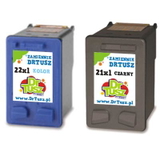
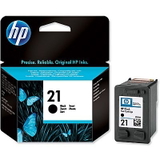
Popular cartridges in this category (a wide choice, from standard to XL and multipacks) We’ve built this offer so you can buy exactly what your printer needs—single black, single color, XL versions for frequent printing, or convenient multipacks. Some of the most popular options include: - Original OEM Ink Cartridge HP 21 (C9351AE) (Black) and Compatible Ink Cartridge 21 for HP (C9351AE) (Black) – great for crisp text and everyday office/home documents.
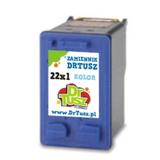
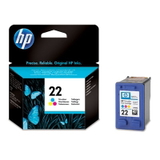
- Original OEM Ink Cartridge HP 22 (C9352AE) (Color) and Compatible Ink Cartridge 22 for HP (C9352AE) (Color) – for color printing, graphics and mixed documents.
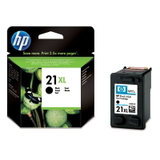
- Original OEM Ink Cartridge HP 21 XL (C9351CE) (Black) and Compatible Ink Cartridge 21 XL for HP (C9351CE) (Black) – higher yield, fewer replacements, better value for frequent black printing.
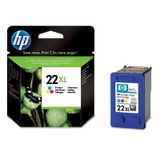
- Original OEM Ink Cartridge HP 22 XL (C9352CE) (Color) and Compatible Ink Cartridge 22 XL for HP (C9352CE) (Color) – ideal when you print more color pages or don’t want to run out mid-project.
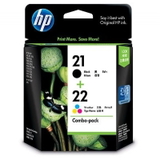
- Original OEM Ink Cartridges HP 21 XL + 22 XL (SD367AE) (multi pack) and Compatible Ink Cartridges 21 XL + 22 XL for HP (SD367AE) (multi pack) – the easiest way to refresh both cartridges at once.
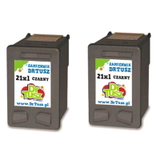
- Compatible Ink Cartridges 21 XL for HP (CC627AE) (Black) (2-pack) and Compatible Ink Cartridges 22 XL for HP (C9352AE-2) (Color) (2-pack) – smart for higher-volume users, families or small offices.
- Compatible Ink Cartridge 21 for HP (C9351AE-S) (Black) (starter) – a practical entry option if you want a budget-friendly start.
All of these are chosen specifically so you can quickly find the right ink for HP DeskJet D2300 without digging through unrelated listings. How to choose the right ink cartridge for HP D2300 (and avoid common issues) When buying ink for HP DeskJet D2300, we recommend deciding based on your printing habits: - You print mostly text (invoices, homework, documents): choose black, ideally 21 XL for better efficiency.
- You print mixed content (text + simple color graphics): choose both black and color, or go for an XL multipack.
- You print occasionally: standard versions can be enough, and keeping a spare helps avoid downtime.
Common user challenges with the HP DeskJet D2300 series often include running out of one cartridge unexpectedly (especially color), streaks after long breaks in printing, or replacing cartridges too frequently when using standard capacity. Choosing an XL ink cartridge for HP DeskJet D2300 can reduce replacement frequency, while keeping a matched set (black + color) helps maintain consistent results. If you ever hesitate between an OEM and a compatible option, we’re here to help. Tell us what you print and how often—and we’ll suggest the best-value ink cartridge for HP DeskJet D2300 for your exact use case. Order ink for D2300 with confidence We encourage you to explore our full range of ink cartridges for HP DeskJet D2300—both Original OEM and Compatible. Whether you want the familiarity of OEM or the excellent value of DrTusz.pl compatible cartridges, you’ll find a clear, well-matched selection right here. CTA: Choose your ink for HP DeskJet D2300 today—pick a single cartridge, an XL upgrade, or a convenient multipack. If you need quick guidance, contact us and we’ll help you select the perfect option and get your printer back to clean, reliable printing fast. |