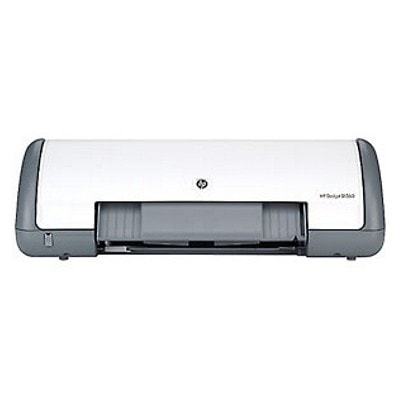
Reliable printing with the HP DeskJet D1500 Series HP DeskJet D1500 (also known as HP D1500 or HP Deskjet D1500 Series) is a popular home-and-office inkjet printer valued for simple operation and dependable everyday output. It’s a great choice for printing school materials, invoices, emails, forms, and occasional color documents. To keep your device working smoothly, it’s worth choosing the right ink for HP DeskJet D1500—matched to your printing style, expected page yield, and budget. Ink cartridges for HP DeskJet D1500 – what matters most In this category you’ll find ink cartridges for HP DeskJet D1500 in two proven options: Original OEM and Compatible. Both types are designed for the same cartridge family, so you can easily replace black and color supplies and restore sharp text and vivid graphics. A well-chosen ink for HP D1500 helps maintain consistent quality, reduces the risk of interruptions, and supports efficient printing—whether you print occasionally or in larger batches. Typical uses for ink for printer HP DeskJet D1500 include: - crisp black text for documents, schoolwork, and shipping labels,
- color printing for charts, presentations, simple photos, and handouts,
- everyday home printing where convenience and predictable results are key.
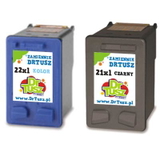
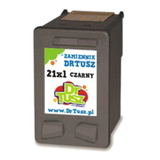
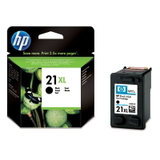
Original OEM vs Compatible – choose what suits you best We offer both Original OEM ink cartridges and carefully selected compatible ink cartridges for the D1500. Original OEM options are manufacturer cartridges, ideal for customers who want to stick to the brand’s factory solution. Compatible cartridges, on the other hand, are a smart choice when you want excellent quality at a better cost per page. Importantly: our compatible ink for HP DeskJet D1500 is made to deliver results that are as good as originals—clear text, stable colors, and smooth everyday performance—so you can print confidently without overspending. Popular cartridges in this category (black, color, and multipacks) To make your choice easy, we stock the most frequently used combinations for D1500, including high-yield XL versions and convenient multipacks: - Compatible Ink Cartridge 21 XL for HP (C9351CE) (Black) – high-yield black for frequent document printing.
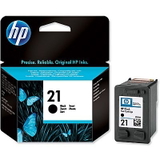
- Original OEM Ink Cartridge HP 21 XL (C9351CE) (Black) – OEM high-yield black for consistent day-to-day use.
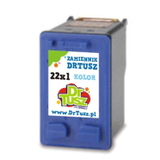
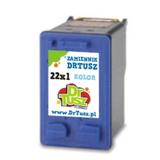
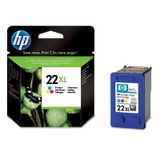
- Compatible Ink Cartridge 22 XL for HP (C9352CE) (Color) – high-yield color for graphics and mixed content.
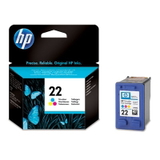
- Original OEM Ink Cartridge HP 22 XL (C9352CE) (Color) – OEM color cartridge for reliable color output.
- Compatible Ink Cartridge 21 for HP (C9351AE) (Black) and Original OEM Ink Cartridge HP 21 (C9351AE) (Black) – standard yield options when you print less often.
- Compatible Ink Cartridge 22 for HP (C9352AE) (Color) and Original OEM Ink Cartridge HP 22 (C9352AE) (Color) – standard yield color versions for occasional use.
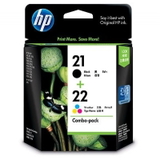
- Compatible Ink Cartridges 21 XL + 22 XL for HP (SD367AE) (multi pack) – a cost-effective set for balanced black + color printing.
- Original OEM Ink Cartridges HP 21 XL + 22 XL (SD367AE) (multi pack) – OEM multipack convenience for regular users.
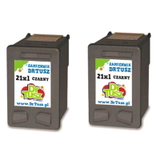
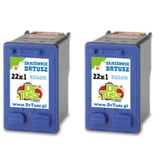
- Compatible Ink Cartridges 21 XL for HP (CC627AE) (Black) (2-pack) and Compatible Ink Cartridges 22 XL for HP (C9352AE-2) (Color) (2-pack) – perfect if you want spares ready at home.
- Compatible Ink Cartridge 21 for HP (C9351AE-S) (Black) (starter) – a practical starter option when you want a quick, budget-friendly replacement.
How to pick the right ink for HP DeskJet D1500 When choosing ink for HP DeskJet D1500 Series, we recommend focusing on three simple points: - Yield (standard vs XL) – If you print regularly, XL cartridges (21 XL / 22 XL) usually offer better value and fewer replacements.
- Printing type – Mostly text? Choose black (HP 21 / 21 XL). Printing charts and color materials? Add color (HP 22 / 22 XL) or go for a multipack.
- Original OEM or Compatible – Choose OEM if you prefer the manufacturer’s cartridge; choose compatible if you want a great price while maintaining excellent quality—our compatible cartridges are designed to perform like the originals.
Common user issues with the D1500 and practical tips Many users of ink for printer HP D1500 report a few typical situations—luckily, most are easy to prevent: - Cartridge “not recognized” message – Remove and reinsert the cartridge firmly; make sure protective tape has been fully removed; gently clean contacts if needed.
- Streaks or faded prints – Run the printer’s cleaning/alignment utility and consider switching to an XL cartridge if you print a lot.
- Ink drying out after long breaks – If you print rarely, try printing a small test page every 1–2 weeks to keep nozzles clear.
- Color looks off – Check that you’re using the correct color cartridge (22/22 XL) and run alignment for best results.
If you’re unsure which ink for HP DeskJet D1500 will be best for your needs, we’re here to help—tell us what you print and how often, and we’ll recommend the most cost-effective option. Order your ink today and print without interruptions We encourage you to explore our full range of ink cartridges for HP DeskJet D1500—both Original OEM and Compatible. Whether you need a single black cartridge, a color refill, or a convenient multipack for the D1500, you’ll find a well-matched solution here. Add your chosen cartridges to the cart and enjoy quick processing and delivery options tailored to your needs. If you have any questions, contact us—together we’ll select the right ink for HP D1500 so you can get back to printing with confidence. |