Haven't found what you were looking for? Click here! ▼
Describe below exactly what you are looking for and we will see how we can help. You will receive a reply to your e-mail address by 14:32 at the latest
Ink cartridges for HP DeskJet 9860 - compatible and original OEM
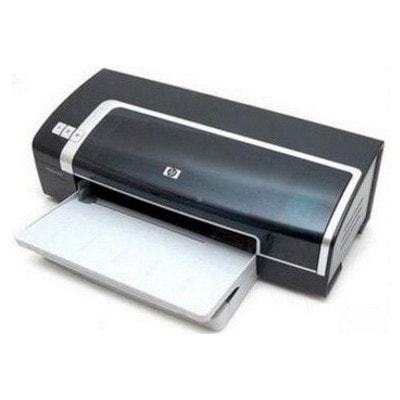
Keep your HP DeskJet 9860 (also found as HP 9860, HP Deskjet 9800 Series, or C8183A) running at its best with the right ink. In this category you’ll find Ink cartridges for HP DeskJet 9860 in both Original OEM and Compatible options—ideal for everyday printing, home offices, and sharp business documents.
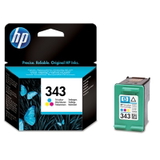
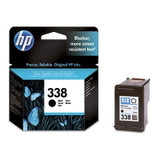
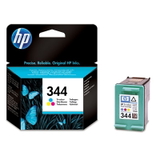
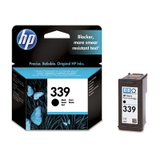
Choose from popular HP cartridge models like HP 338 (Black), HP 339 (Black), HP 343 (Color), and HP 344 (Color), including convenient multi-packs and 2-packs (such as 338/343 and 339 Black or 343/344 Color). Original OEM cartridges deliver the reliable quality you expect from HP, while compatible ink cartridges offer a budget-friendly alternative designed to fit and work smoothly with your printer.
Stock up now and avoid last-minute ink shortages—pick the cartridge or pack that matches your print volume and color needs. Get dependable results and great value with HP DeskJet 9860 ink cartridges—explore the full selection and find your perfect match today.
Product Number: C8183A Other names: Printer HP DeskJet 9860
HP DeskJet 9860 – a workhorse for home and office printing
The HP DeskJet 9860 (also searched as HP 9860, HP Deskjet 9800 Series or C8183A) is a proven inkjet printer designed for fast, reliable everyday printing. It’s often chosen for mixed workloads: documents, invoices, school materials and occasional color graphics. To keep this model performing at its best, choosing the right ink for HP DeskJet 9860 is essential—both for quality and for cost control.
Ink cartridges for HP DeskJet 9860 – what to expect
In this category you’ll find ink cartridges that match the printer’s requirements and help you get consistent results from the first page to the last. The HP DeskJet 9860 uses popular cartridge families: HP 338 (black), HP 339 (black), HP 343 (color) and HP 344 (color). Depending on what you print most, you can build a set that fits your needs: crisp black text, vivid color charts, or balanced everyday printing.
Black ink cartridges are ideal for sharp text, forms and business documents.
Color ink cartridges support graphics, simple photos, presentations and educational materials.
Multipacks and 2-packs help you save time and reduce cost per page—great for frequent printing.
Whether you choose an Original OEM cartridge or a compatible one, the key is correct compatibility with your printer model and cartridge code (like C8765EE, C8766EE, C8767EE, C9363EE, C9504EE, C9505EE or SD449EE). We make that choice easy by clearly grouping the products for the HP DeskJet 9860.
Compatible and Original OEM – a wide, practical selection
We keep this category focused on the most commonly used items, so you can quickly find the right ink for HP 9860. Popular options include:
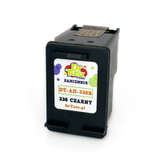
Original OEM Ink Cartridge HP 338 (C8765EE) (Black) and Compatible Ink Cartridge 338 for HP (C8765EE) (Black)
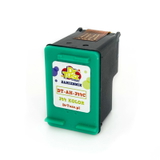
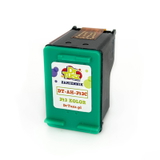
Original OEM Ink Cartridge HP 343 (C8766EE) (Color) and Compatible Ink Cartridge 343 for HP (C8766EE) (Color)
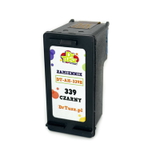
Original OEM Ink Cartridge HP 339 (C8767EE) (Black) and Compatible Ink Cartridge 339 for HP (C8767EE) (Black)
Original OEM Ink Cartridge HP 344 (C9363EE) (Color) and Compatible Ink Cartridge 344 for HP (C9363EE) (Color)
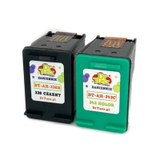
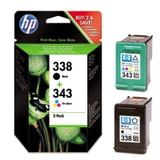
Original OEM Ink Cartridges HP 338 + 343 (SD449EE) (multi pack) and Compatible Ink Cartridges 338 + 343 for HP (SD449EE) (multi pack)
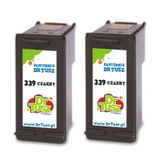
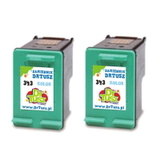
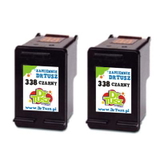
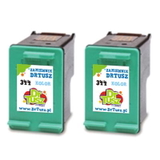
Convenient twin packs such as Compatible Ink Cartridges 338 for HP (CB331EE) (Black) (2-pack), Compatible Ink Cartridges 343 for HP (CB332EE) (Color) (2-pack), Compatible Ink Cartridges 339 for HP (C9504EE) (Black) (2-pack) and Compatible Ink Cartridges 344 for HP (C9505EE) (Color) (2-pack)
This means you can choose a single cartridge for occasional printing—or stock up with multipacks when the HP DeskJet 9860 is your daily driver.
How to choose the right ink for HP DeskJet 9860
When selecting ink for HP DeskJet 9860, we recommend a simple approach:
Match the cartridge code to what your printer uses (HP 338/339/343/344 or the codes listed on the old cartridge).
Check your printing habits: mostly text → prioritize black; mixed content → keep both black and color on hand.
Consider multipacks if you print frequently—less downtime and better value.
Original OEM vs compatible cartridges – what’s the difference?
Original OEM cartridges are produced by the printer manufacturer and are a solid choice for users who want to stick to the brand’s standard supply chain. Compatible ink cartridges are designed to work with the same printer models and are a smart option for customers who want strong performance and better cost efficiency.
Importantly, the compatible cartridges from DrTusz.pl are as good as the originals in everyday use: they are built for reliable installation, stable printing and clear output. So if you want to reduce printing costs without sacrificing quality, choosing a compatible ink cartridge for HP Deskjet 9800 Series can be the best decision.
Common user issues with HP DeskJet 9860 – and how the right cartridge helps
With long-running printer models like the HP DeskJet 9860, customers most often report practical issues such as:
Faded prints or missing lines – often caused by an empty or drying cartridge; replacing with a fresh black or color cartridge typically restores quality.
Cartridge not recognized – re-seating the cartridge and ensuring you’ve selected the correct HP 338/339/343/344 type usually resolves it.
Running out of ink unexpectedly – keeping a spare (or choosing a 2-pack) helps prevent downtime before important prints.
If you’re unsure which ink for HP 9860 will be the best fit, we’re here to help you choose quickly and correctly.
Choose your cartridge and start printing with confidence
We encourage you to explore our full range of Ink cartridges for HP DeskJet 9860—both compatible and Original OEM. Pick a single cartridge, a value multipack, or a convenient 2-pack and keep your printing smooth and predictable.
CTA: Add the right ink cartridges to your cart now, or contact us if you want help matching the correct code (HP 338, 339, 343, 344 / C8183A / SD449EE). We offer fast delivery options and friendly support—so you can get back to printing without delays.