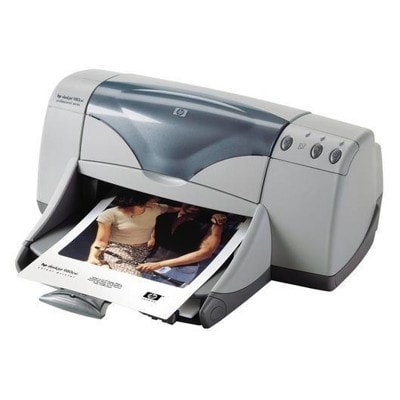
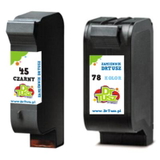
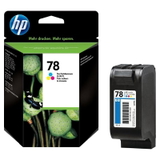
Reliable printing with the HP DeskJet 980c and DeskJet 900 Series HP DeskJet 980c (also searched as HP 980c, 980C, 980 c or HP Deskjet 900 Series) is a well‑known workhorse designed for everyday home and small office printing. It delivers crisp text and vivid colour on a wide range of papers—provided you use the right ink. In this category, we’ve gathered everything you need for smooth, predictable results: ink cartridges for HP DeskJet 980c in both Original OEM and compatible versions. Ink for HP DeskJet 980c – what it influences and where it works best Choosing the correct ink for HP DeskJet 980c isn’t only about “having something to print with”. The cartridge you install affects print sharpness, colour accuracy, drying time and even how reliably the printer feeds pages during longer print jobs. The HP DeskJet 980c uses two key cartridges: black and tri‑colour, commonly identified by the codes 51645AE (HP 45) and C6578AE / C6578DE (HP 78). These ink cartridges are ideal for: - everyday documents (invoices, school materials, contracts),
- graphics, charts and colourful office prints,
- occasional photo printing on suitable paper,
- mixed printing at home or in a small business where reliability matters.
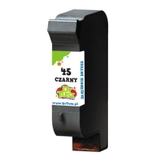
Compatible and Original OEM cartridges – one printer, two smart options We offer both Original OEM ink cartridges for HP DeskJet 980c and carefully selected compatible ink cartridges. Original OEM cartridges are produced by the printer manufacturer and are a go‑to choice for users who want the factory standard. At the same time, our compatible cartridges from the DrTusz.pl offer are designed to be as good as the originals in everyday use—delivering clean text, strong blacks and lively colours, while giving you excellent value and a wider choice of multipacks. If you print a lot, a compatible ink for HP 980c is often the most cost‑effective way to keep the printer running without compromises. Popular ink cartridges for HP 980c available in this category To make your choice easier, here are some of the most frequently selected products in this range—covering both compatible and Original OEM options: - Compatible Ink Cartridge 45 for HP (51645AE) (Black) – a practical choice for crisp documents.
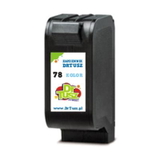
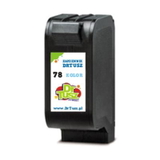
- Compatible Ink Cartridge 78 for HP (C6578DE) (Color) – tri‑colour cartridge for vibrant everyday prints.
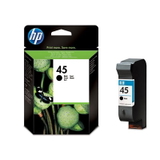
- Original OEM Ink Cartridge HP 45 (51645AE) (Black) – manufacturer cartridge for consistent black text output.
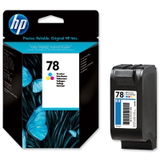
- Original OEM Ink Cartridge HP 78 (C6578AE) (Color) and Original OEM Ink Cartridge HP 78 (C6578DE) (Color) – OEM colour options depending on your preferred code/version.
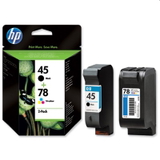
- Compatible Ink Cartridges 45 + 78 for HP (SA308AE) (multi pack) and Original OEM Ink Cartridges HP 45 + 78 (SA308AE) (multi pack) – convenient sets for users who want both colours and black ready at once.
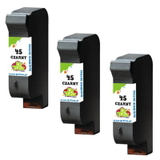
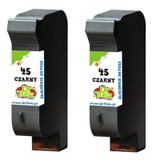
- Compatible Ink Cartridges 45 for HP (SA294AE) (Black) (2-pack) and Compatible Ink Cartridges 45 for HP (51645AE-3) (Black) (3-pack) – smart solutions for frequent black printing.
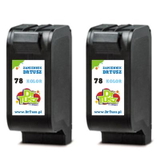
- Compatible Ink Cartridges 78 for HP (C6578AE-2) (Color) (2-pack) – ideal if you print a lot in colour.
Thanks to multipacks and 2‑packs/3‑packs, you can tailor your purchase to your printing habits—whether you print occasionally or daily. How to choose the right cartridge for HP DeskJet 980c When selecting an ink cartridge for HP DeskJet 980c, we recommend focusing on two things: the cartridge code and your print style. Use these simple tips: - Match the code: for black, look for HP 45 / 51645AE; for colour, choose HP 78 / C6578AE / C6578DE.
- Choose Original OEM if you prefer the manufacturer’s cartridge as your default standard.
- Choose Compatible if you want excellent performance at a great price—our compatibles are engineered to deliver results comparable to OEM.
- Consider a multipack (e.g., 45 + 78) if you want both cartridges ready and avoid downtime.
- Print volume matters: for heavy printing, a 2‑pack or 3‑pack reduces cost per page and keeps a spare on the shelf.
Common HP DeskJet 980c printing issues and quick cartridge tips Many users searching for ink for printer HP DeskJet 980c do so after noticing typical symptoms that appear when ink runs low or the cartridge is overdue for replacement. The most common include faded black text, missing colours, streaks or uneven fills. In many cases, replacing the cartridge solves the issue immediately—especially when prints look pale even after cleaning cycles. For best results, we also suggest: - printing at least once every 1–2 weeks to reduce the risk of dried ink in the nozzles,
- using the printer’s built‑in cleaning option only when needed (too many cleanings can use up ink),
- keeping a spare ink cartridge for HP 980c on hand—especially if you print important documents.
Choose your ink today and keep your HP 980c ready to print We encourage you to explore our full selection of ink cartridges for HP DeskJet 980c—compatible and Original OEM—so you can print with confidence and get the quality you expect. Add the right cartridge to your basket, choose a convenient delivery option, and if you have any questions about codes like C6500Z, 51645AE or C6578AE/C6578DE, contact us—we’ll help you match the best ink for HP DeskJet 980c to your needs. CTA: Check the available cartridges above, choose Original OEM or our proven compatible option, and order now to get your HP DeskJet 980c back to perfect printing. |