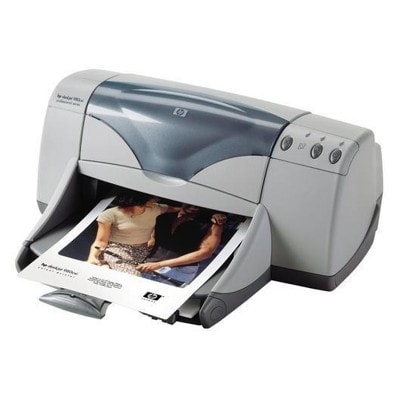
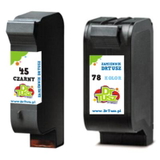
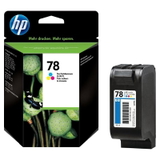
Ink for HP DeskJet 970cse – keep the HP Deskjet 900 Series printing smoothly HP DeskJet 970cse is a well-known representative of the HP Deskjet 900 Series—a reliable inkjet printer designed for everyday home and small office printing. If you still use this classic model, you already know it can deliver crisp documents and pleasant color prints, as long as you choose the right ink cartridge for HP DeskJet 970cse. In our store, we make it easy to find the exact cartridge you need—whether you search by HP 970cse, 970CSE, 970 cse, C6429B or simply “ink for 970cse”. What matters in an ink cartridge for HP 970cse? The HP DeskJet 970cse works with two main cartridge families: black and tri-color. A good ink for printer HP DeskJet 970cse should provide consistent ink flow, clear black text, and stable color reproduction without streaks. Whether you print invoices, school assignments, forms, or occasional color graphics, the right cartridge helps keep your printer dependable and protects you from wasted paper and repeated cleaning cycles. When choosing ink for HP DeskJet 970cse, pay attention to: - Correct model compatibility (HP 45 black and HP 78 color are the key references for this printer line).
- Print type – mostly text (black cartridge is crucial) vs. mixed use (add a color cartridge).
- Efficiency – multipacks and twin packs reduce cost per page and minimize downtime.
- Quality and reliability – stable results from page 1 to the last page.
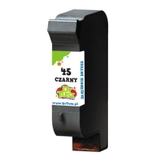
Compatible and Original OEM cartridges – choose what fits your needs In this category you can select both Original OEM cartridges and high-quality Compatible cartridges. Original OEM means manufacturer-made cartridges designed specifically for HP printers. Compatible cartridges are alternatives designed to match the same specifications and fit the same printer models. Importantly, the compatible ink cartridges from DrTusz.pl are as good as the originals in everyday use—providing clean prints, solid coverage and a dependable experience, while often offering a better price-to-performance ratio. If you want maximum brand consistency and you prefer OEM supplies, we have original options ready. If you want to print more for less and still expect excellent results, our compatible options are a smart choice for your ink for HP 970cse. Popular ink cartridges for HP DeskJet 970cse in our offer We keep the selection clear and practical, so you can quickly pick the right ink cartridge for HP DeskJet 970cse—single units for occasional printing and multipacks for frequent use. Here are some frequently chosen products from this category: - Compatible Ink Cartridge 45 for HP (51645AE) (Black) – a great everyday choice for sharp text and office documents.
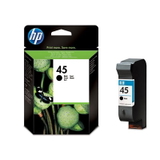
- Original OEM Ink Cartridge HP 45 (51645AE) (Black) – OEM black cartridge for users who prefer original supplies.
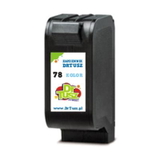
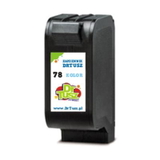
- Compatible Ink Cartridge 78 for HP (C6578AE) (Color) and Compatible Ink Cartridge 78 for HP (C6578DE) (Color) – for color printing, photos, charts and colorful school projects.
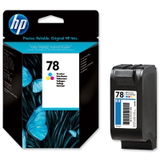
- Original OEM Ink Cartridge HP 78 (C6578AE) (Color) / Original OEM Ink Cartridge HP 78 (C6578DE) (Color) – OEM color options for consistent color output.
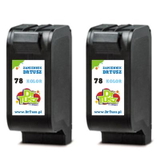
- Compatible Ink Cartridges 78 for HP (C6578AE-2) (Color) (2-pack) – a practical way to stock up and lower cost per page.
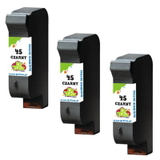
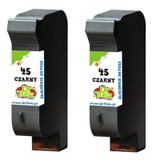
- Compatible Ink Cartridges 45 for HP (SA294AE) (Black) (2-pack) and Compatible Ink Cartridges 45 for HP (51645AE-3) (Black) (3-pack) – ideal when you print a lot of black text and want fewer replacements.
- Compatible Ink Cartridges 45 + 78 for HP (SA308AE) (multi pack) – a convenient black + color set for mixed printing.
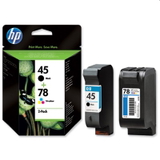
- Original OEM Ink Cartridges HP 45 + 78 (SA308AE) (multi pack) – the OEM multipack solution for users who want original cartridges in one purchase.
Thanks to this range, you can match your purchase to your printing style—single cartridge, twin pack, triple pack, or a complete black + color set for your ink for printer HP DeskJet 970cse. How to pick the right cartridge (and solve common HP 970cse printing issues) If you are not sure what to choose, we recommend starting with a simple question: do you print mostly documents or do you also print in color? For documents, the HP 45 (51645AE) black is essential. For color, add the HP 78 (C6578AE / C6578DE) color. If you print regularly, multipacks are usually the most economical way to keep your ink for HP DeskJet 970cse always ready. Users of the HP DeskJet 970cse and similar models sometimes report issues that are almost always ink-related and easy to address: - Faded prints or streaks – often caused by an empty cartridge or clogged nozzles; replacing the cartridge and running a cleaning cycle typically helps.
- Missing colors – the color cartridge may be depleted in one channel (e.g., cyan/magenta/yellow); a fresh HP 78 color restores full color.
- Printer not used for a long time – ink can dry; choosing a reliable cartridge and performing maintenance improves results.
- Frequent cartridge changes – consider 2-packs or 3-packs to reduce downtime and keep printing uninterrupted.
Still hesitating between OEM and compatible? If you want the manufacturer’s original solution, choose Original OEM. If you want excellent quality and better value, choose Compatible—in our offer, compatible cartridges are built to deliver results you can trust every day. Order your ink for HP DeskJet 970cse with confidence We encourage you to explore our full selection of ink cartridges for HP DeskJet 970cse—compatible and Original OEM—and choose the set that best matches your printing habits. If you need help identifying the correct cartridge (for example when searching by HP 970cse, 970 CSE, C6429B or other naming variants), contact us—we will gladly guide you to the right product. Add your chosen ink for HP 970cse to the cart, place your order, and enjoy fast, convenient delivery and support from a team that knows printer consumables inside out. CTA: Check the available cartridges above, choose Compatible or Original OEM, and order your ink for HP DeskJet 970cse today—if you have any questions, we are ready to help. |