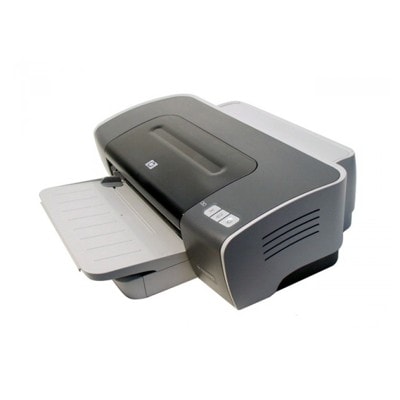
Reliable printing with the HP DeskJet 9670 HP DeskJet 9670 (also searched as HP 9670 or HP Deskjet 9600 Series, model code C8137A) is a proven inkjet printer designed for everyday office and home use—especially when you need clear text documents and vivid color prints. To keep this printer working at its best, you need the right ink cartridge for HP DeskJet 9670: properly matched, fresh, and ready for smooth, trouble-free printing. Ink for HP DeskJet 9670: what matters in everyday use Choosing the correct ink for HP DeskJet 9670 is not only about “having something to print with”. It’s about consistent quality and predictable results—whether you print invoices, school materials, forms, or color graphics. This printer uses two key cartridges: black and tri-color. When they are well-matched, you can expect: - sharp black text for contracts, reports, and everyday documents,
- balanced color for charts, presentations, and photos,
- stable performance across many pages,
- less risk of streaks and fading when the cartridge is properly stored and installed.
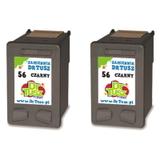
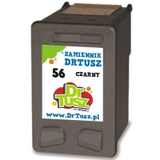
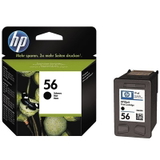
In this category you will find both Original OEM and Compatible options—so you can choose what best fits your printing style and budget while still getting dependable ink for HP 9670. Compatible and Original OEM cartridges—one printer, two smart paths We offer two cartridge classes for your printer: Original OEM ink cartridges and compatible ink cartridges. Original OEM products are made by the printer manufacturer and are a common choice for users who prefer sticking strictly to factory solutions. Compatible cartridges, on the other hand, are a cost-effective alternative—and the compatible cartridges from DrTusz.pl are designed to be as good as the originals in everyday printing: reliable, well-fitted, and delivering strong print quality. When you shop for an ink cartridge for HP DeskJet 9670 here, you can easily choose the option that matches your priorities: maximum brand continuity (OEM) or excellent value (compatible). Popular ink cartridges for HP DeskJet 9670 in our offer To make your choice simple, we stock the most frequently selected cartridge sets and singles for this model. Customers often choose multipacks and twin packs to reduce downtime and keep a spare on hand. - Compatible Ink Cartridge 56 for HP (C6656AE) (Black) – a practical choice for frequent black text printing.
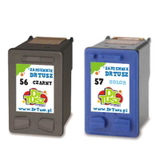
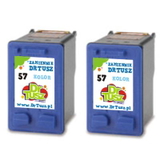
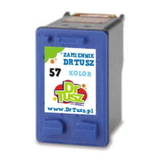
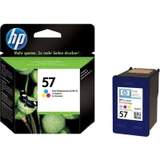
- Compatible Ink Cartridge 57 for HP (C6657AE) (Color) – for colorful graphics, charts, and everyday color pages.
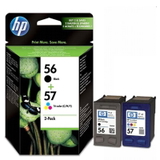
- Compatible Ink Cartridges 56 + 57 for HP (SA342AE) (multi pack) – a convenient combo for users who print both black and color.
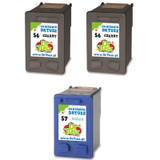
- Compatible Ink Cartridges 2x 56 + 57 for HP (SD399AE) (multi pack) – ideal if you print a lot and want a longer supply.
- Compatible Ink Cartridges 56 for HP (C9502AE) (Black) (2-pack) – extra black capacity planning without frequent reordering.
- Compatible Ink Cartridges 57 for HP (C9503AE) (Color) (2-pack) – a smart choice for steady color printing needs.
- Original OEM Ink Cartridge HP 56 (C6656AE) (Black) – manufacturer cartridge for crisp black output.
- Original OEM Ink Cartridge HP 57 (C6657AE) (Color) – OEM tri-color cartridge for consistent color reproduction.
- Original OEM Ink Cartridges HP 56 + 57 (SA342AE) (multi pack) – an OEM bundle that covers both core cartridges in one order.
Each product is selected to match the needs of the HP DeskJet 9670 family, so you can shop confidently for the right ink for printer HP DeskJet 9670. How to choose the right cartridge: quick, practical tips Dear Customer, the easiest way to avoid ordering the wrong product is to focus on cartridge numbers. For this printer series, the key identifiers are: - HP 56 – black ink cartridge (codes such as C6656AE),
- HP 57 – tri-color ink cartridge (codes such as C6657AE).
If you mainly print text, choose an extra black cartridge or a 2-pack. If you print mixed documents, a multipack (black + color) is usually the most convenient. If you prefer fewer interruptions, consider double multipacks so you always have a spare ready. Common user issues with HP DeskJet 9670 and how the right ink helps Older and well-used printers from the HP Deskjet 9600 Series can sometimes show typical ink-related issues. The good news: many of them are easy to prevent with a well-chosen cartridge and a few simple habits. - Streaks or faded prints – often caused by a nearly empty cartridge or long breaks between printing. Printing a small test page regularly can help.
- Colors not matching expectations – color output depends on the tri-color cartridge condition; replacing HP 57 at the right time restores balance.
- Cartridge not recognized – usually solved by reinstalling the cartridge and gently cleaning the electrical contacts.
- Ink drying out – if you print rarely, storing a spare cartridge properly and printing occasionally reduces the risk.
Whether you choose Original OEM or our compatible ink cartridge for HP DeskJet 9670, we focus on solutions that keep your printing consistent and stress-free. Order ink for HP DeskJet 9670 with confidence We encourage you to explore our full selection of ink cartridges for HP DeskJet 9670—compatible and Original OEM—so you can print exactly the way you want: economically, reliably, and without unnecessary interruptions. Add a multipack to your cart for convenience, or choose single cartridges to match your current needs. If you’re unsure whether you need HP 56, HP 57, or a multipack like SA342AE, contact us—we’ll help you select the best ink for HP 9670 and arrange fast delivery so you can get back to printing as soon as possible. |